GDPR Extension
The Magebit GDPR Extension provides comprehensive GDPR compliance tools for Magento stores, including cookie consent management, customer data privacy settings, and regulatory compliance features.
Installation
Install the GDPR extension using Composer.
Installation Command:
composer require magebitcom/magento2-module-gdprPost-Installation Steps:
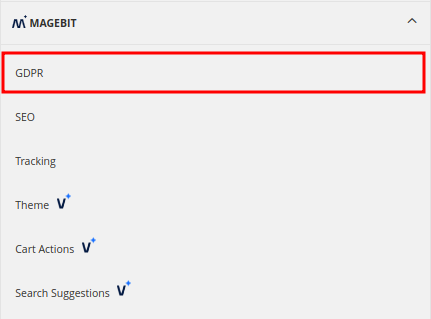
bin/magento setup:upgradeConfiguration Access: Navigate to Stores > Settings > Configuration > Magebit to access GDPR configuration options.
Configuration
General Settings
Control the overall functionality of the GDPR extension.
Configuration Options:
- Enable Extension - Turn the GDPR extension on/off
- Store View Level - Configure settings per store view
Cookie Bar Settings
Configure cookie policy bar interactions and auto-cleaning periods.
Configuration Options:
- Cookie Bar Display - Control cookie consent banner visibility
- Auto-Cleaning Period - Set automatic deletion interval for cookie consent logs
- Log Retention - Define how long consent data is stored
Cookie Bar Functionality:
- Displays according to custom settings
- Provides accept, decline, and custom settings options
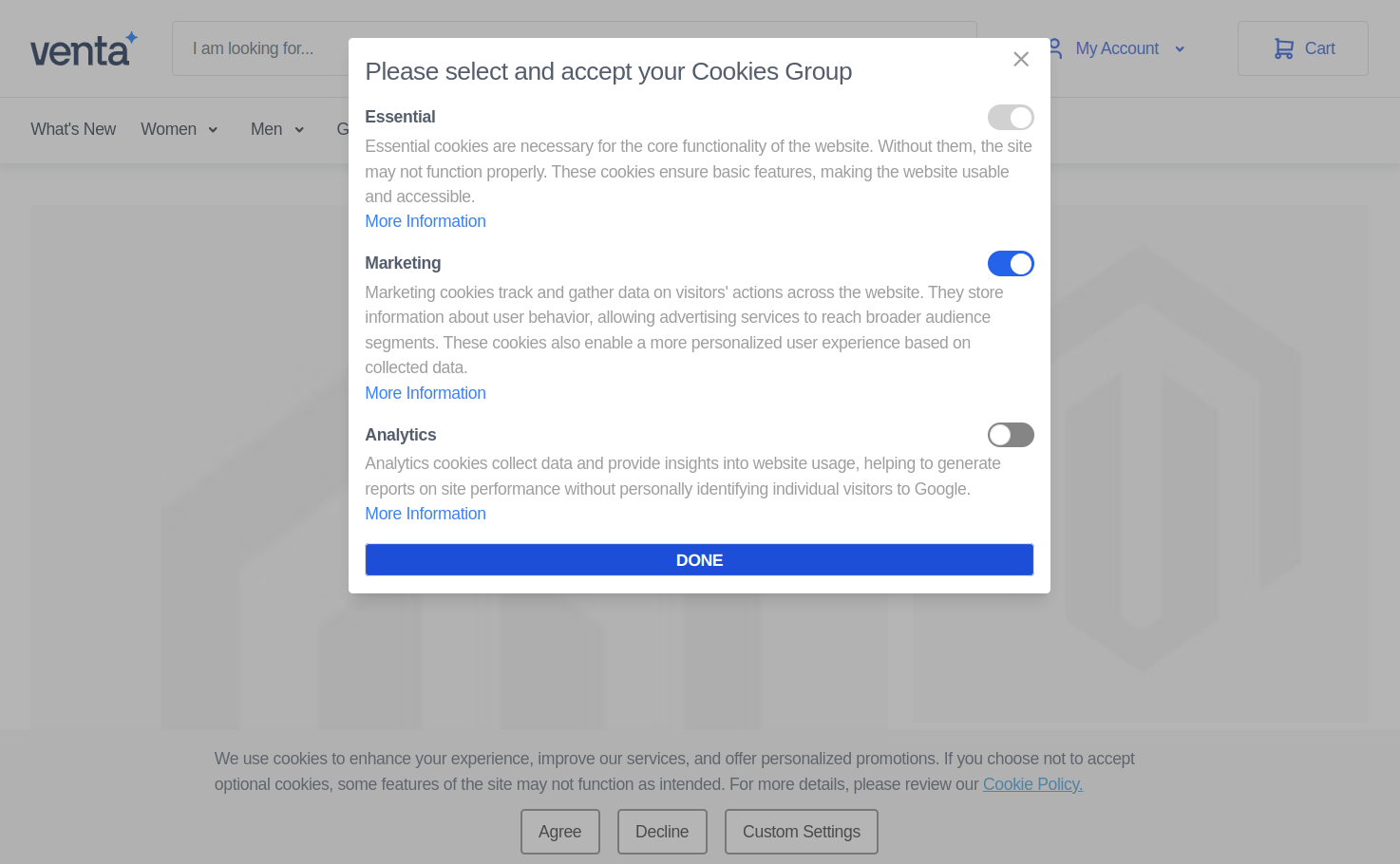
- Allows users to manage specific cookie group preferences
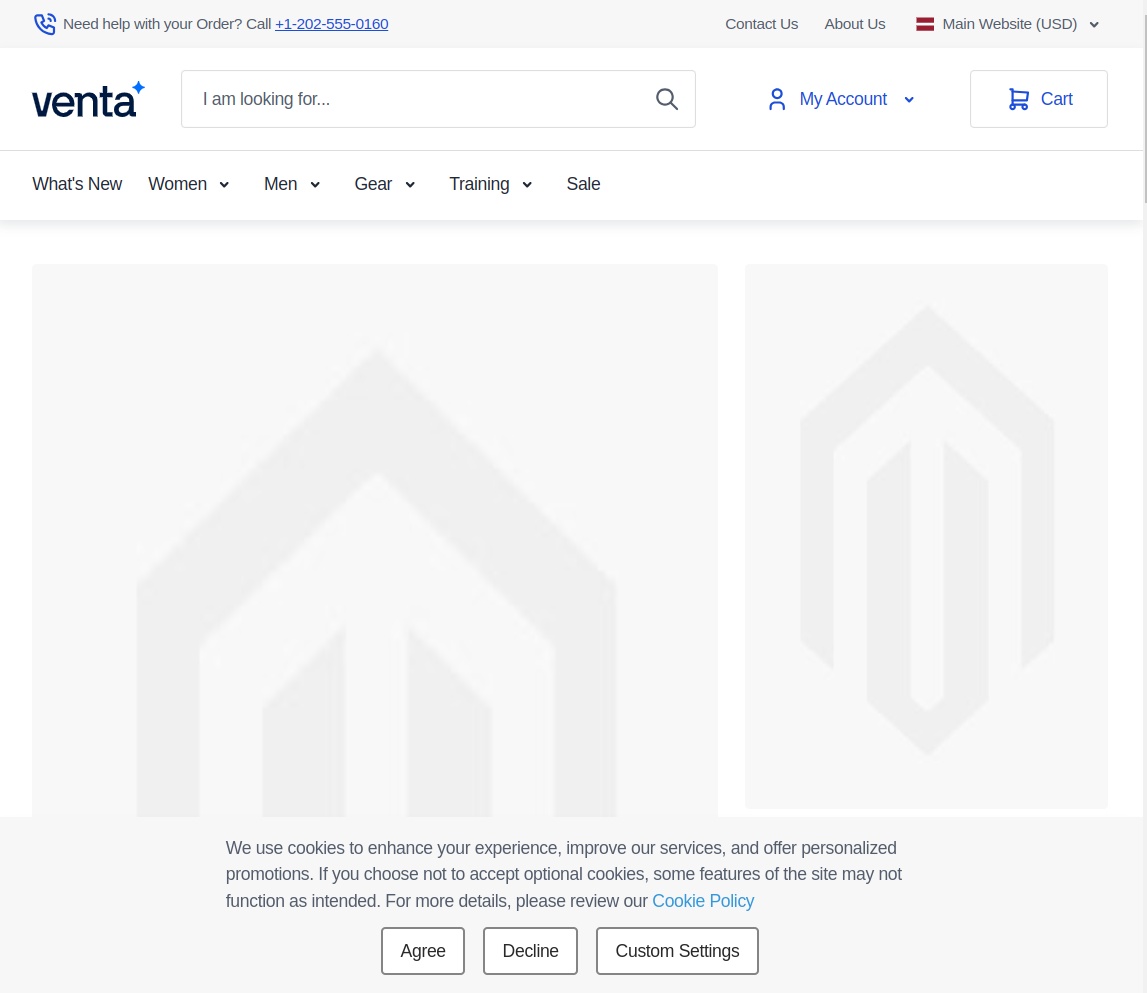
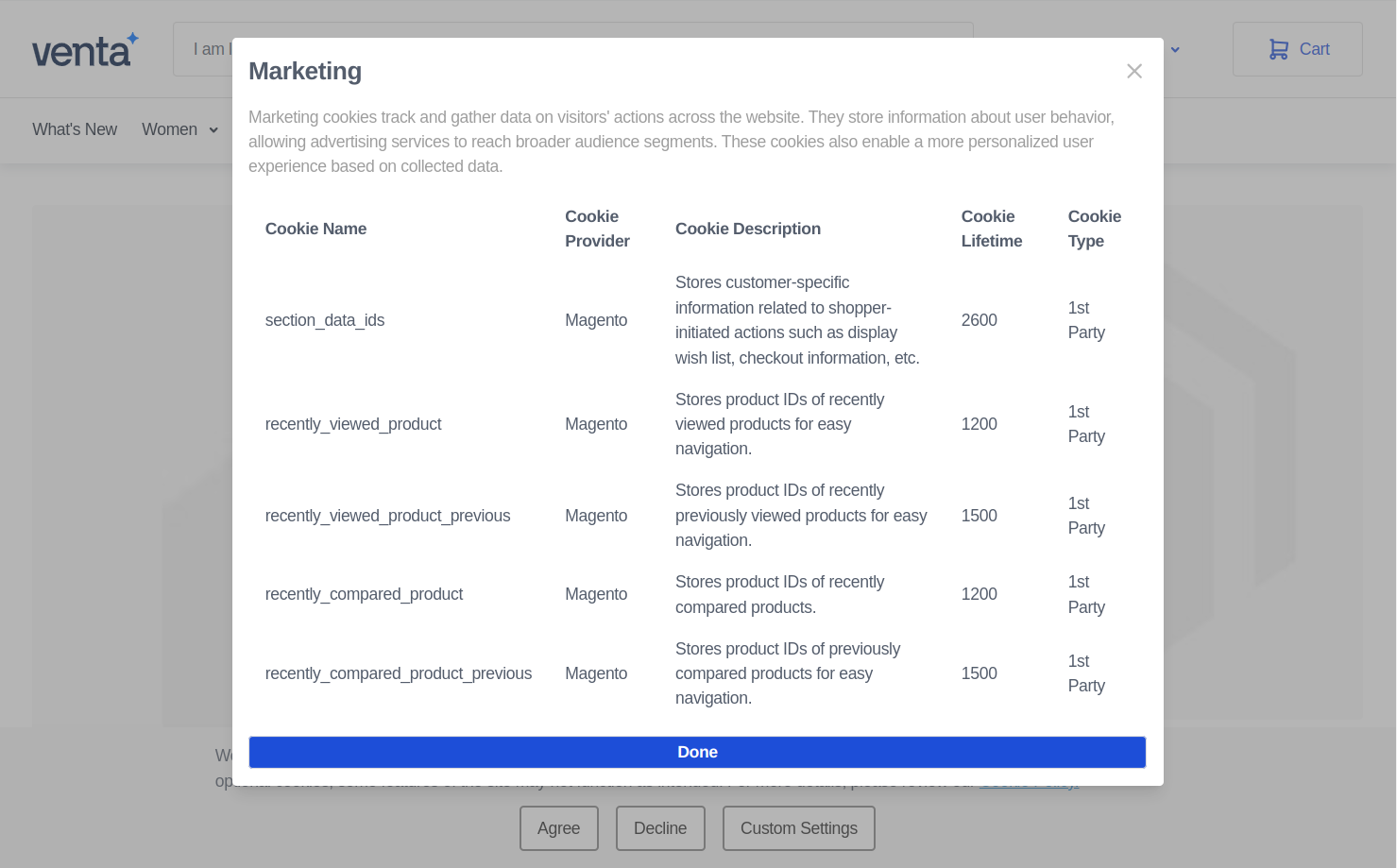
Custom Settings Interface: Users can access detailed cookie group information and customize their preferences.
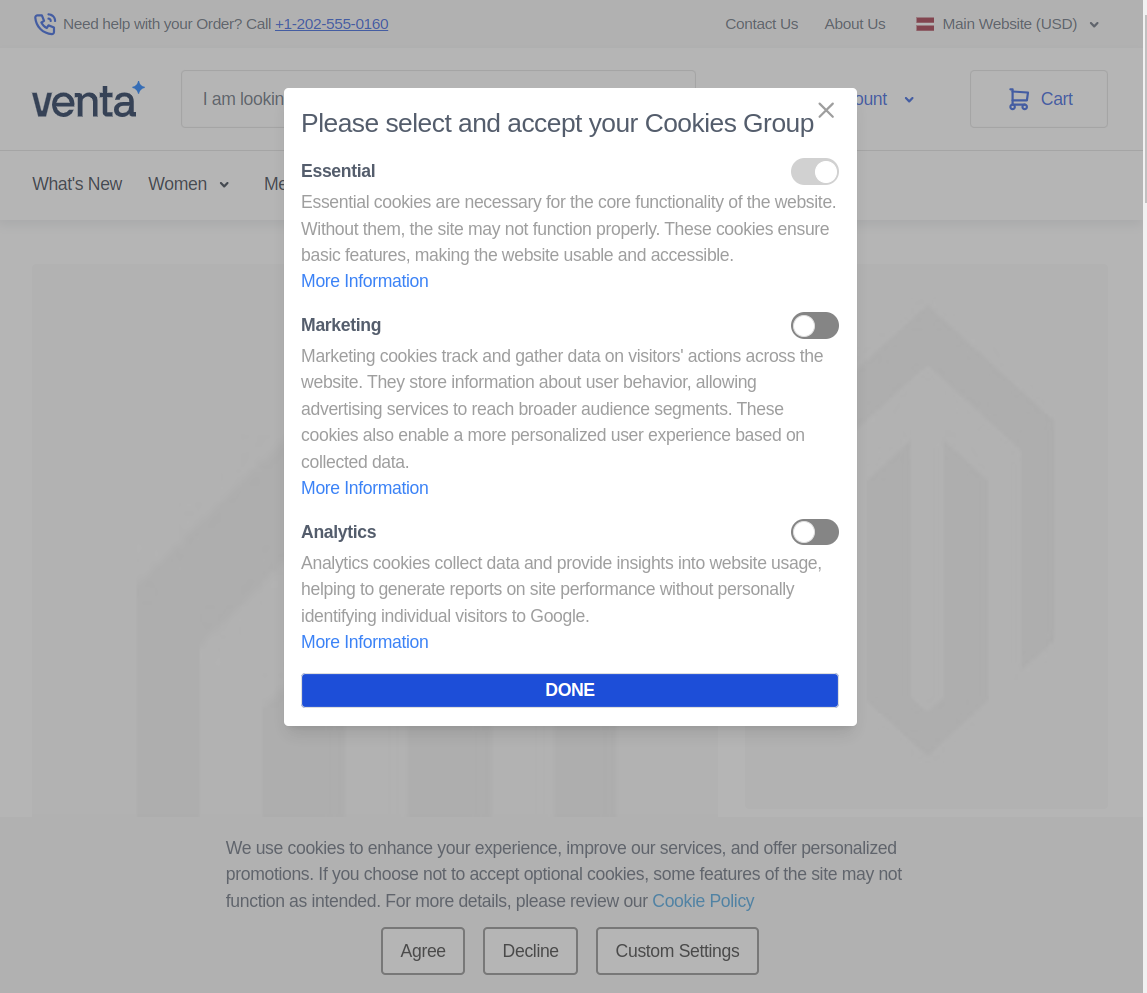
Cookie Group Information: Detailed information about each cookie group and assigned cookies.
Preference Saving: User preferences are saved after selection and confirmation.
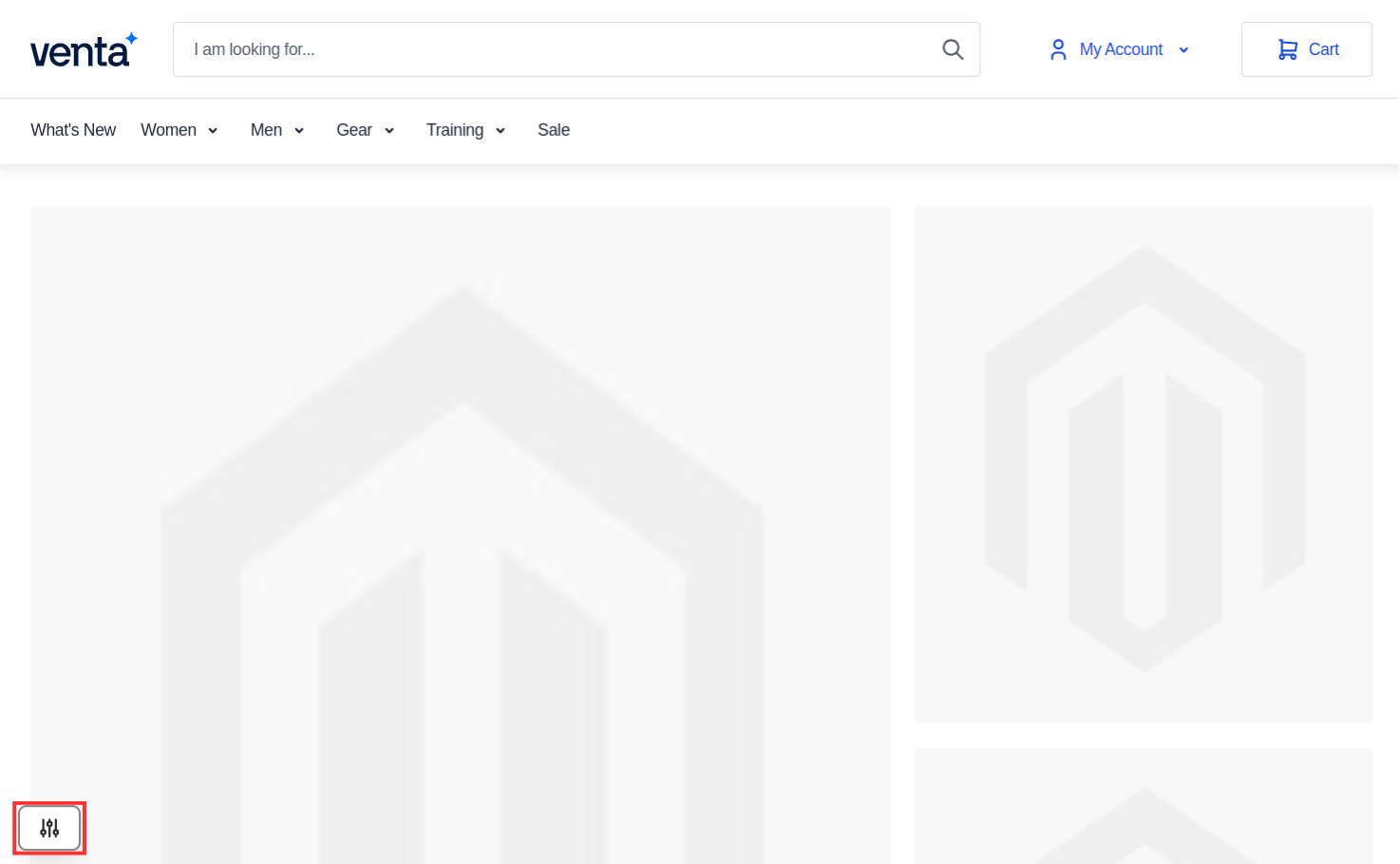
Preference Adjustment: Users can modify their preferences at any time using the bottom-left button.
Cookie Bar Customization
Configure cookie bar appearance, button labels, and positioning.
Configuration Options:
- Button Labels - Customize accept, decline, and custom settings button text
- Bar Position - Set cookie bar location on the page
- Styling Options - Configure visual appearance and branding
Button Configuration:
- Accept Button - Always enabled for cookie acceptance
- Decline Button - Configurable based on regional legal requirements
- Custom Settings Button - Provides detailed preference management
Consent Mode
Configure default cookie settings for Google Analytics and other tracking services.
Consent Mode V2:
- Default Configuration - Sets initial cookie state for Google services
- Data Tracking Impact - Adjusts Google tags based on user consent
- Privacy Protection - Limits data collection when consent is denied
- Restricted Mode - Google tags operate with limited functionality without consent
Permission Types:
- Analytics - Website usage and performance tracking
- Marketing - Advertising and promotional content tracking
- Functional - Essential website functionality cookies
- Preference - User preference and customization cookies
Cookie Consent Log
Track and manage all customer consent data for compliance purposes.
Access Path: Magebit GDPR > Cookie Consents Log

Log Data Includes:
- Customer Information - Name and email address
- Technical Data - IP address and website identifier
- Consent Details - Date and consent status
- Legal Compliance - Required data storage for GDPR compliance
GDPR Features
Configure additional GDPR compliance features.
Configuration Options:
- Terms and Conditions Agreement - Require acceptance during account creation
- Account Deletion Requests - Allow customers to request account deletion
- Data Retention Policies - Set data storage and deletion periods
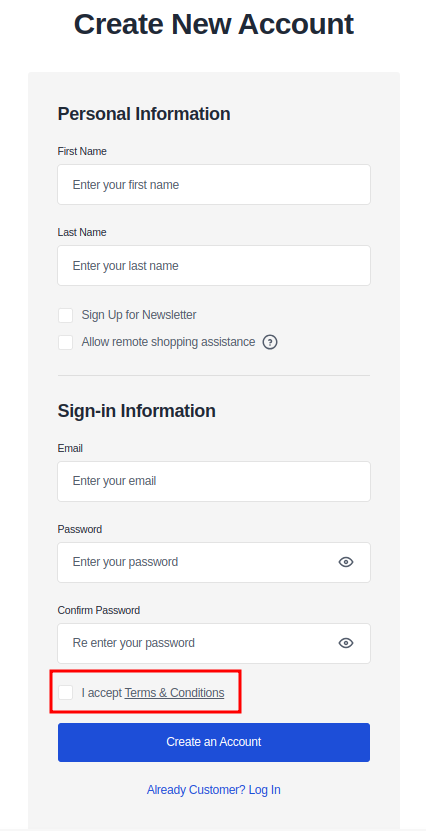
Terms and Conditions Integration: When enabled, a required checkbox appears on the account creation page.
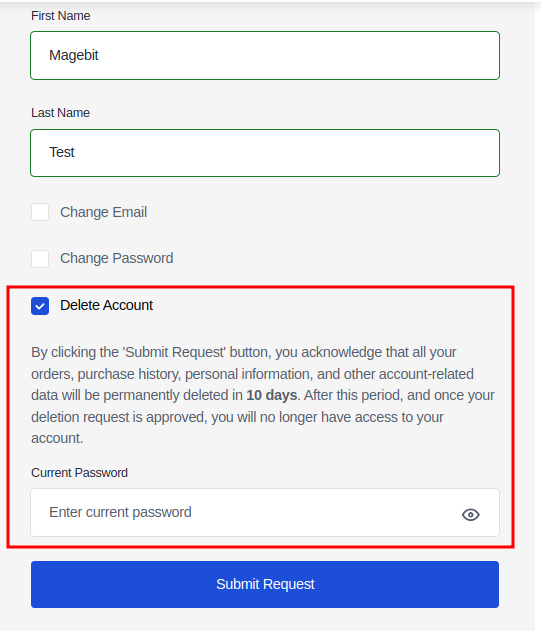
Account Deletion Feature: Customers can request account deletion from their account information page.
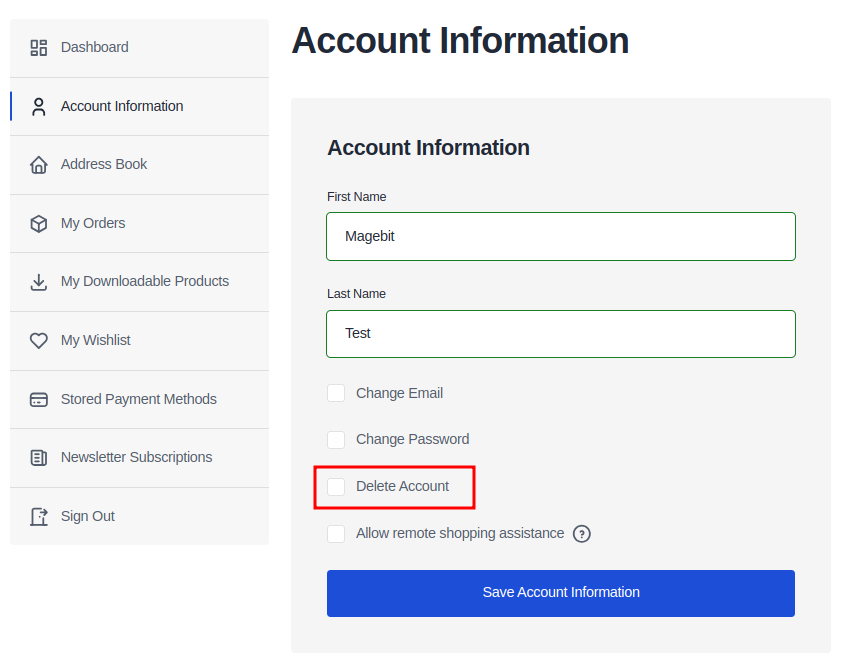
Deletion Information: Clear information about account deletion timeline and process.
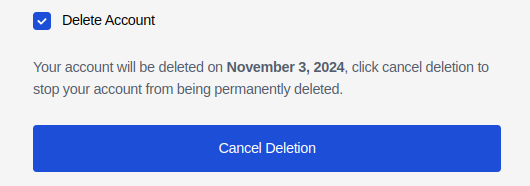
Deletion Confirmation: Confirmation message with deletion date and cancellation option.
Cookie Management
GDPR Cookies Grid
Manage individual cookies and their properties.
Access Path: Magebit GDPR > Cookies
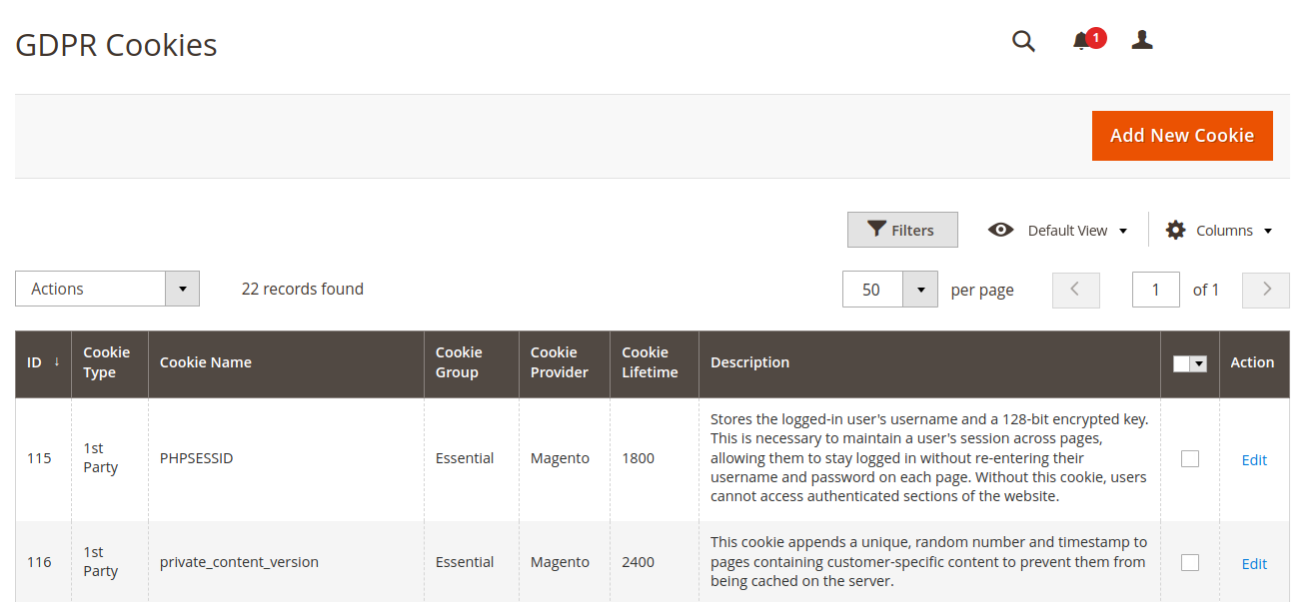
Cookie Management Features:
- Add New Cookies - Create and configure new cookie entries
- Edit Existing Cookies - Modify cookie properties and settings
- Sort and Filter - Organize cookies by various criteria
- Bulk Operations - Manage multiple cookies simultaneously
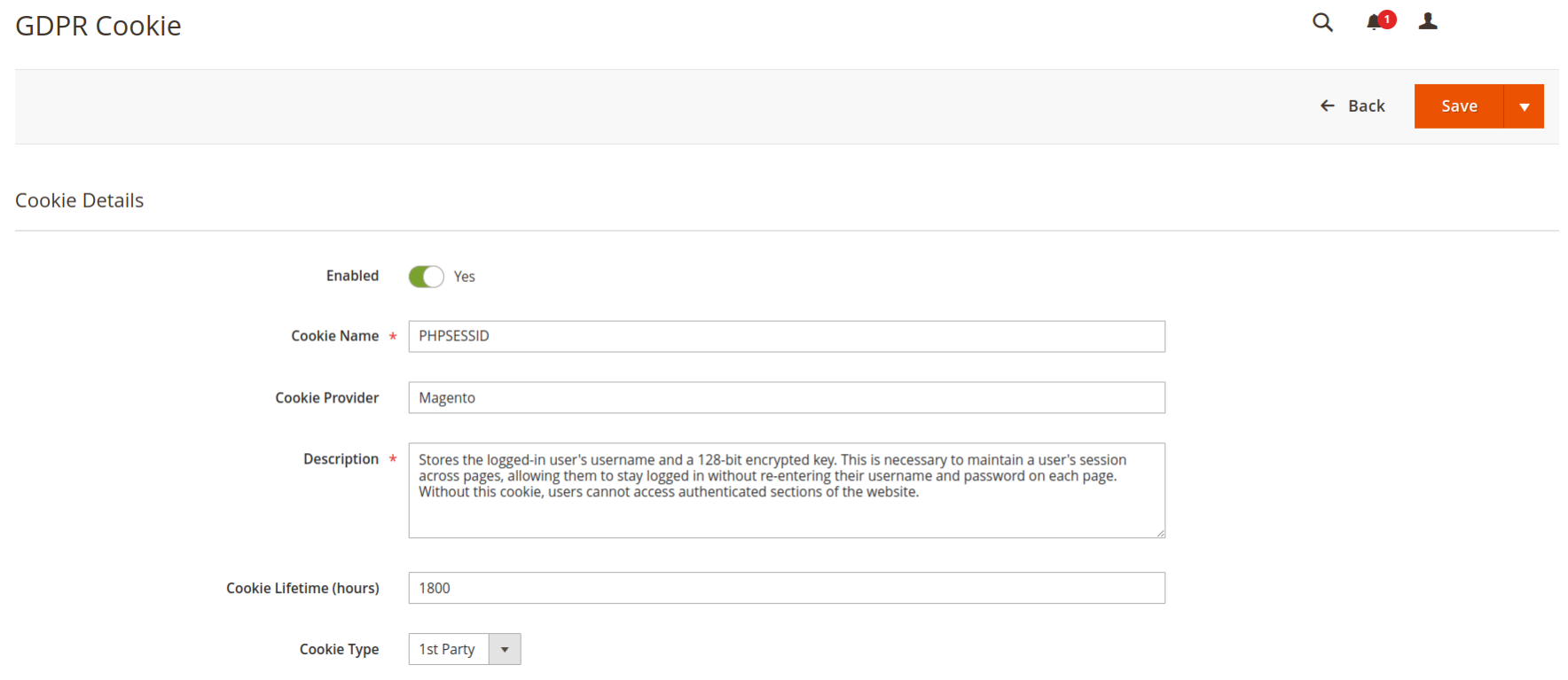
Add New Cookie Interface: Create new cookies with detailed configuration options.
Cookie Groups
Organize cookies into functional groups for better management.
Access Path: Magebit GDPR > Cookie Groups
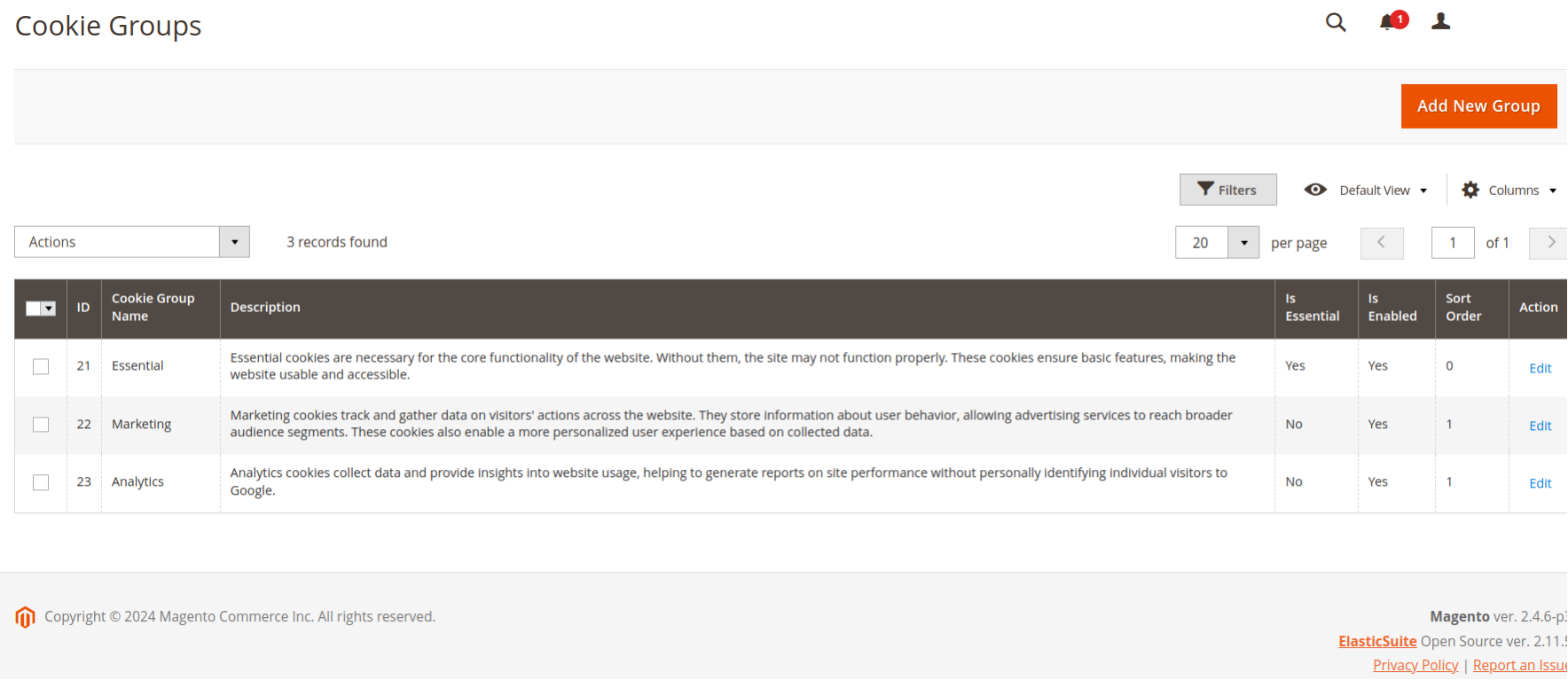
Cookie Group Configuration:
- Group Name - Define descriptive group names
- Description - Provide detailed group descriptions
- Enable/Disable - Control group visibility and functionality
- Essential Status - Mark groups as essential for website operation
- Cookie Assignment - Assign specific cookies to groups
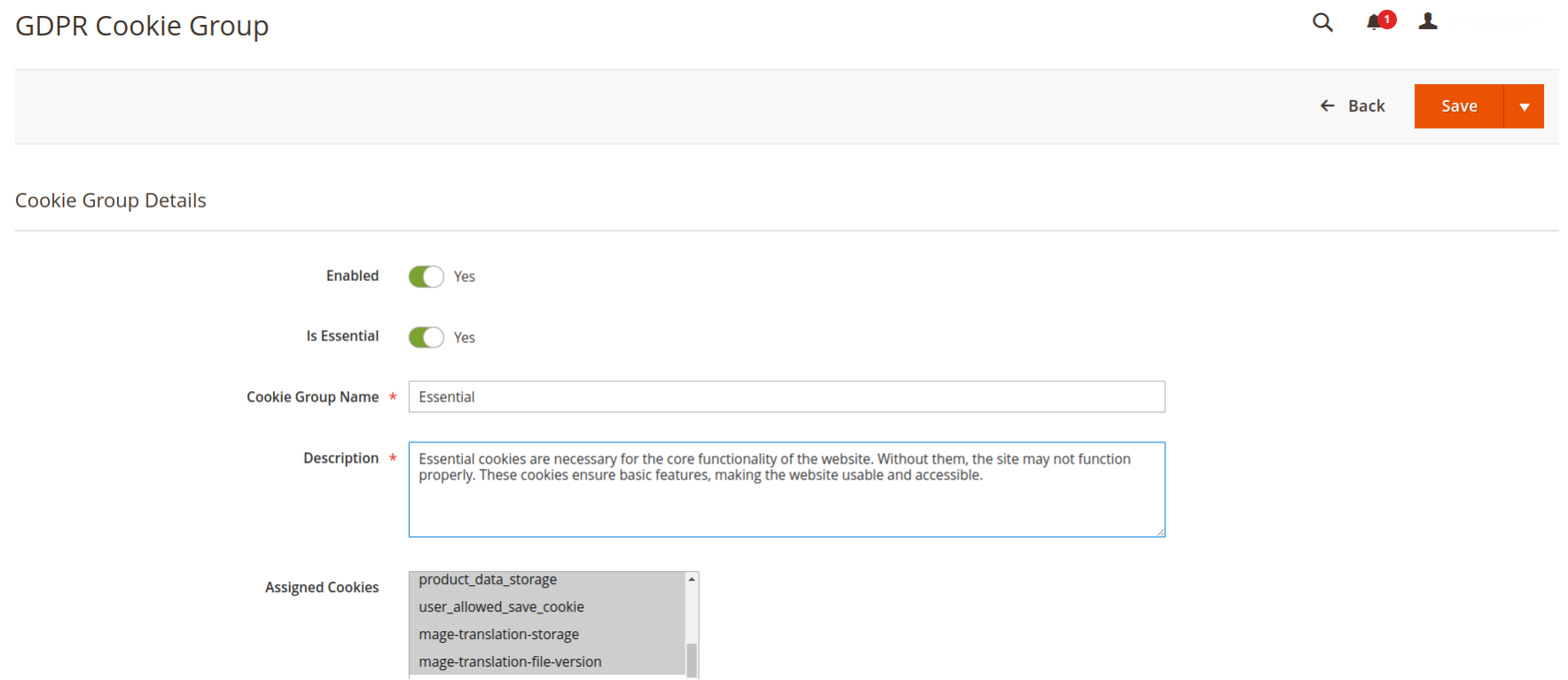
Cookie Group Creation: Configure new cookie groups with comprehensive settings.