

GDPR Extension
The Magebit GDPR Extension adds GDPR tooling to a Venta/Hyvä store: a cookie consent bar with grouped cookies and a per-website opt-in or opt-out consent model, Google Consent Mode v2, a per-accept consent log, and a customer Privacy section in My Account covering data download, account deletion with a grace period, and irreversible anonymization. Anonymization events are written to an admin audit log.
Installation
Install the GDPR extension using Composer.
Installation Command:
composer require magebitcom/magento2-module-gdprGDPR 2.0.4
2.0.4 raised the theme requirement to magebitcom/magento2-venta-theme: ^1.7.0. The consent, deletion, anonymization and download modals moved onto the native <dialog> markup the theme introduced in 1.7.0, and the module now sequences after Magebit_VentaTheme. Composer will not resolve 2.0.4 or later against an older theme.
Post-Installation Steps:
bin/magento module:enable Magebit_GdprExtension
bin/magento setup:upgrade
bin/magento cache:flush
Configuration Access: Navigate to Stores > Configuration > Magebit > GDPR to access GDPR configuration options.
Enable Cookie Restriction Mode (required)
The cookie consent bar relies on Magento's built-in Cookie Restriction Mode. Without it the bar still renders, but Magento keeps setting cookies regardless of the visitor's choice.
- Go to
Stores > Configuration > General > Web. - Open Default Cookie Settings.
- Set Cookie Restriction Mode to Yes, save, and flush the cache.
Extension Configuration
The module is disabled by default. Configure it under Stores > Configuration > Magebit > GDPR. Each section below is a config group; every field also has an inline admin description.
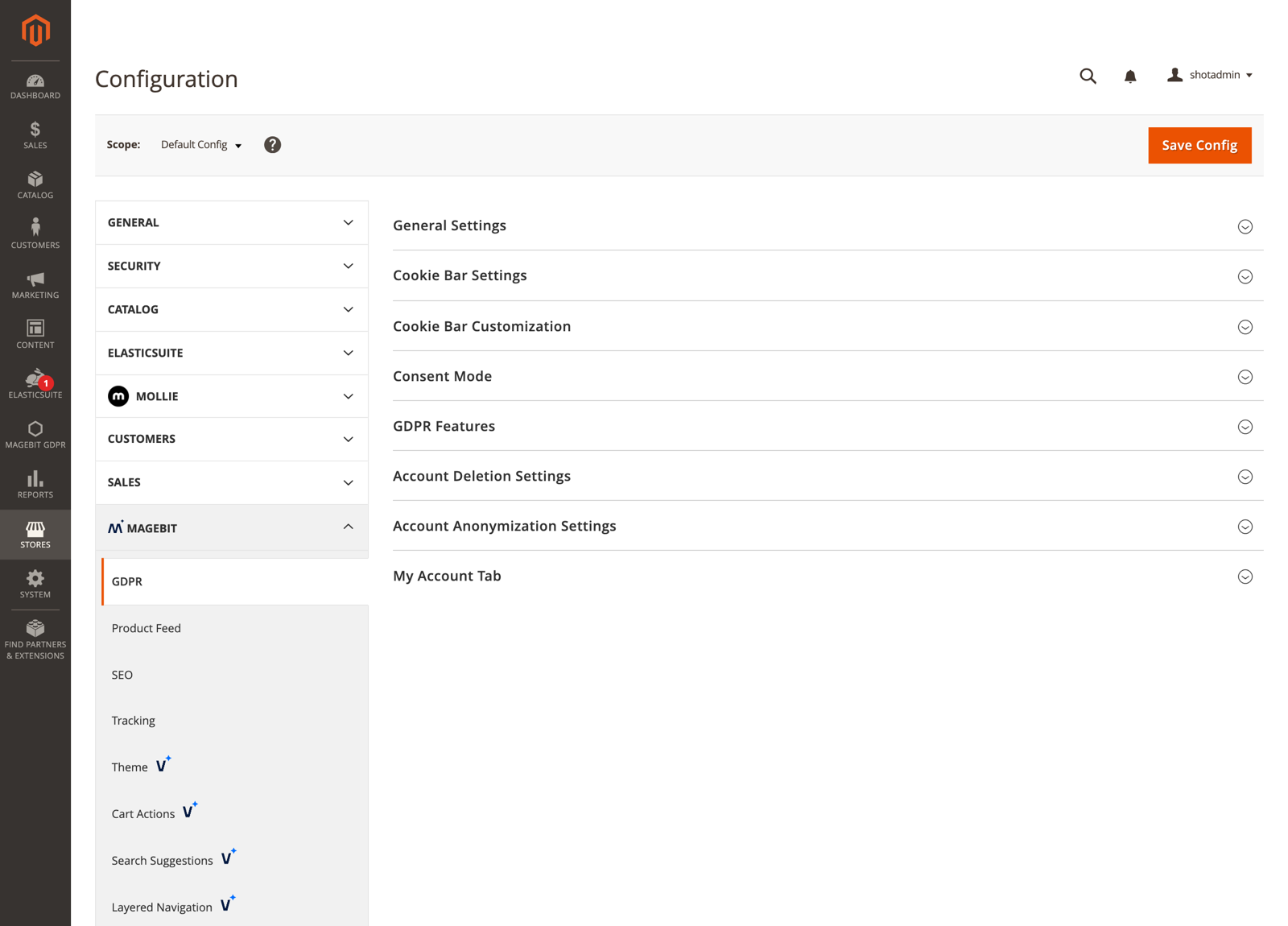
General Settings
- Enable GDPR - Master switch for the entire module.
- Consent Model - Opt-in for the EU and UK (GDPR, ePrivacy Directive), opt-out for U.S. state laws (CCPA, CPA, VCDPA). Set per website, defaults to opt-in. See Consent Model.
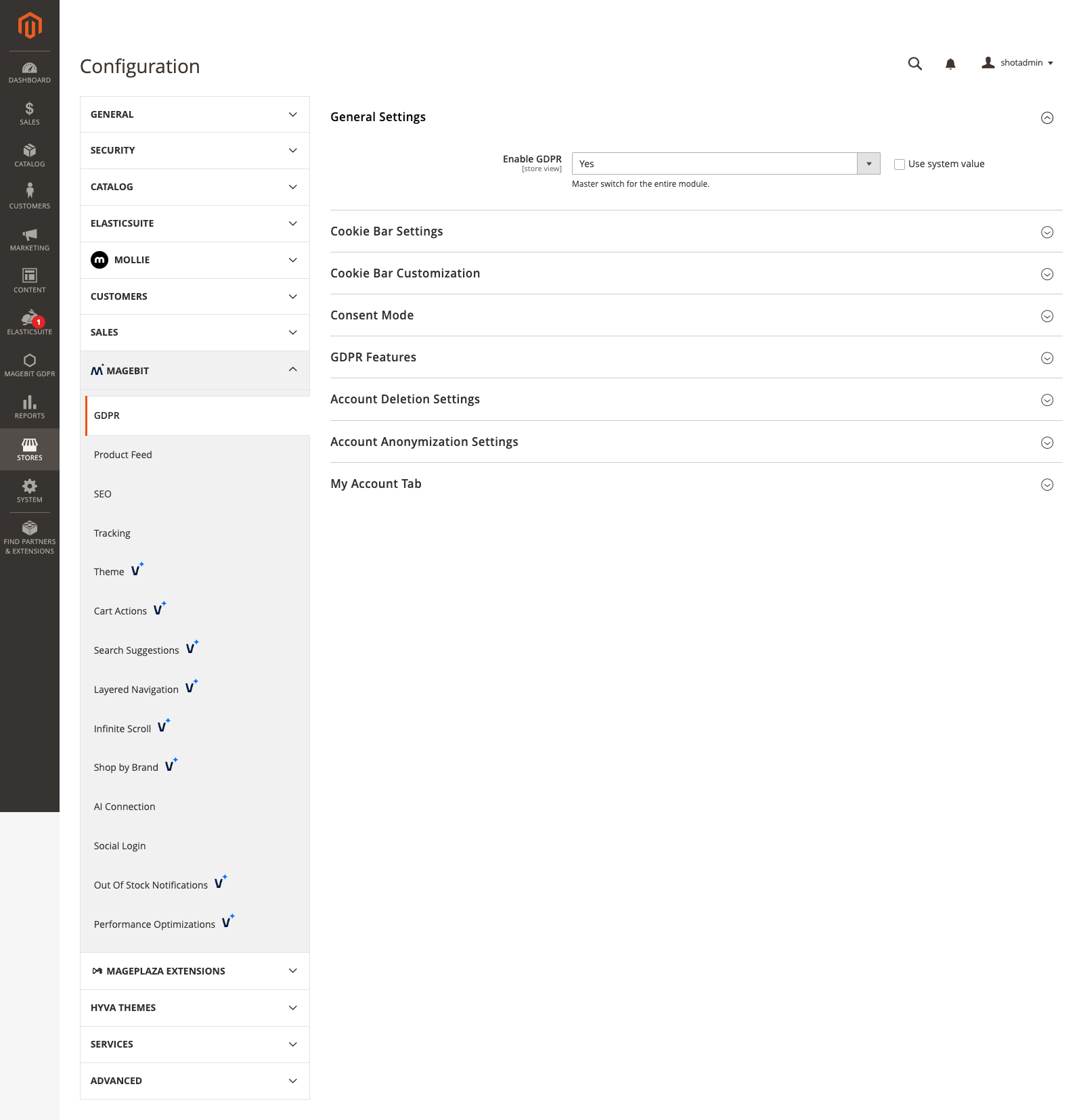
Cookie Bar Settings
Configuration options
| Field | Description |
|---|---|
| Activate Cookie Notification Bar | Show the consent bar to visitors who have not yet made a choice. |
| Show Cookie Settings Badge on Page | Display a floating badge that re-opens cookie preferences after the notification bar is closed. |
| Automatic Cookie Log Cleanup Interval (Days | Days to retain consent log records before automatic purge. |
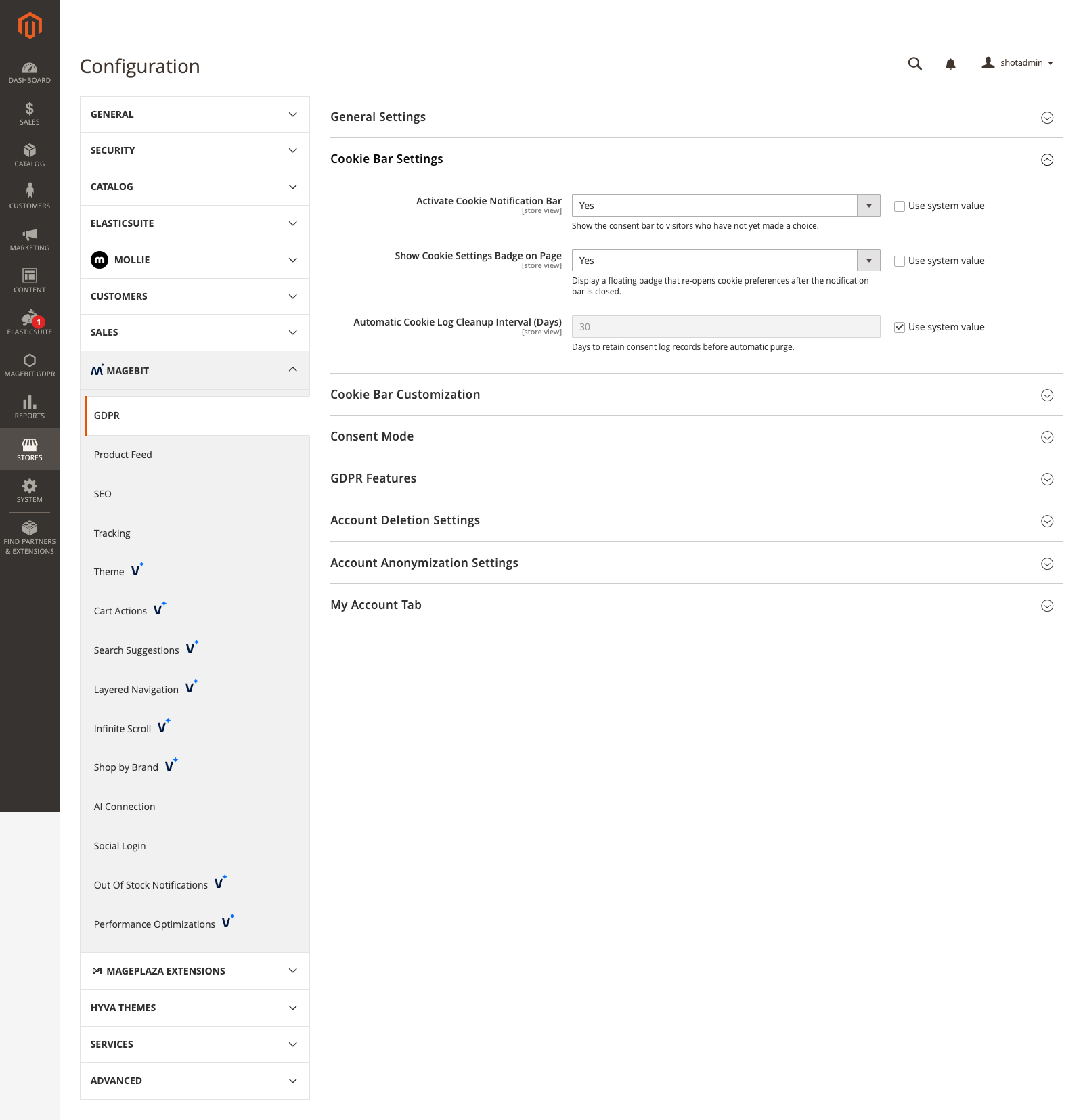
Cookie Bar Customization
Configuration options
| Field | Description |
|---|---|
| Cookie Bar Title | Heading shown at the top of the cookie notification bar. |
| Consent Message Text | Text shown inside the cookie notification bar. |
| About Tab Text | Text shown on the About tab of the consent modal. |
| Cookie Declaration Text | Shown in the Details tab footer. Supports links and HTML; use %1 for the last-updated date. |
Consent Mode
Configuration options
| Field | Description |
|---|---|
| Enable | Send the visitor's consent state to Google Consent Mode v2. |
| Permission Types | Map each Google consent type (ad_storage, analytics_storage, functional, and so on) to a cookie group and set its default state. |
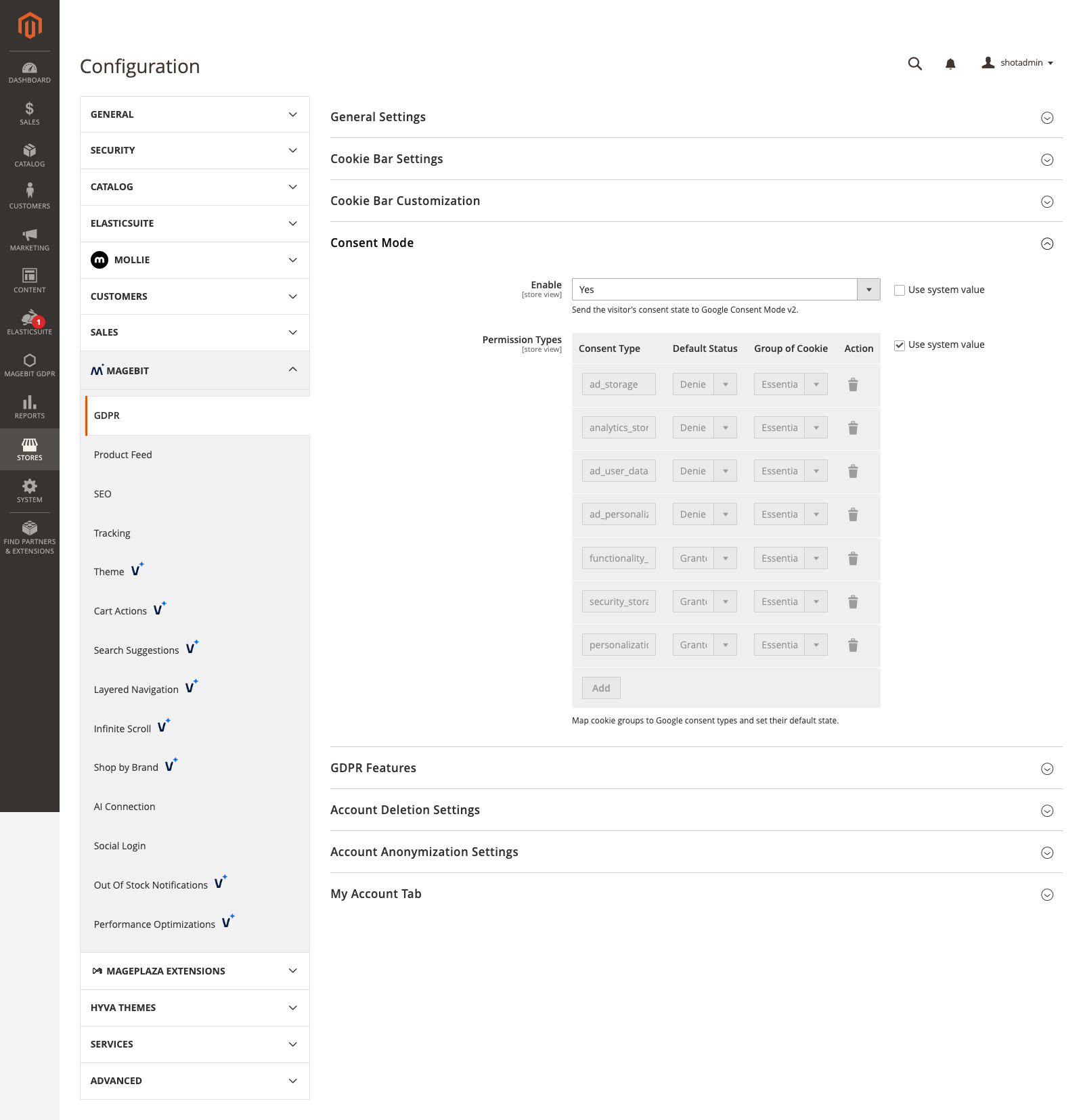
On a website running the opt-out consent model, tags may fire before the visitor answers, so any permission type whose default is denied is sent to gtag as granted until the visitor objects. Types already set to granted are sent as configured.
GDPR 2.0.1
Before 2.0.1 the script that restores a returning visitor's consent read the website id from a JS global Magento defines after this block renders, so the stored consent resolved to nothing and every signal was sent as denied on each page load. GA4 fell back to cookieless pings with a regenerated client id. The website id is now written into the script server-side.
GDPR Features
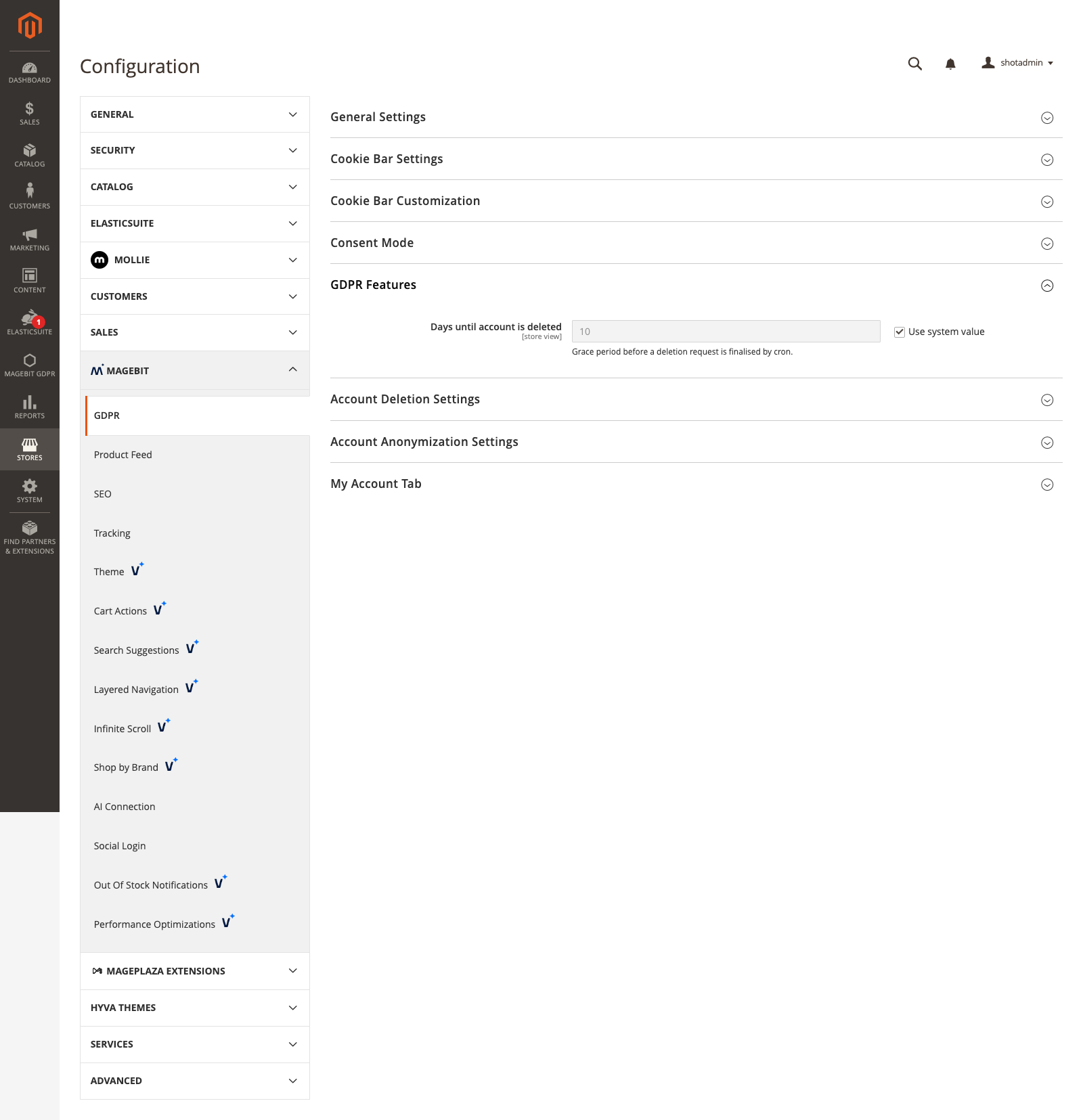
- Days until account is deleted - Grace period before a deletion request is finalised by cron.
Account Deletion Settings
Configuration options
| Field | Description |
|---|---|
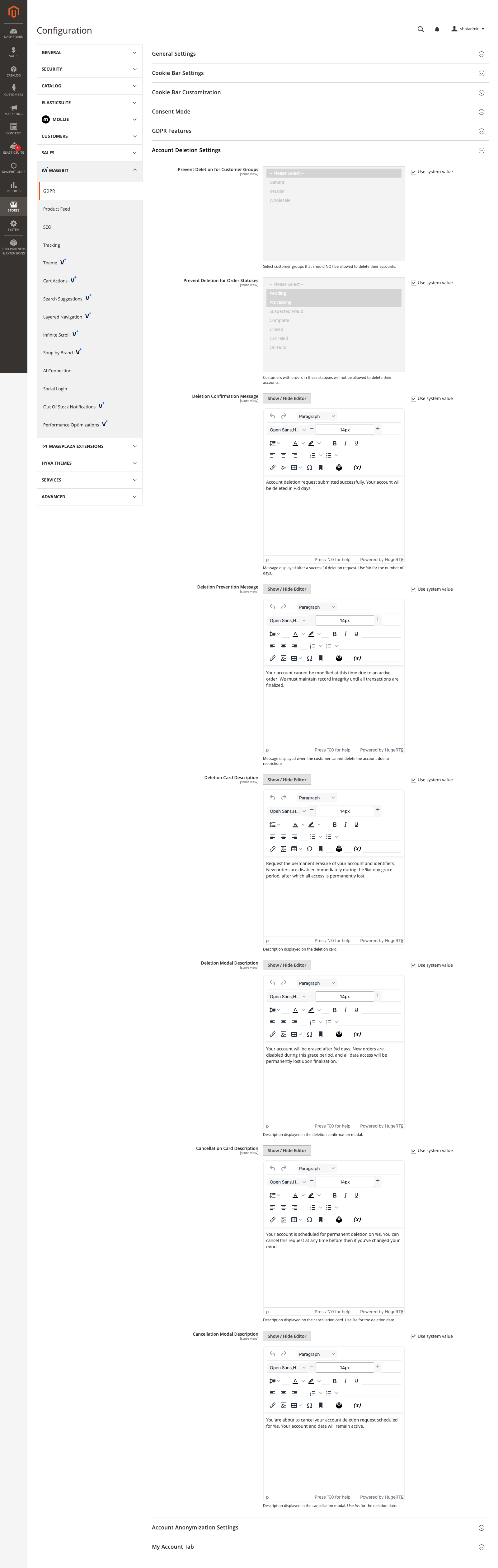
| Prevent Deletion for Customer Groups | Customer groups that are not allowed to delete their accounts. |
| Prevent Deletion for Order Statuses | Customers with orders in these statuses cannot delete their accounts. |
| Deletion Confirmation Message | Shown after a successful deletion request (use %d for the day count). |
| Deletion Prevention Message | Shown when deletion is blocked by a restriction. |
- Deletion Card Description / Deletion Modal Description - Text shown on the deletion card and its confirmation modal.
- Cancellation Card Description / Cancellation Modal Description - Text shown on the cancellation card and modal (use
%sfor the deletion date).
Account Anonymization Settings
Configuration options
| Field | Description |
|---|---|
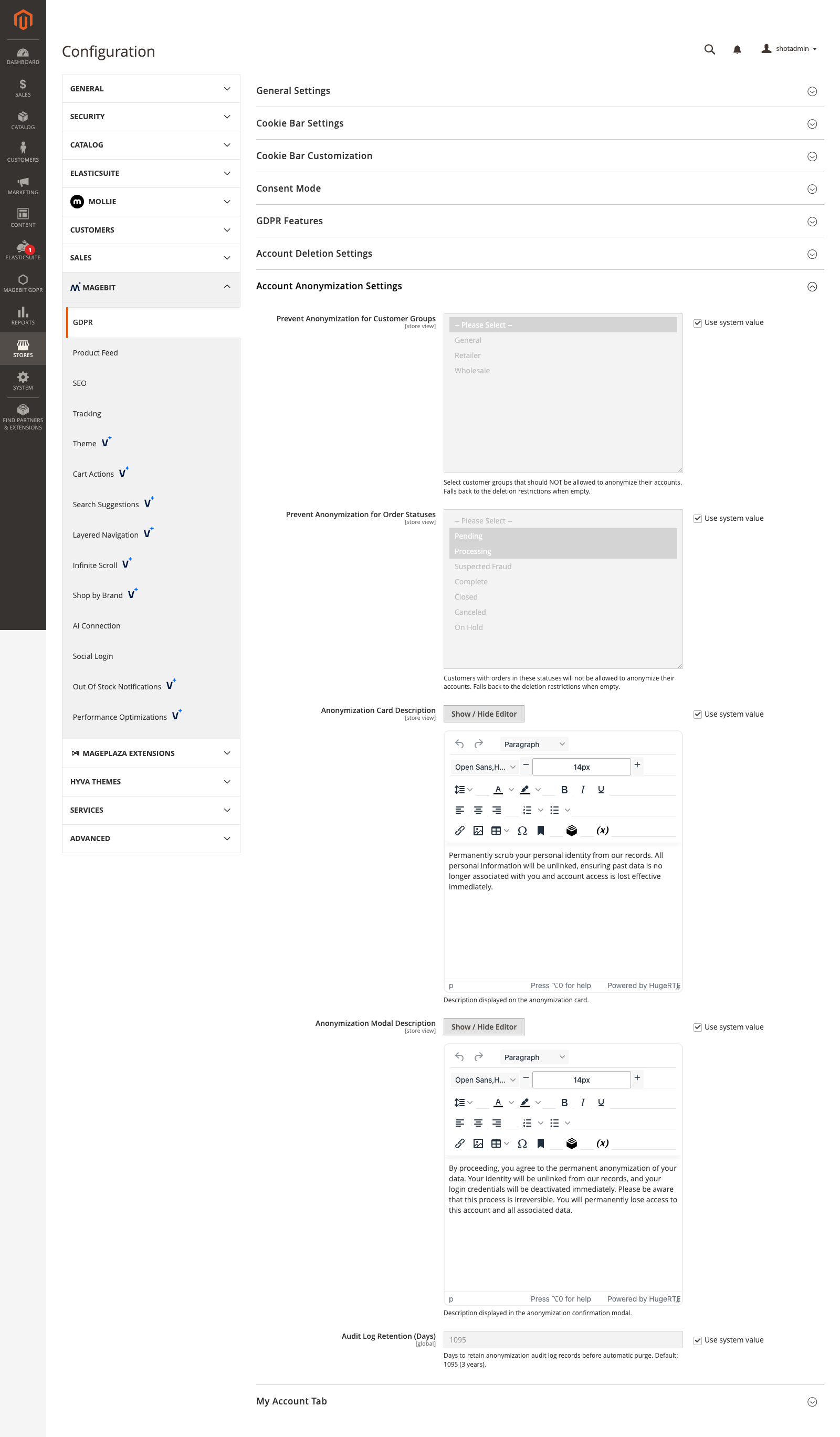
| Prevent Anonymization for Customer Groups | Groups that cannot anonymize. Falls back to the deletion restrictions when empty. |
| Prevent Anonymization for Order Statuses | Order statuses that block anonymization. Falls back to the deletion restrictions when empty. |
- Anonymization Card Description / Anonymization Modal Description - Text shown on the anonymization card and its confirmation modal.
- Audit Log Retention (Days) - Days to retain anonymization audit records before purge. Default 1095 (3 years).
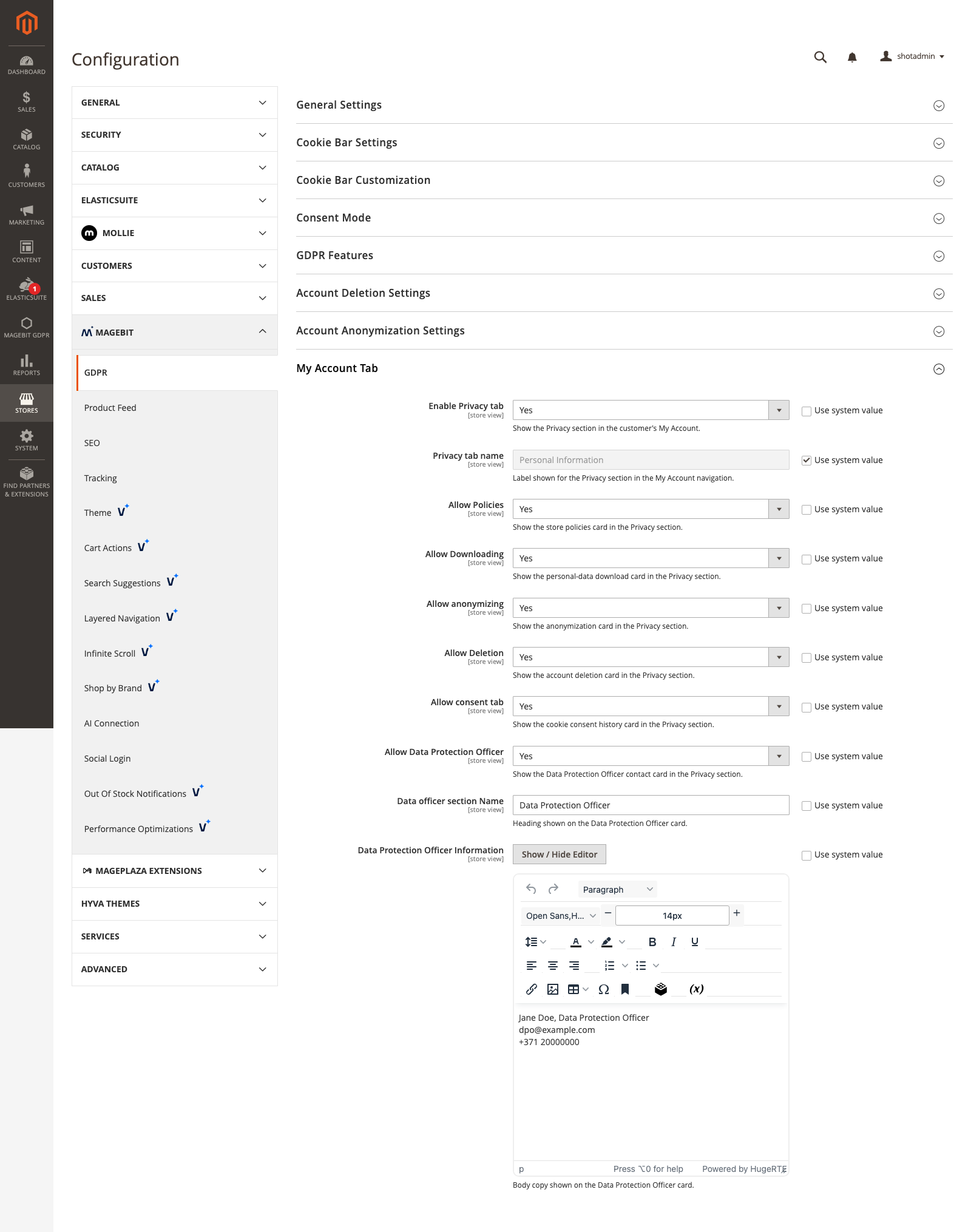
My Account Tab
Configuration options
| Field | Description |
|---|---|
| Enable Privacy tab | Show the Privacy section in the customer's My Account. |
| Privacy tab name | Label for the Privacy section in the account navigation. |
| Allow Policies / Downloading / anonymizing / Deletion / consent tab / Data Protection Officer | Toggle each card in the Privacy section. |
- Data officer section Name / Data Protection Officer Information - Heading and text for the Data Protection Officer card.
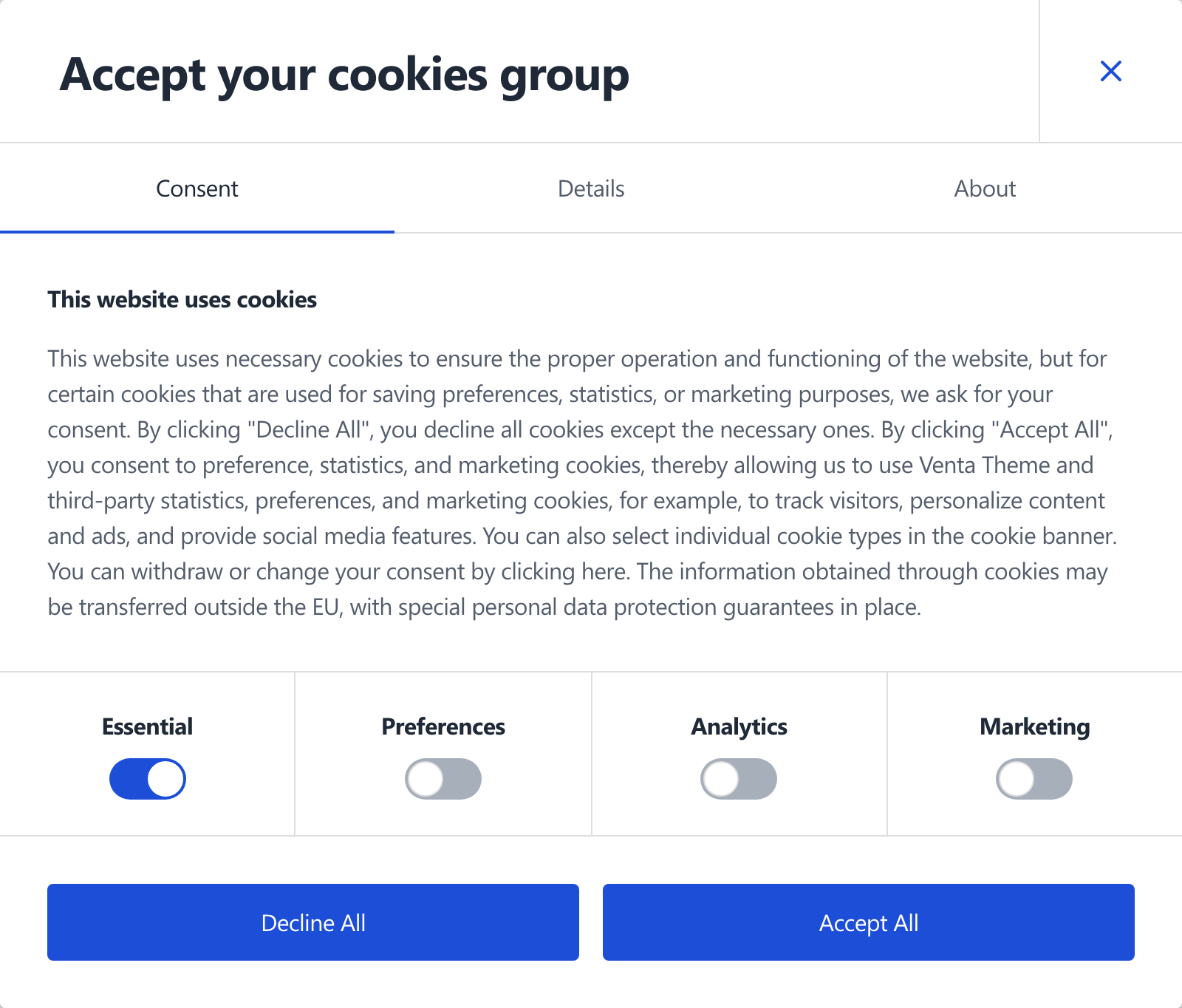
Cookie Consent Bar
The bar is Hyvä-native (Alpine.js and Tailwind). It renders site-wide, stores the choice in a first-party cookie, writes a consent-log row per accept, and cleans up cookies when consent is withdrawn. Consent and the log are scoped per website. The bar has three tabs: Consent (per-group toggles), Details, and About.
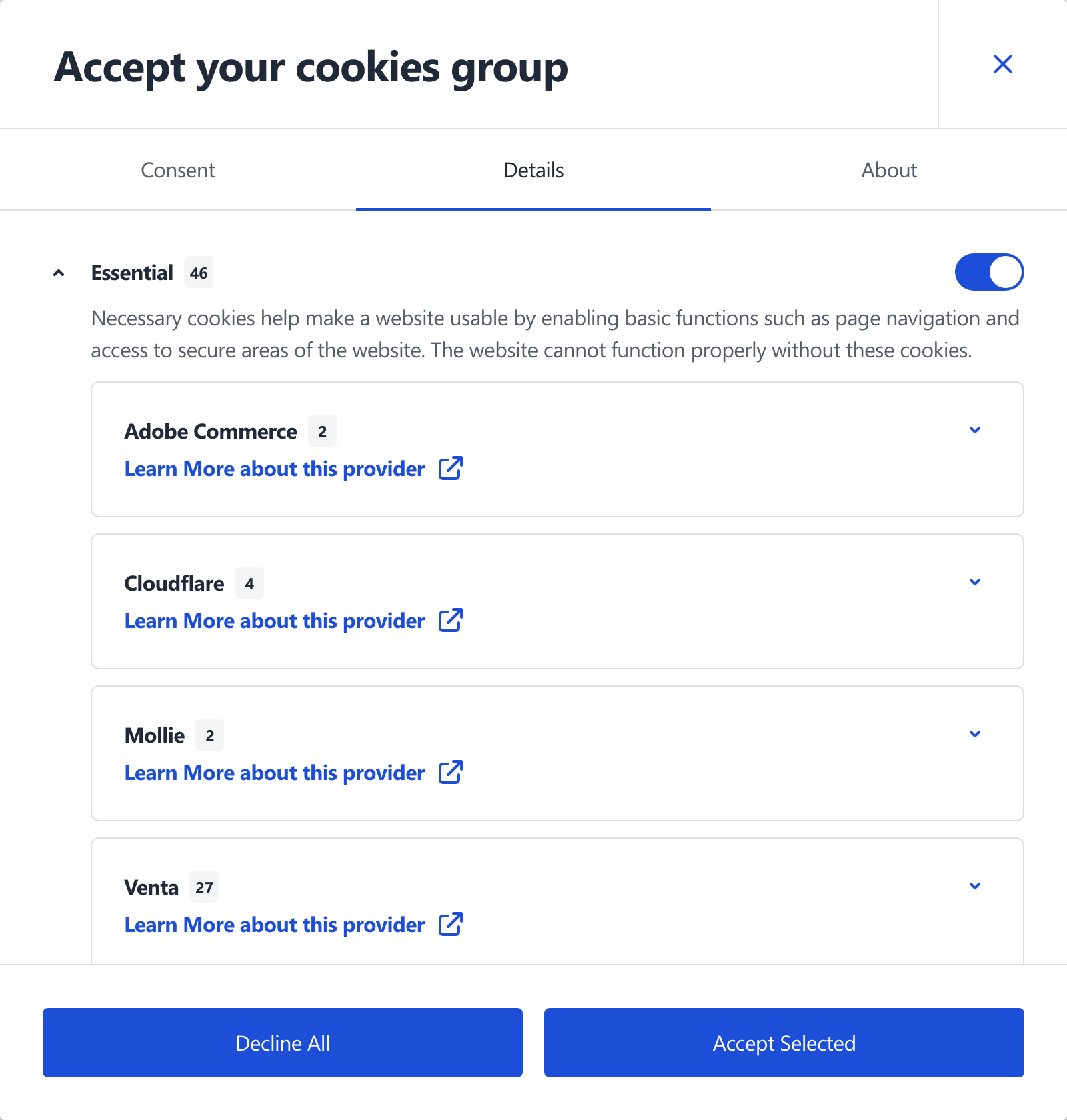
The Details tab lists each cookie group with its cookie count, and expands to the providers and cookies inside each group.
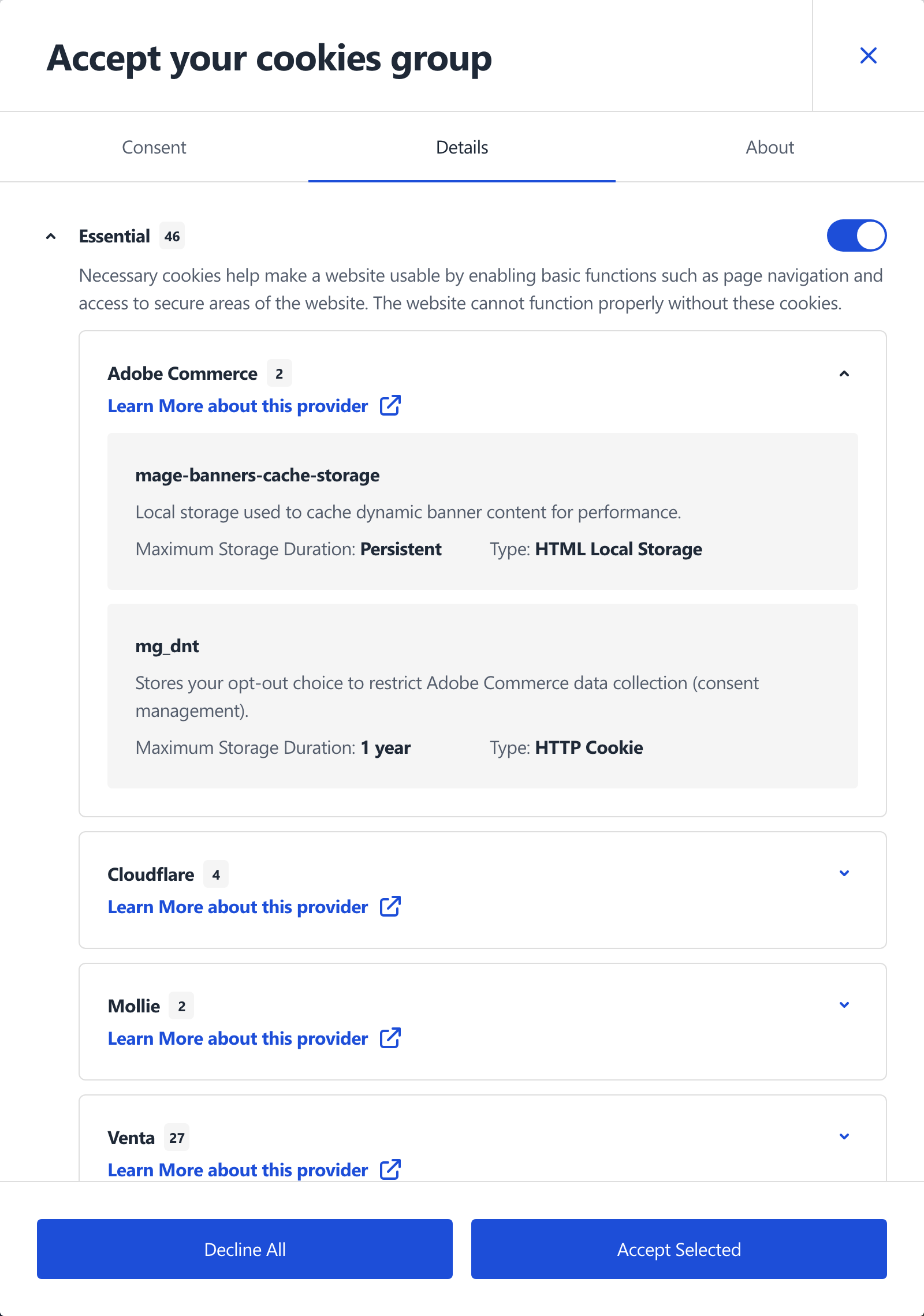
Expanding a provider reveals its individual cookies with their purpose, storage type, and lifetime:
With Show Cookie Settings Badge enabled (see Cookie Bar Settings), a floating badge lets visitors re-open the preferences after the bar is closed. Below the lg breakpoint the badge is painted beneath the product page sticky bar, so it does not cover the add-to-cart row.
Consent Model
GDPR 2.0.3
The consent model is configurable from GDPR 2.0.3. Earlier versions are opt-in with no way to change it.
The model is set per website under General Settings and decides what happens before the visitor answers:
- Opt-in (default, EU and UK) - a catalogued non-essential cookie is blocked until its group is granted. Nothing outside the essential groups runs until the visitor accepts.
- Opt-out (U.S. state laws) - the same cookies are allowed until the visitor objects to their group.
An explicit choice wins under either model. The setting only decides what an absent entry in the consent record means: no prior consent under opt-in, no objection yet under opt-out. The stored consent and the setting are both website-scoped, so they cannot disagree.
Under opt-out, a decision that revokes a group reloads the page, because tags already running cannot be unloaded in place. The reload discards anything typed into a form on that page.
Rebuild the theme bundle before switching a website to opt-out
The consent engine lives in the module's view/frontend/web/js/venta-bundle/cookie-consent.js and is compiled into venta-bundle.min.js by the Venta theme build. A website switched to opt-out without that rebuild keeps running the old opt-in sweep: cookies are wiped on every load while the consent UI reports them as allowed. Opt-in is unaffected, so a smoke test on an opt-in website will not surface it.
Dismissing the Bar
GDPR 2.0.5
Closing on Escape and on a click outside the modal, and the dismissal handling below, ship in GDPR 2.0.5. Earlier versions ignored both.
Closing the modal with the close button, Escape or a click on the backdrop is a dismissal, not a choice. The outcome follows the website's consent model: under opt-in the non-essential groups stay withheld, under opt-out they stay allowed. The consent log records the two apart, as Banner dismissed, non-essential withheld: Essential under opt-in and Banner dismissed without objection: <groups> under opt-out.
A visitor who already has a saved decision gets that record restored on dismissal. Switches they moved without confirming roll back, and a cookie group added after the decision was made falls back to its default instead of keeping the unconfirmed value.
Accessibility
GDPR 2.0.5
The accessible names and ARIA relationships below ship in GDPR 2.0.5.
Each cookie group switch carries role="switch" and is tied to the group heading with aria-labelledby, so a screen reader announces which group the switch belongs to. Before 2.0.5 the switch labels held no text and the switches reached the accessibility tree unnamed. The same group appears both in the consent grid and in the details list, so the heading ids are generated per render site.
The modal's tabs and panels, and both accordion levels in the Details tab, reference each other through aria-controls and aria-labelledby.
Google reCAPTCHA
The module replaces Hyvä's reCAPTCHA loader with a consent-gated one. api.js is requested on the first input or focus inside a form, and only when consent allows it; otherwise the request waits for the user-allowed-save-cookie event. Under opt-out it loads for a visitor who has not objected.
GDPR 2.0.4
From 2.0.4 the loader first checks whether any storefront form is set to a Google captcha type (the recaptcha_frontend/type_for group, Stores > Configuration > Security > Google reCAPTCHA Storefront). Keys outlive the choice, so a store that moved every form to another provider but kept its Google keys used to keep loading api.js and its cookies. The types counted as Google-served are injected into Magebit\GdprExtension\ViewModel\GoogleReCaptcha through di.xml, so a project registering its own Google-backed type extends that list rather than overriding the view model. A type missing from the list fails closed: api.js stays unloaded and the form's submit button stays disabled.
Cookie Management
Cookies and groups are managed under the top-level Magebit GDPR admin menu.
Cookie names other modules depend on
The consent groups defined here are read by other extensions to decide whether their own scripts may load. Klaviyo Subscription holds klaviyo.js back until the group containing __kla_id is consented to, and if no group declares that cookie the script never loads at all. Check that any cookie an integration gates on is actually listed in a group.
Cookies
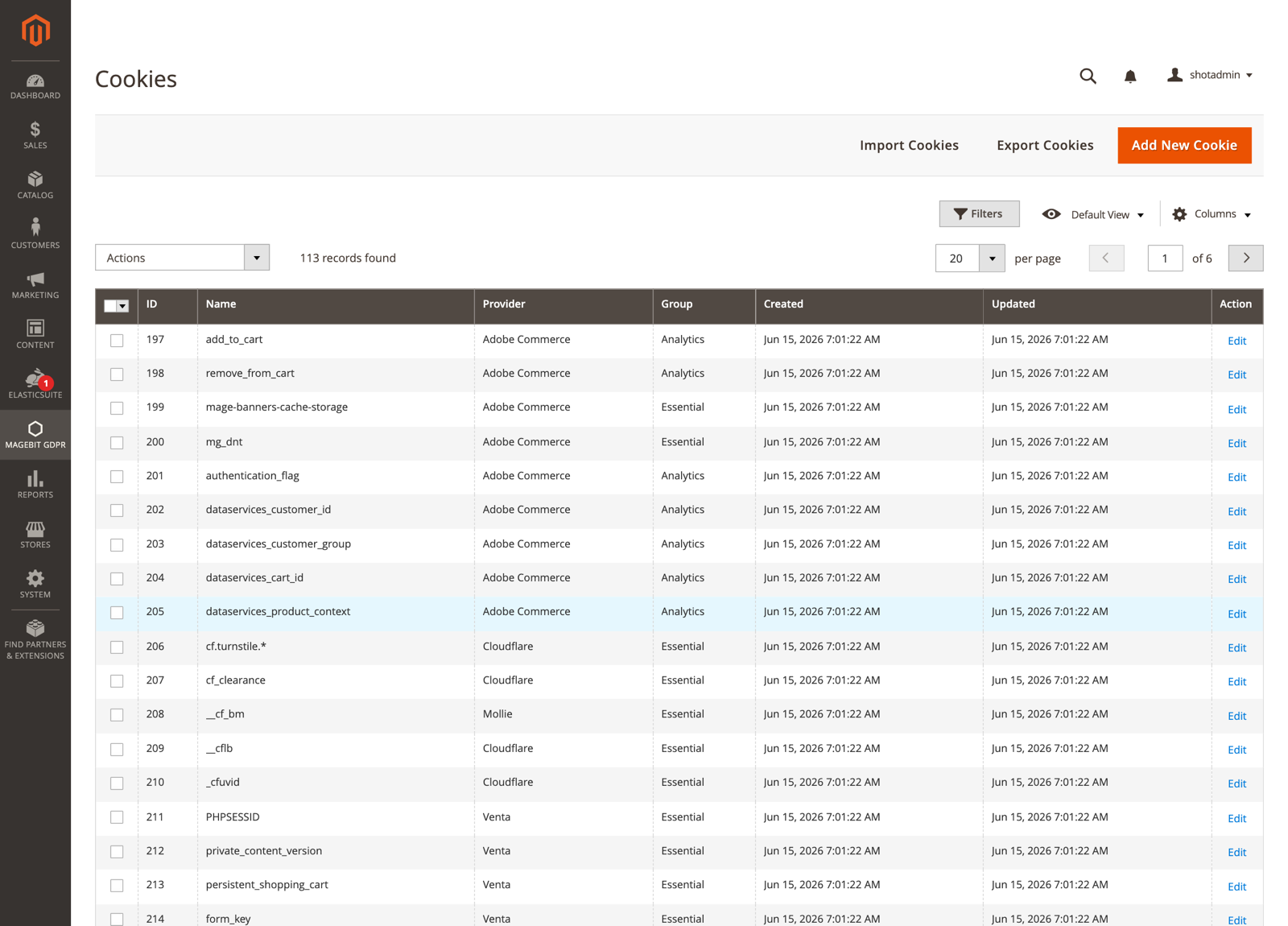
Magebit GDPR > Cookies lists individual cookies (name, provider, group, created/updated). Use Add New Cookie to create one, or Import / Export to manage them in bulk.
Cookie Groups
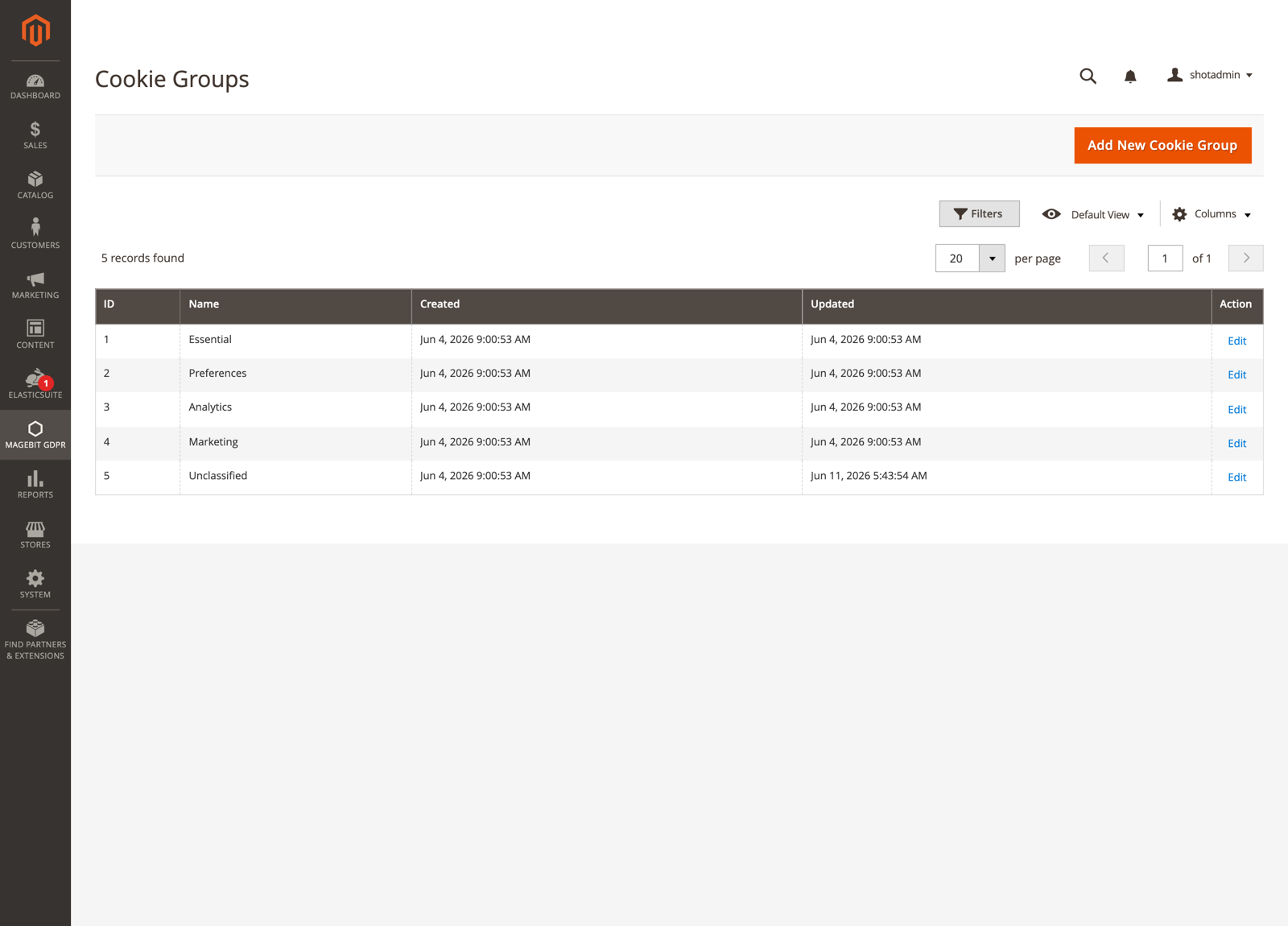
Magebit GDPR > Cookie Groups defines the groups shown in the consent bar (Essential / Marketing / Analytics / custom).
Configuration Options:
- Name and Code - the code is the stable identifier used by consent-mode mapping and the stored consent.
- Active - Whether the group is used at all.
- Essential - Always on and cannot be declined (for strictly necessary cookies).
- Show in consent - List the group in the consent bar.
- Description - WYSIWYG text shown under the group in the Details tab.
- Included Cookies - The cookies assigned to the group.
- Sort order and store-view scope.
Import and Export Cookies (CSV)
The module ships prepared cookie lists (CSV) for English (en_US) and Latvian (lv_LV) under Setup/Data/CookiePacks/, covering common providers: Adobe Commerce, Cloudflare, Google, Facebook, Instagram, Klaviyo, Mollie, and PayPal. On install only a default set is seeded; the provider packs are not imported automatically. Import the ones you need with the Import action below, or use them as a template for your own.
The Cookies grid has Export and Import actions for managing the catalog in bulk.
- Export downloads the current cookies as a CSV file.
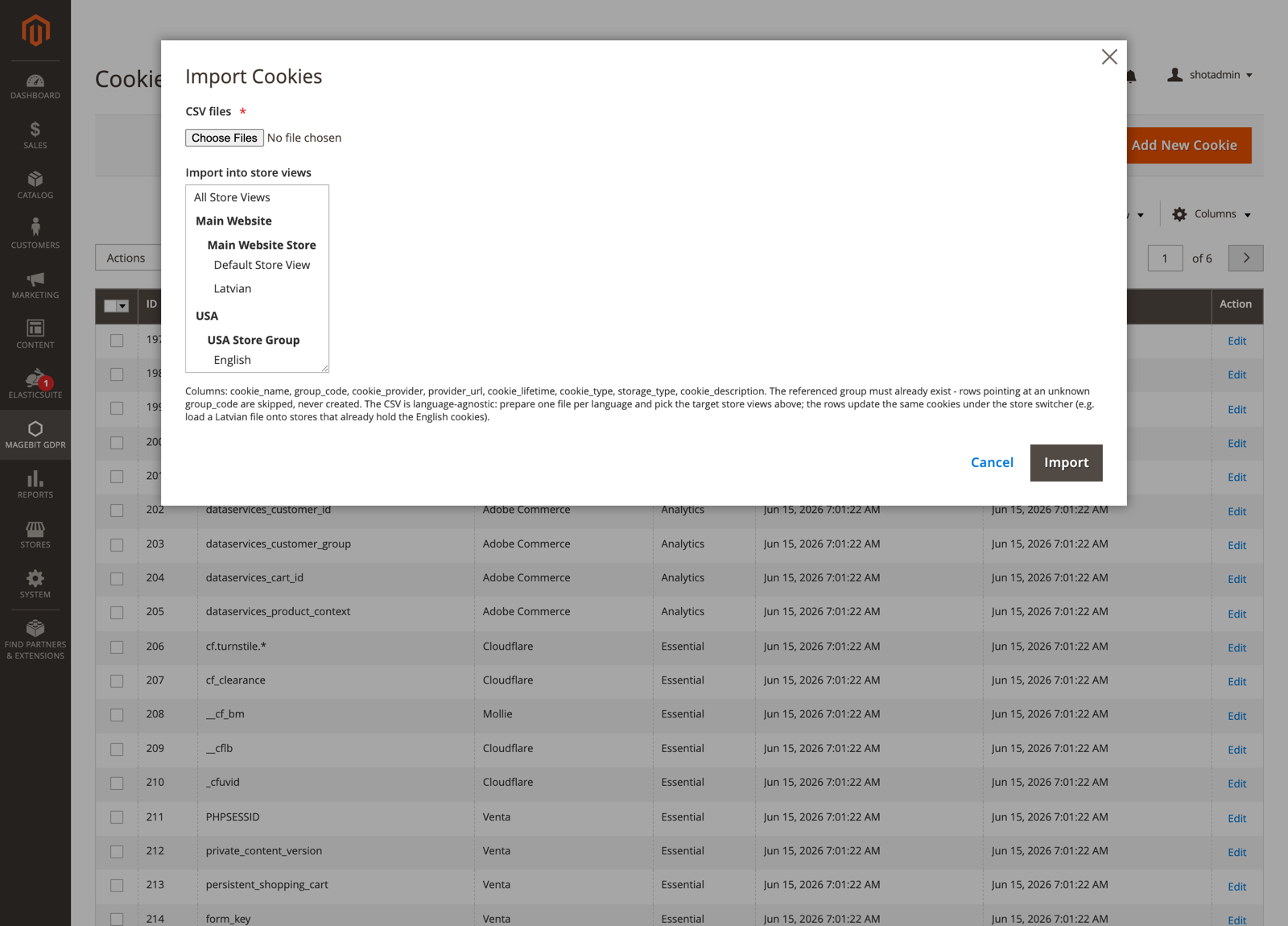
- Import uploads one or more
.csvfiles into the store views you select. Import fills existing groups by their group code; it does not create groups, so define the groups first. Uploads are validated server-side and only.csvis accepted.
The CSV columns are cookie_name, group_code, code, cookie_provider, provider_url, cookie_lifetime, cookie_type, storage_type, cookie_description.
Use the grid's mass actions to delete cookies in bulk.
Cookie Consents Log
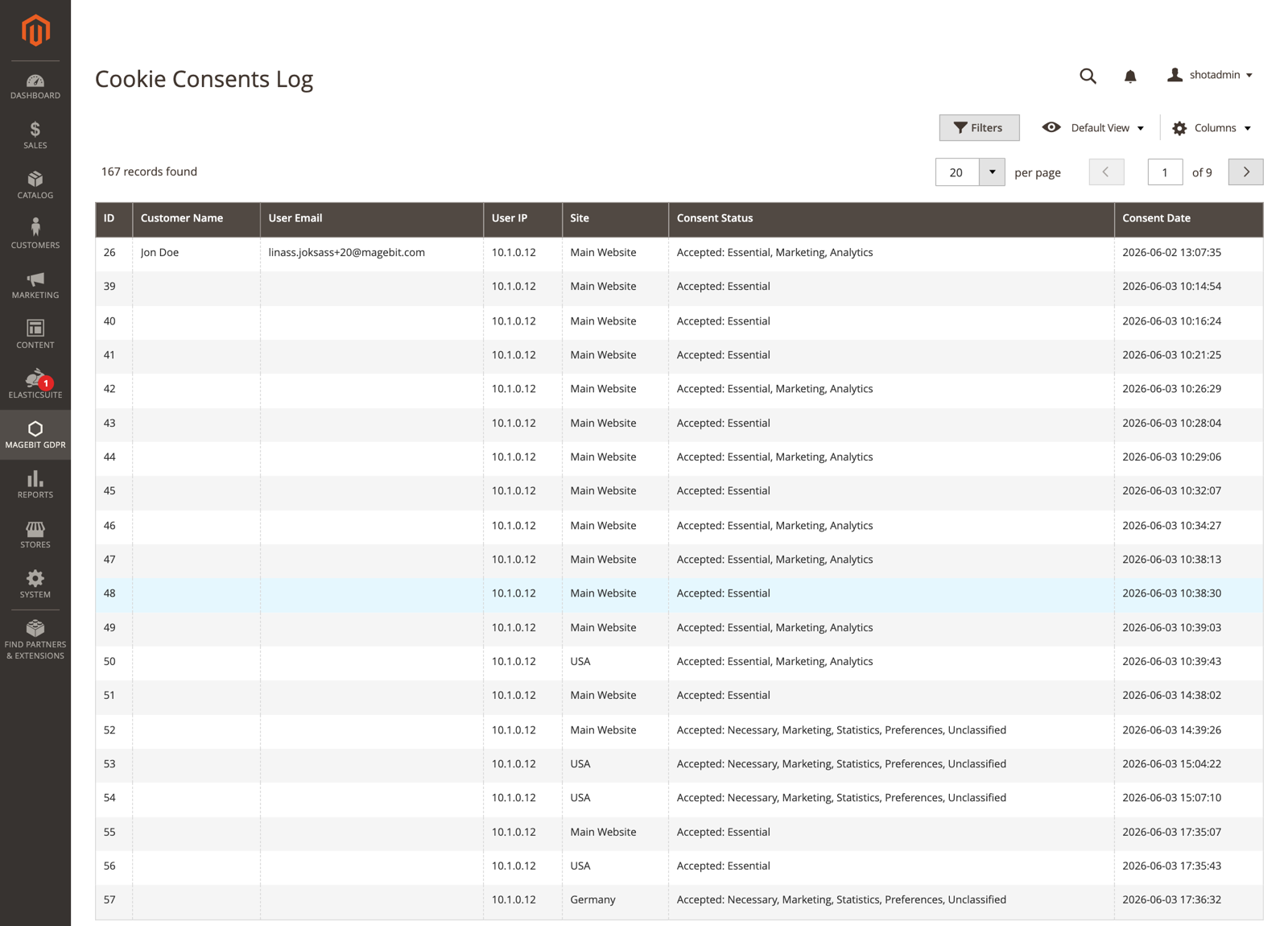
Magebit GDPR > Cookie Consents Log records one row per accept event: customer, IP, email, action, website, policy version, and date.
GDPR 2.0.5
From 2.0.5 the Action column distinguishes a dismissed banner from a pressed button. The wording is in Dismissing the bar.
Customer Privacy Section
A cards-based Privacy section under My Account at gdpr/customer/index. Each card is toggled independently from My Account Tab in config. Destructive actions (download, anonymize, delete) require password reauthentication.
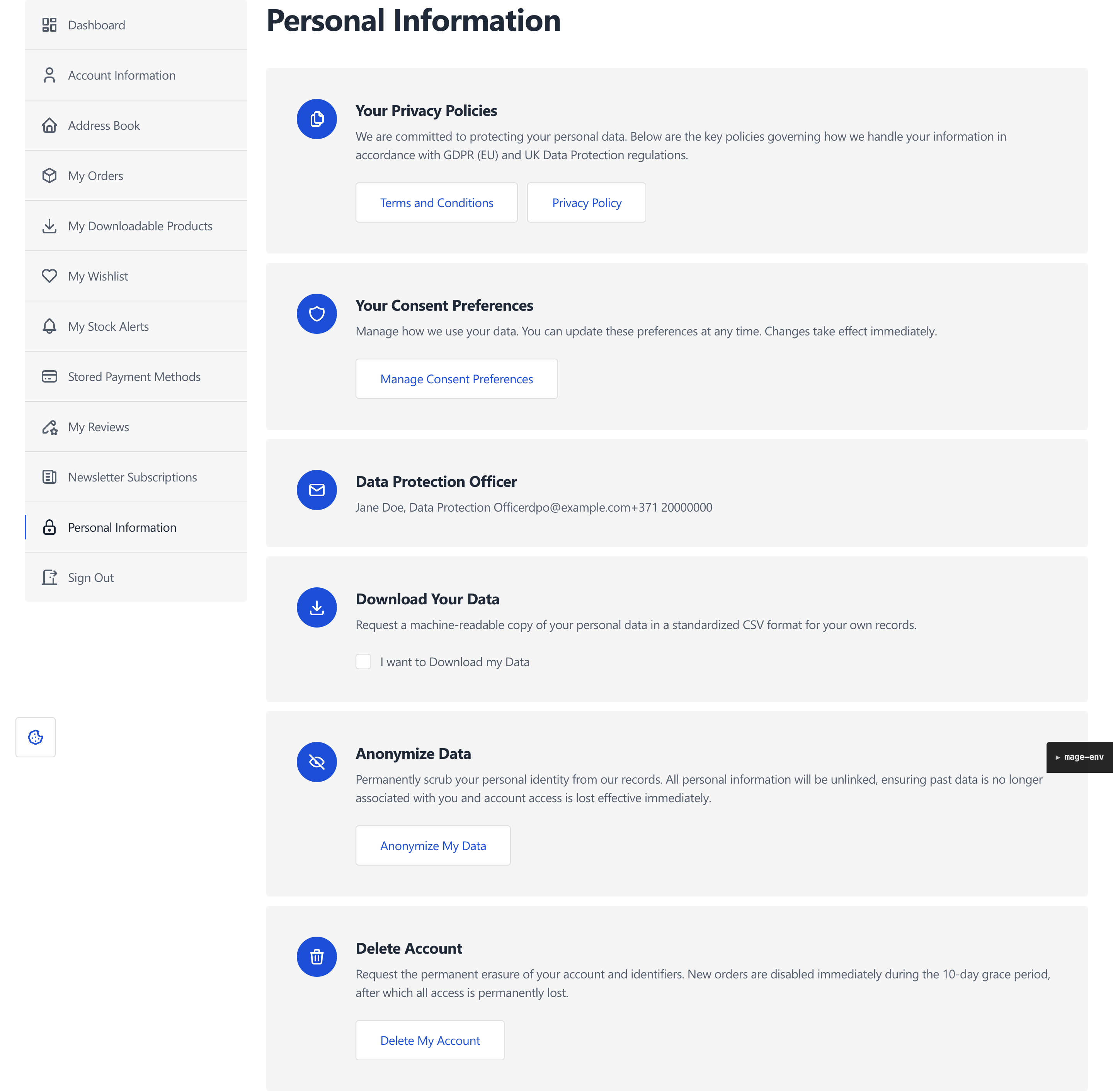
The cards are:
- Your Privacy Policies - Links to the terms, privacy, and return policy pages.
- Consent Preferences - Re-opens the cookie-group consent modal from the account.
- Data Protection Officer - Shows the DPO contact info configured in admin.
- Download Your Data - Exports the customer's data as a ZIP of CSV files.
- Anonymize Data - Runs an irreversible scrub of personal data.
- Delete Account - Schedules deletion after a grace period.
Personal Data Download
The customer confirms with their password and receives a ZIP of CSVs covering their account, addresses, wishlist, reviews, compared and viewed products, downloadable products, coupon usage, PayPal billing, and price alerts.
GDPR 2.0.4
The password confirmation moved from an inline form on the card into a modal in 2.0.4, matching the deletion and anonymization flows. The Privacy section cards were restyled in the same release.
Account Deletion (Grace Period)
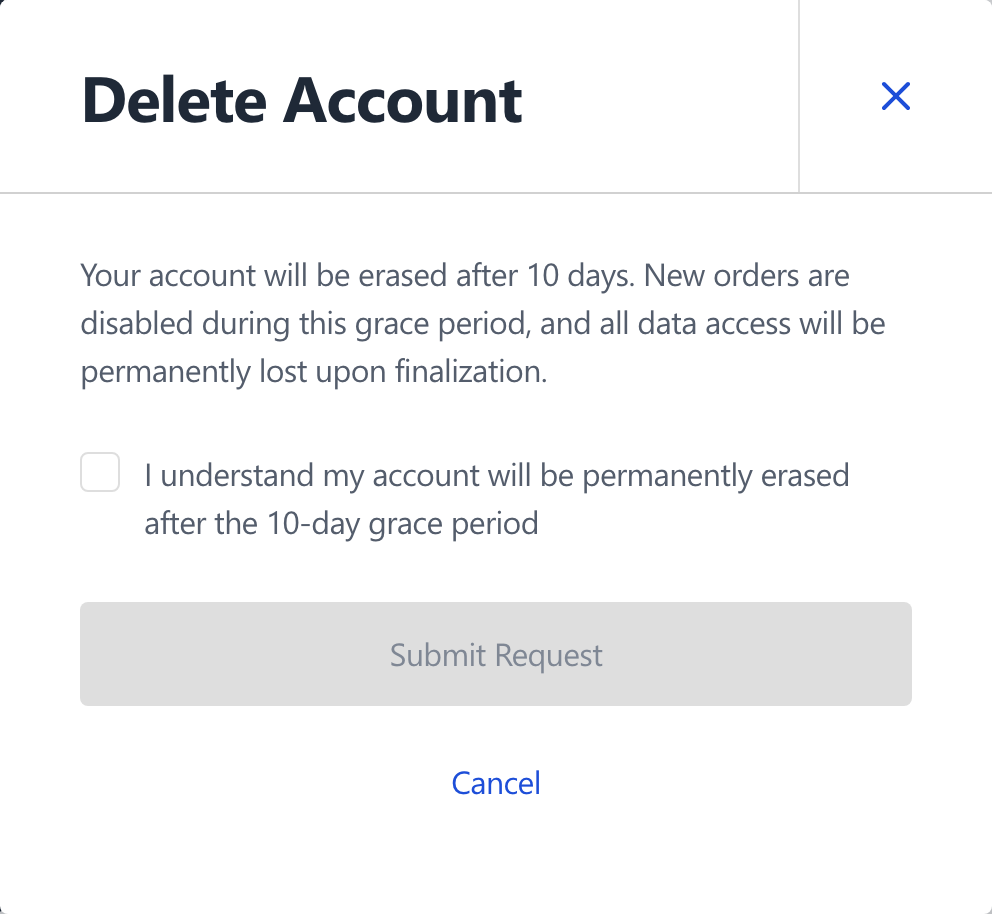
A deletion request is password-confirmed and sets a deletion date on the account. A daily cron (delete_users) finalises it after the configured number of days (GDPR Features) by anonymizing, then deleting the record. The customer can cancel from the Privacy section before the cron runs. Deletion is blocked when the customer is in a restricted group or has orders in a restricted status (see Account Deletion Settings).
Account Anonymization (Irreversible)
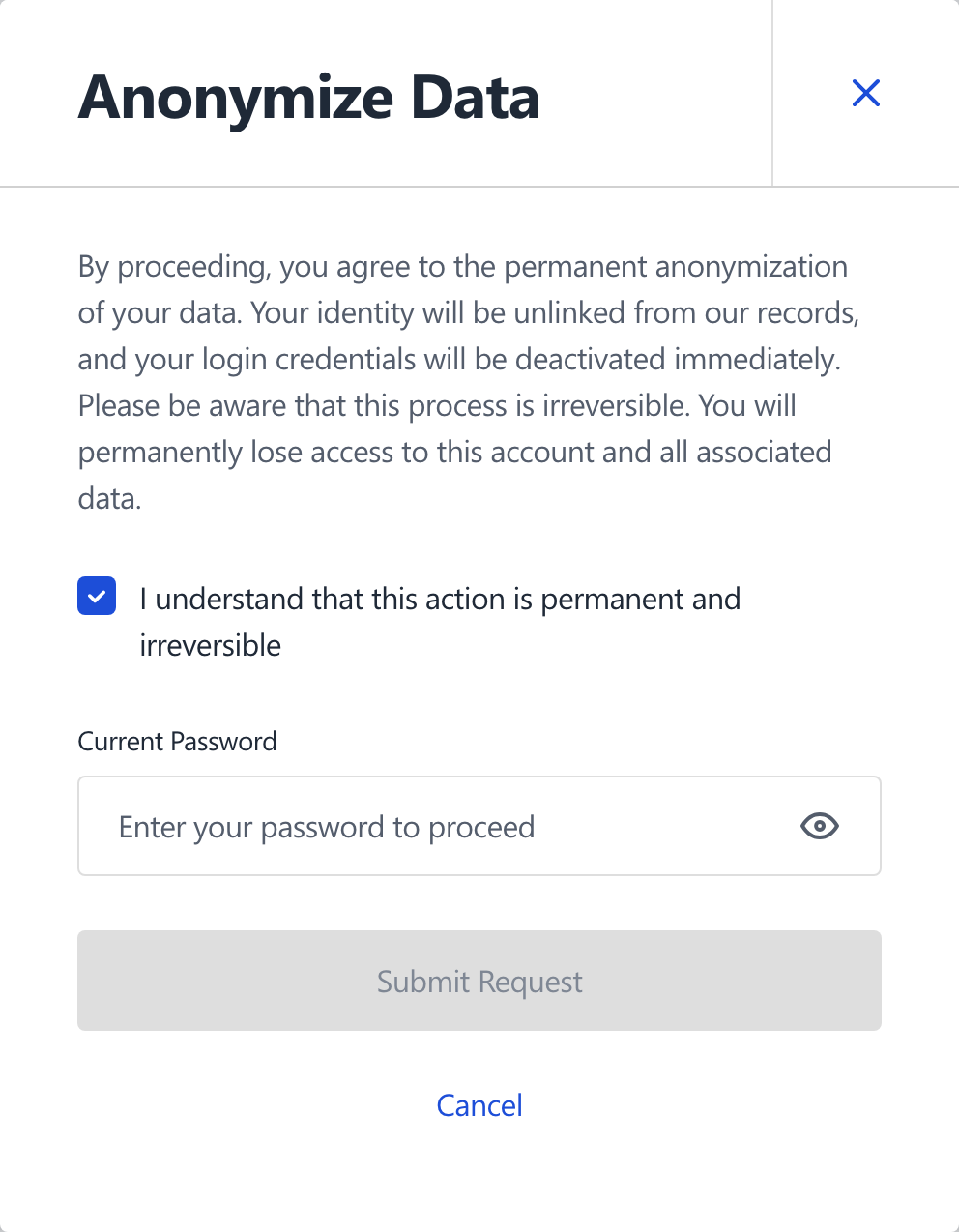
Anonymization is password-confirmed and runs a transactional scrub across the customer's data surfaces (cart, wishlist, reviews, addresses, newsletter, coupons, payment tokens, and more). Sales records keep country, region, city, and aggregate totals for tax-audit evidence; direct identifiers and high-granularity fields (street, postcode, phone, IP) are removed. The customer is logged out and sent to a confirmation page. Each run writes an audit row with a random UUID and no customer-identifying data. The same group and order-status restrictions apply (see Account Anonymization Settings).
Anonymization Log
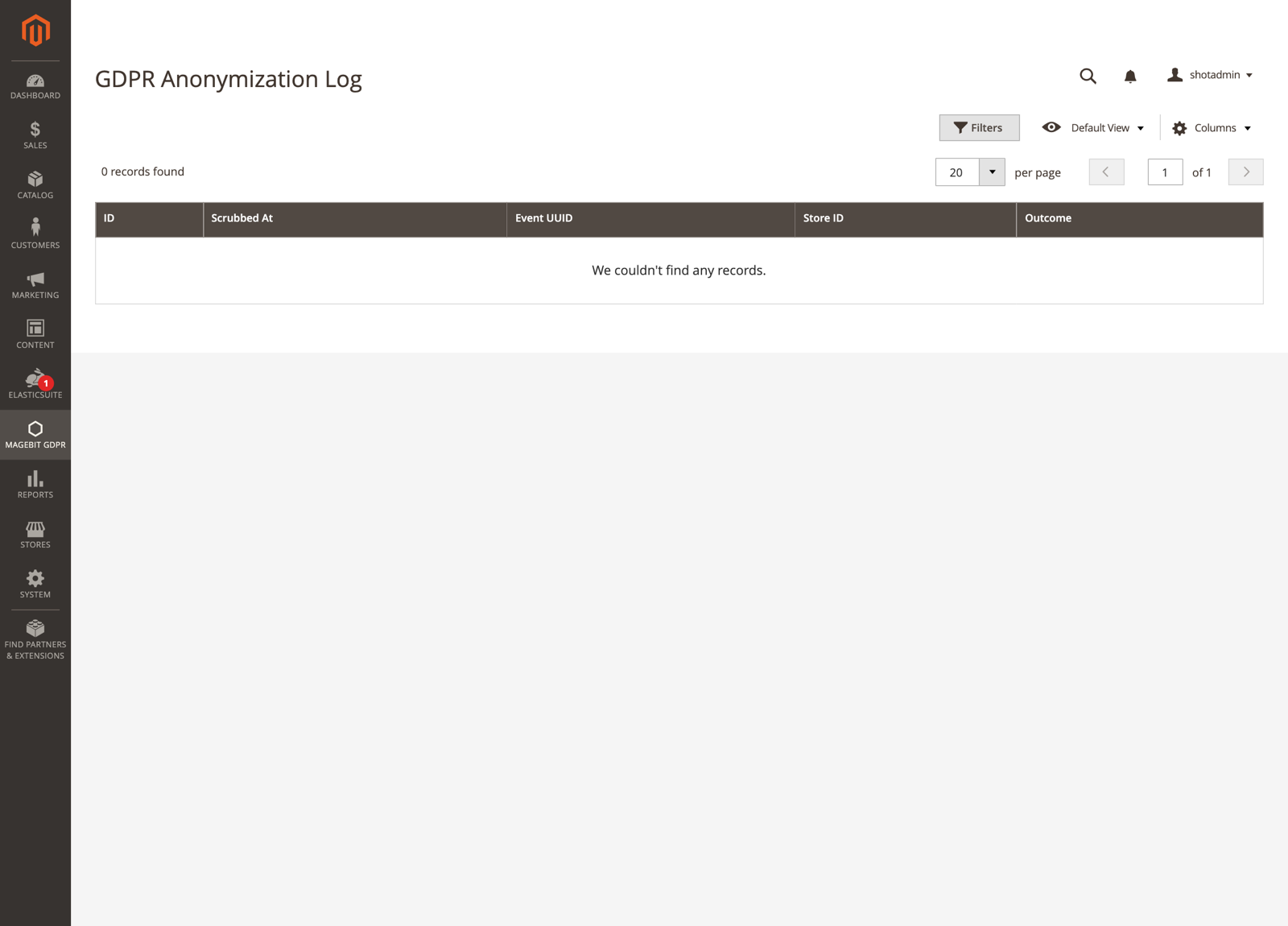
Magebit GDPR > Anonymization Log is the audit trail of anonymization events: event UUID, timestamp, store, and outcome. It holds no PII or customer reference. A daily cron purges rows older than the configured retention (Account Anonymization Settings, default 1095 days).
Auditing PII Coverage (CLI)
After installing third-party modules that store customer data, run the audit to find tables with PII-shaped columns that no anonymization strategy covers.
bin/magento magebit:gdpr:audit          # uncovered tables only
bin/magento magebit:gdpr:audit --all    # also list covered tables
bin/magento magebit:gdpr:audit --json   # machine-readable for CI
The command is diagnostic and changes no data. Its exit code is non-zero when uncovered tables are found.
Extending Anonymization
Projects can add their own scrub steps without editing the vendor module. Implement Magebit\GdprExtension\Service\Anonymizer\Strategy\AnonymizationStrategyInterface (a getCode() and a scrub(ScrubContext $context) method) and append it to the orchestrator via di.xml:
<type name="Magebit\GdprExtension\Service\Anonymizer\CustomerAnonymizer">
    <arguments>
        <argument name="strategies" xsi:type="array">
            <item name="acme_loyalty_points" xsi:type="object">Acme\Loyalty\Service\Anonymizer\Strategy\LoyaltyPointsStrategy</item>
        </argument>
    </arguments>
</type>
All strategies run inside one DB transaction; if any throws, the whole scrub rolls back. ScrubContext exposes customerId, originalEmail, anonymizedEmail, and emailScopeSafe for targeting rows. Re-run magebit:gdpr:audit to confirm coverage.