

Theme Configuration
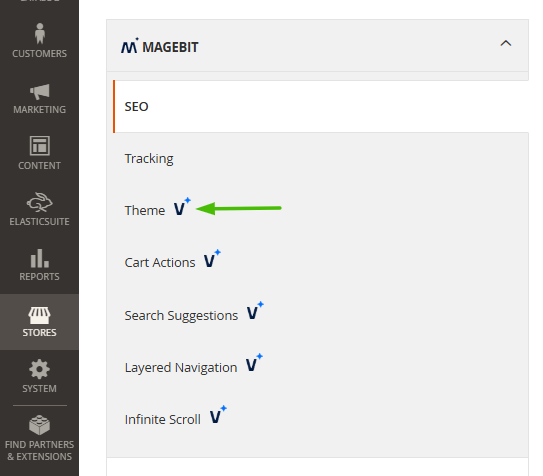
The Theme configuration section provides comprehensive settings for customizing the Venta Theme's appearance and functionality. Access these settings through the Magento admin panel under Stores > Configuration > Magebit > Theme.
Header Configuration
Header Links
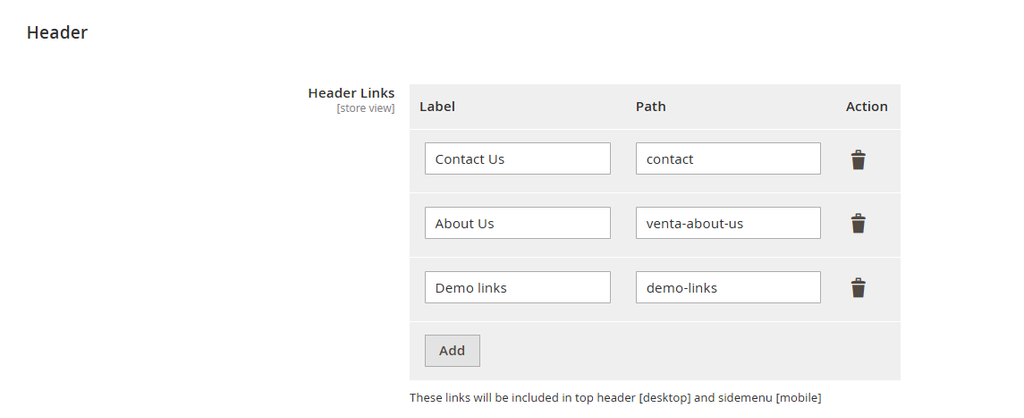
Configure navigation links displayed in the site header (desktop) and mobile side menu.
Configuration Options:
- Header Links - Define custom navigation links for quick access to important pages
- Link Labels - Set display text for each navigation link
- Link URLs - Specify target URLs for each link
Desktop Implementation: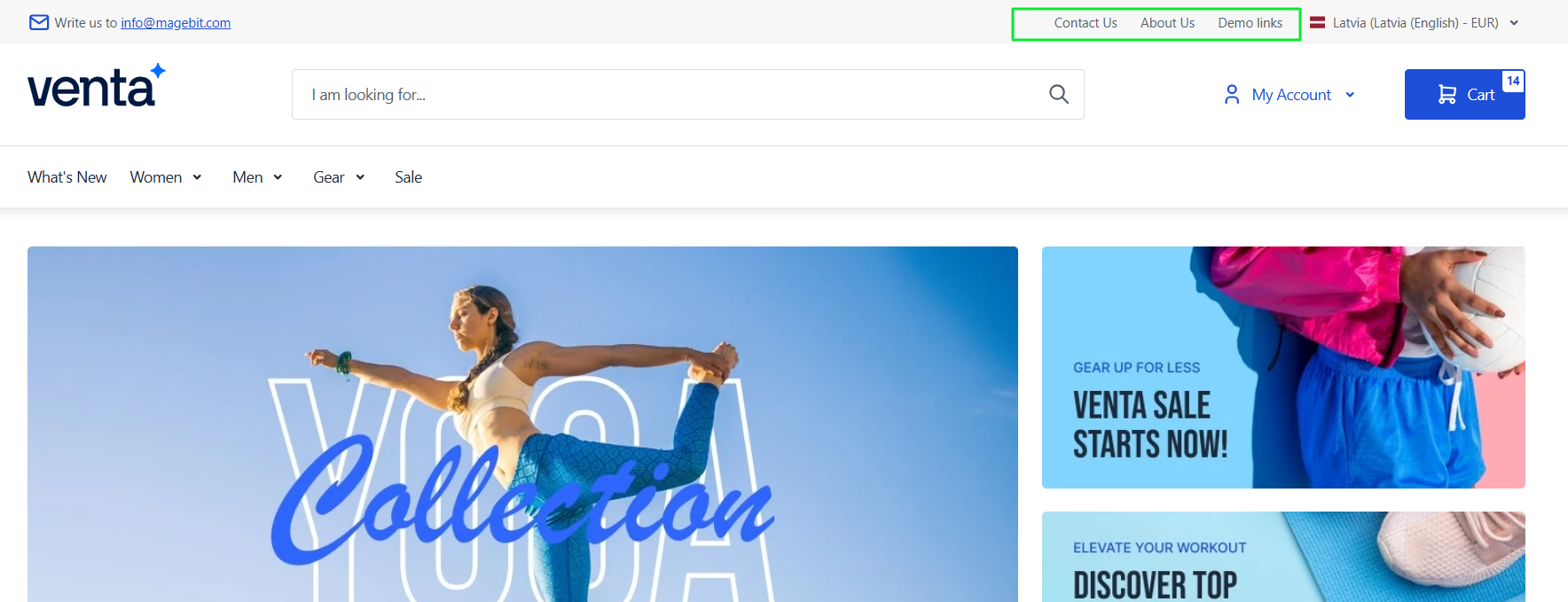
Mobile Implementation: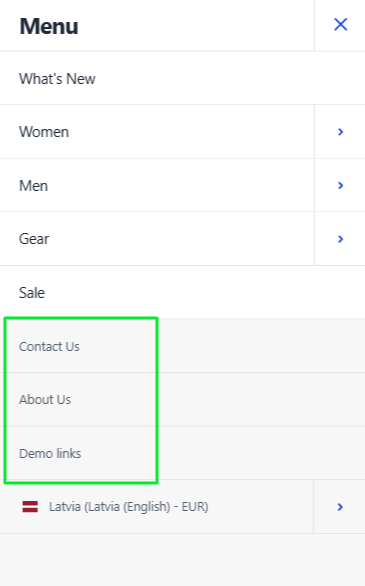
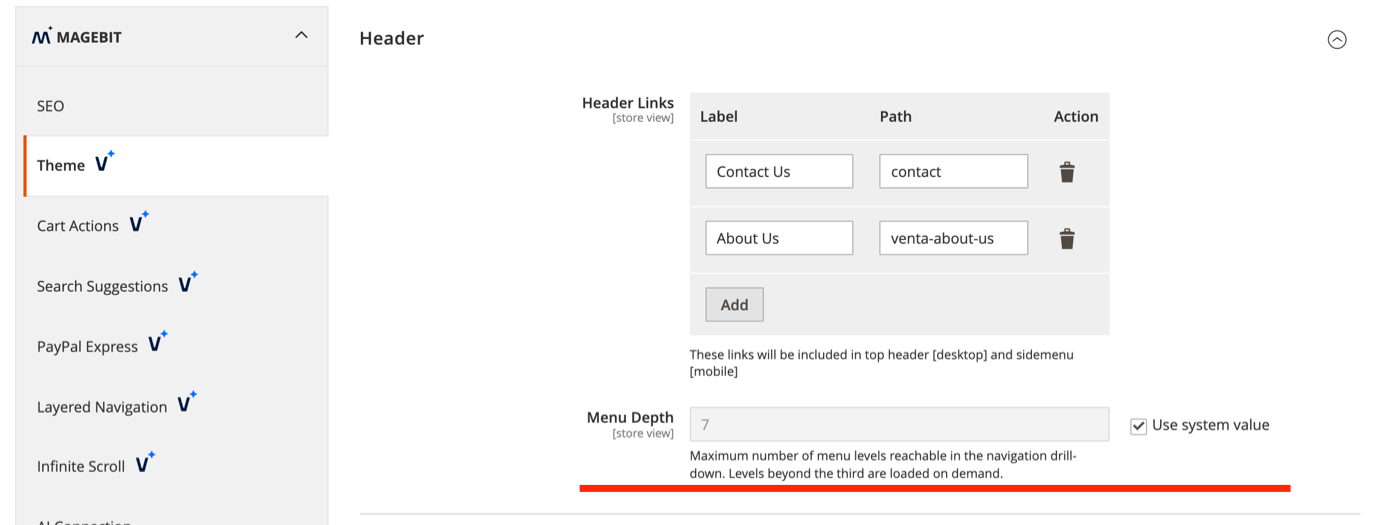
Menu Depth
Control how many category levels shoppers can open from the main navigation.
Configuration Options:
- Menu Depth (
magebit_theme/header/menu_depth) - Maximum number of category levels reachable in the navigation drill-down. Must be a whole number greater than zero. Default is7.
The first three levels are rendered with the page. Deeper levels load on demand as a shopper opens a branch on mobile, so a deep category tree does not bloat the initial page HTML. Set a lower value to stop the menu at a shallower level: at 3 or below, only the three rendered levels are reachable and no deeper levels load. Categories nested below the limit stay reachable through their own URLs.
Mega Menu Widget Areas
The mega menu exposes three widget containers, so you can place CMS blocks or widgets (through Content > Widgets or layout XML) inside the navigation without editing templates:
- Venta Mega Menu - Desktop Bar Right (
header.menu.desktop.widgets) - Pinned to the right of the desktop top-menu bar. - Venta Mega Menu - Dropdown Panels (
header.menu.dropdown.widgets) - Inside the desktop dropdown panel of top-level items that have three levels. - Venta Mega Menu - Mobile Menu Links (
header.menu.mobile.widgets) - At the bottom of the mobile menu drawer.
Footer Configuration
Footer Logo
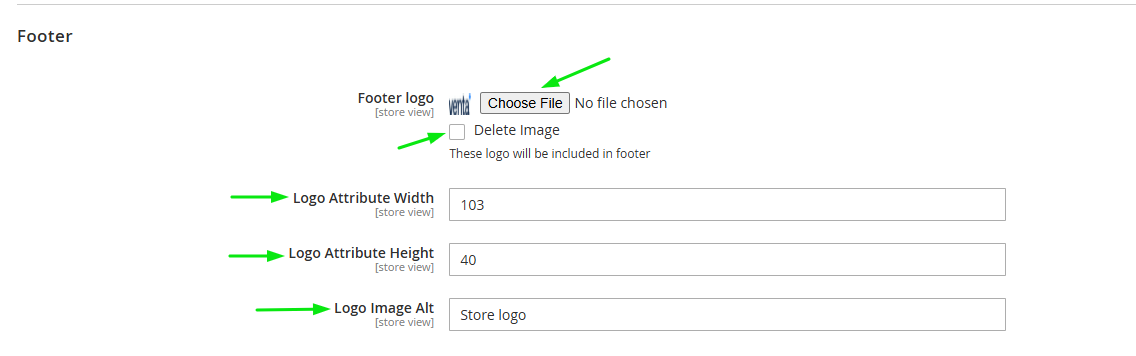
Customize the footer logo appearance and attributes.
Configuration Options:
- Footer Logo - Upload a custom logo image for the footer
- Delete Image - Remove the currently uploaded logo
- Logo Width - Set the logo width in pixels
- Logo Height - Set the logo height in pixels
- Logo Alt Text - Define alternative text for accessibility and SEO
Desktop Implementation: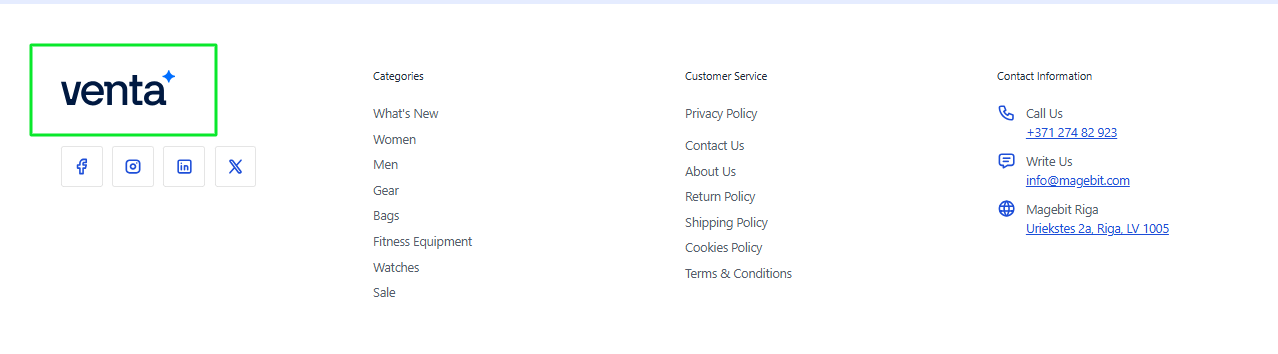
Mobile Implementation: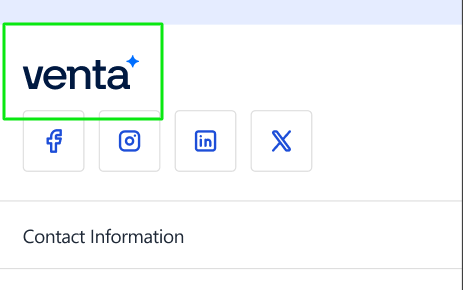
Store Switcher Configuration
Configure multi-store, multi-language, and multi-currency functionality.
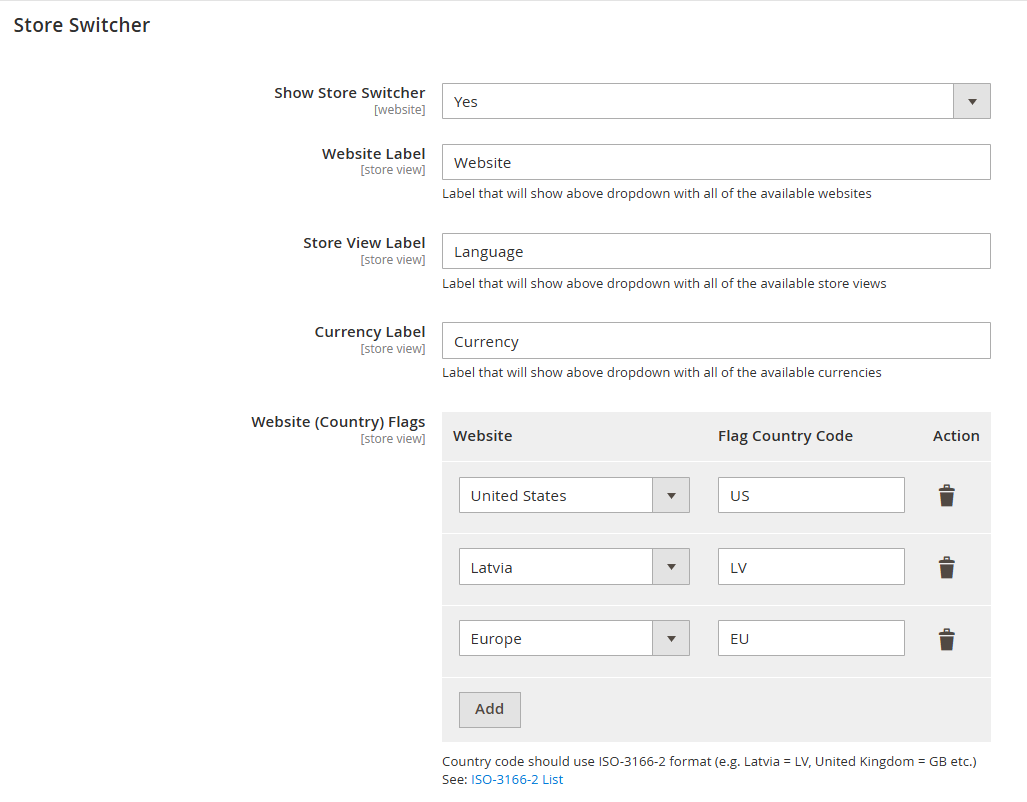
Configuration Options:
- Show Store Switcher - Enable/disable the store switcher in the frontend
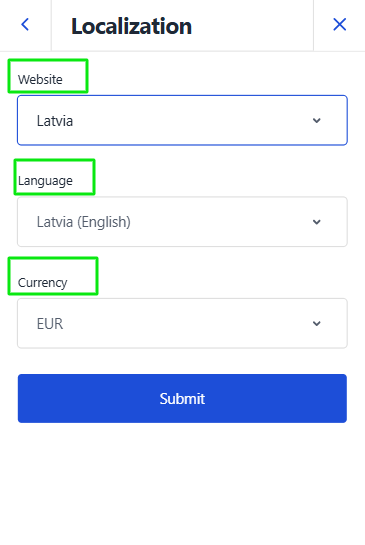
- Website Label - Label for the website dropdown (e.g., "Website")
- Store View Label - Label for the store view dropdown (e.g., "Language")
- Currency Label - Label for the currency dropdown (e.g., "Currency")
- Website Flags - Assign country flags to websites using ISO-3166-2 country codes
INFO
Country Code Format: Use ISO-3166-2 format (e.g., Latvia = LV, United Kingdom = GB). See: ISO-3166-2 List
Desktop Implementation: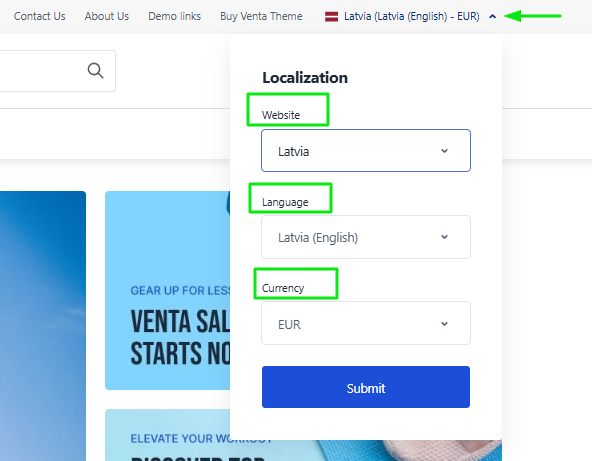
Mobile Implementation: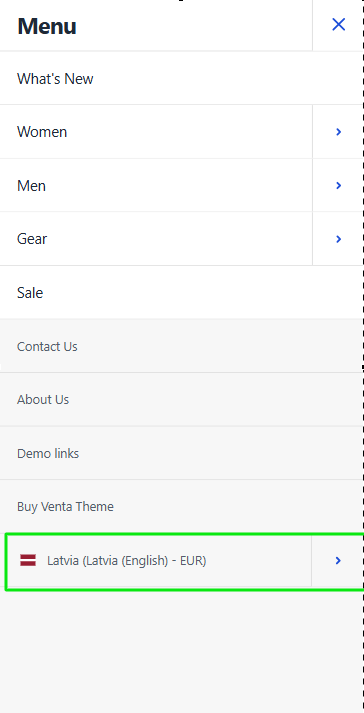
Minicart Configuration
Cross-sell Products Slider
Configure cross-sell product recommendations in the shopping cart minicart.
Configuration Options:
- Show Cross-sells Slider - Enable/disable cross-sell product slider in minicart
- Slider Behavior - When enabled, displays related products below cart items
Cross-sell products are algorithmically selected based on customer behavior and product relationships to encourage additional purchases.

Desktop Implementation: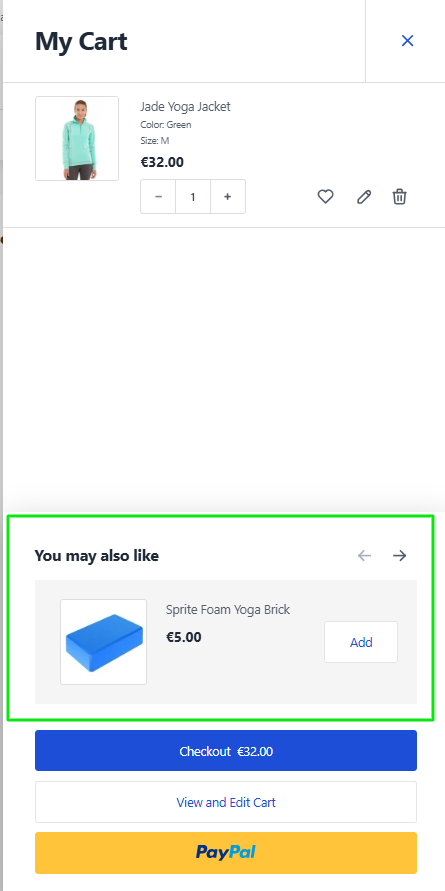
Mobile Implementation: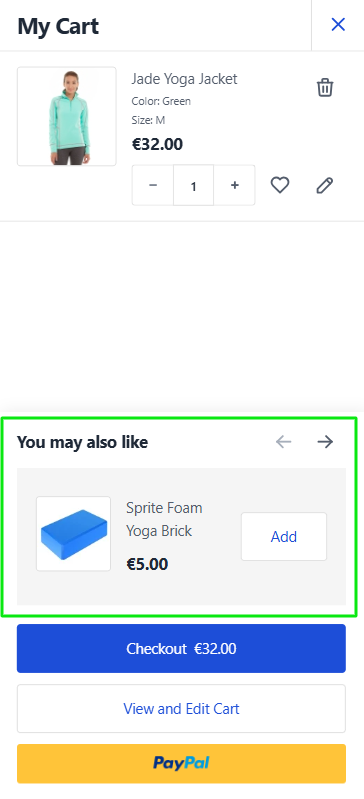
Content Generation Configuration
Control automatic content generation for various store elements.
Configuration Options:
- Disable Generation - Control automatic generation of:
- Media files (images, thumbnails)
- CMS Pages (admin-managed content pages)
- CMS Blocks (reusable content blocks)
- Widgets
When disabled, these elements will not be automatically generated and must be created manually.

Wishlist Configuration
Quantity and Comment Fields
Configure wishlist item management features.
Configuration Options:
- Show Quantity and Comment in Wishlist - Enable/disable quantity selection and comment fields
- Yes - Displays AJAX-based quantity and comment fields
- No - Hides quantity and comment fields (default)
WARNING
Styling Note: When enabled, quantity and comment fields are not styled by default. Additional CSS customization may be required for proper display. Contact Team Venta PM for unified styling solutions.

Enabled Configuration - Desktop: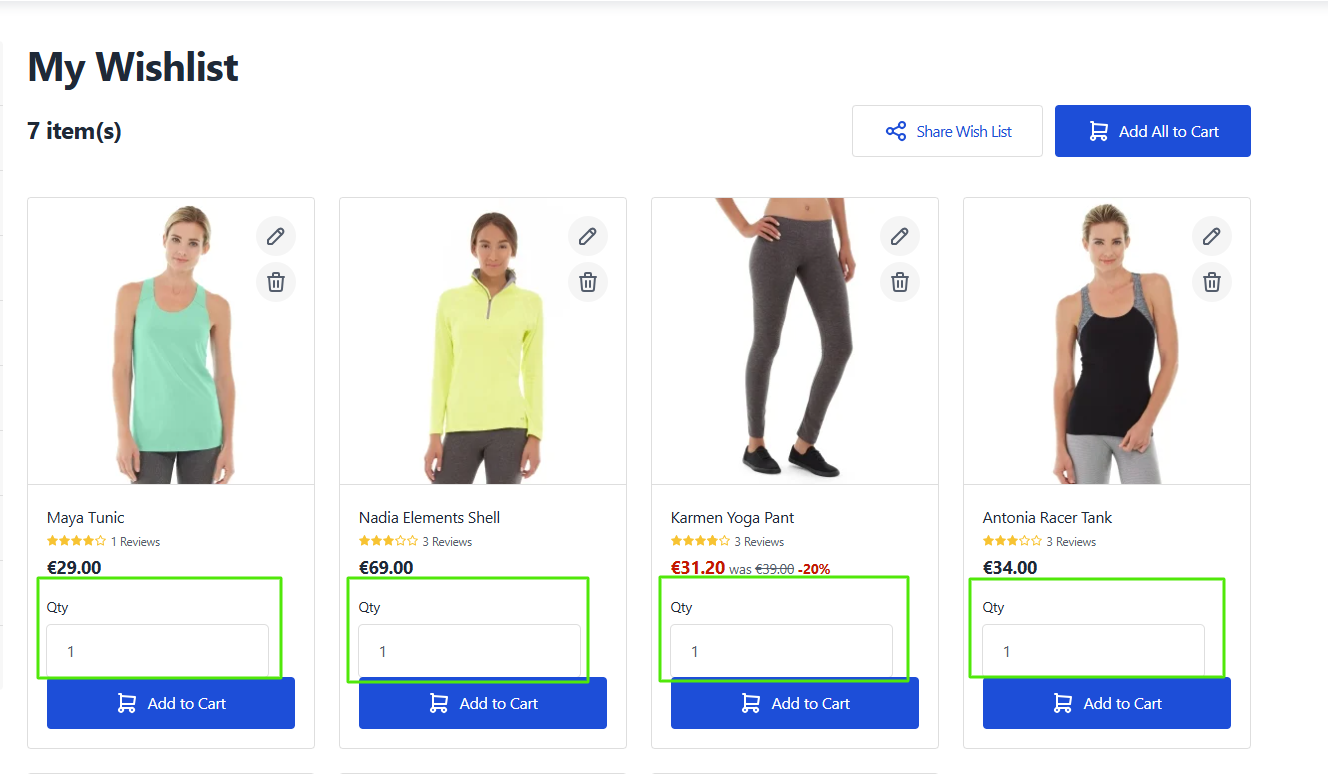
Enabled Configuration - Mobile: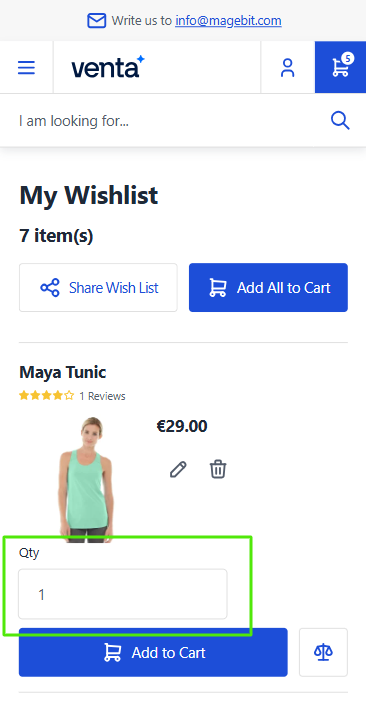
Disabled Configuration - Desktop: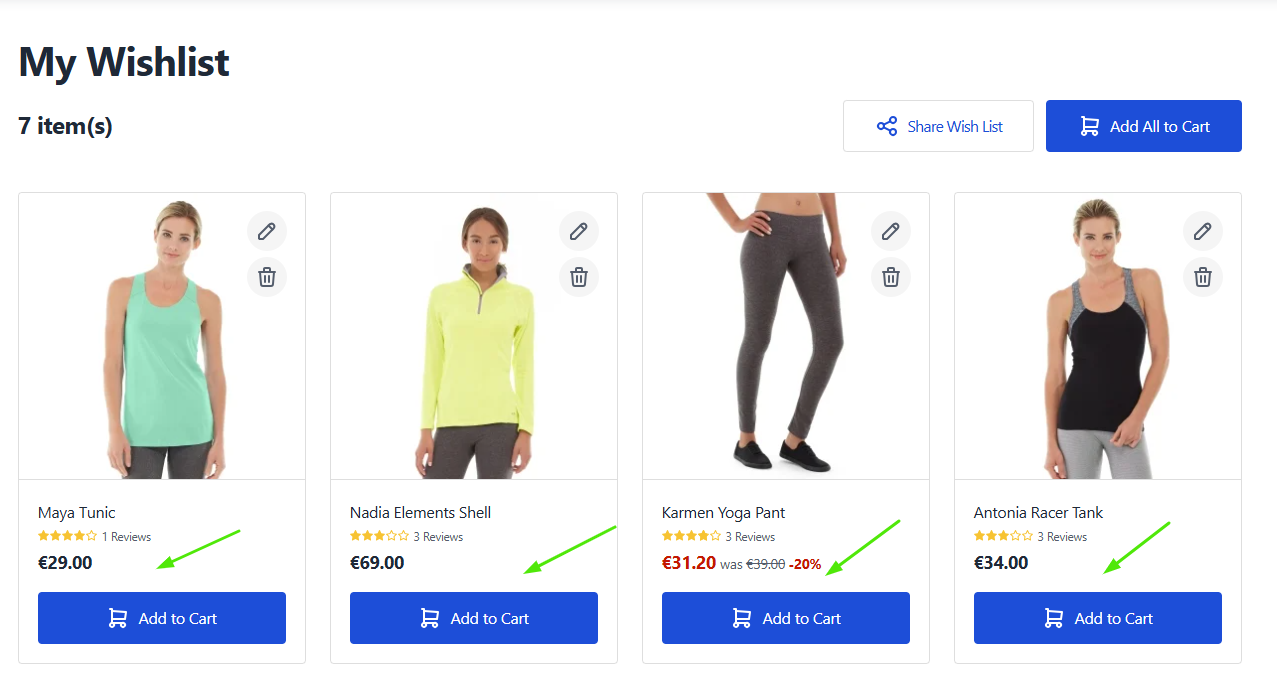
Disabled Configuration - Mobile: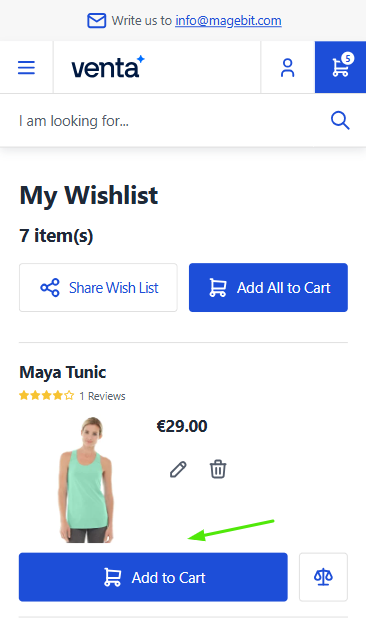
Agreement Checkbox Settings
Configure customer agreement presentation during checkout.
Configuration Options:
- Display Merged - Control agreement checkbox display format
- Yes - Single merged checkbox for all agreements (default)
- No - Individual checkboxes for each agreement

Merged Display (Yes):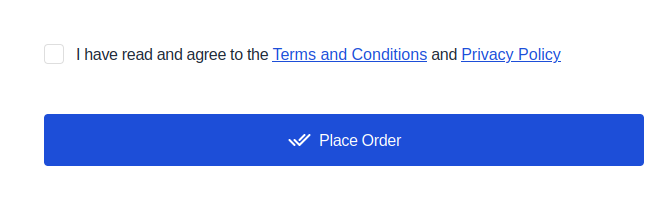
Individual Display (No):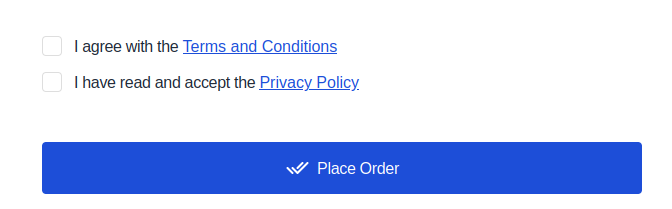
Checkout Footer Configuration
The checkout footer (right side of checkout) can show two kinds of links, controlled by independent toggles. They look almost identical on the storefront — the difference is in behavior:
- Custom footer links navigate to a page (e.g. a CMS page) when clicked.
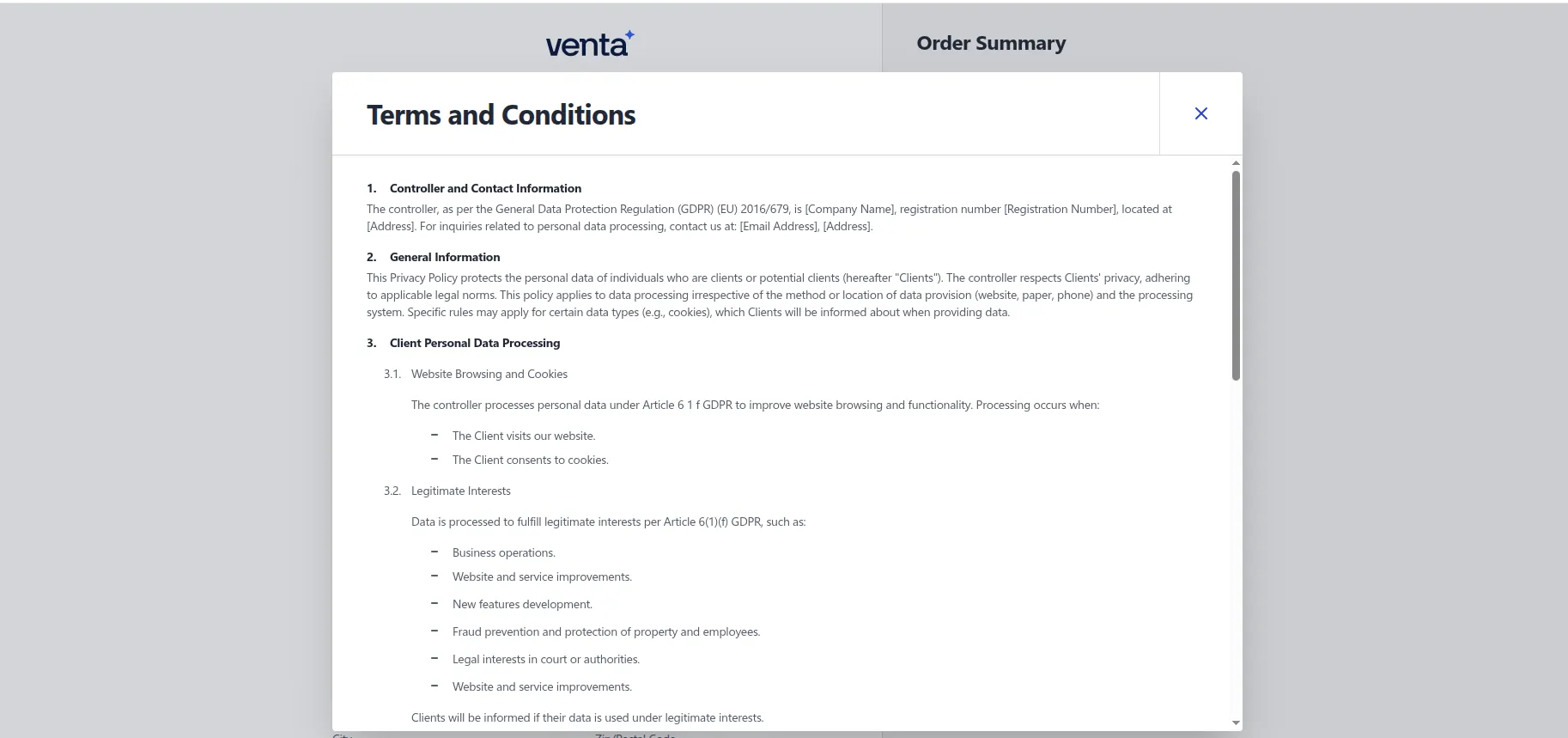
- Popup links open the Terms and Conditions content in a modal, without leaving checkout — the same popup the agreement checkboxes use.
Either or both can be enabled; when both are on, all links render together on a single row.
INFO
Version Requirement: Available starting from Venta Theme 1.6.3
Step 1 — Enable the links
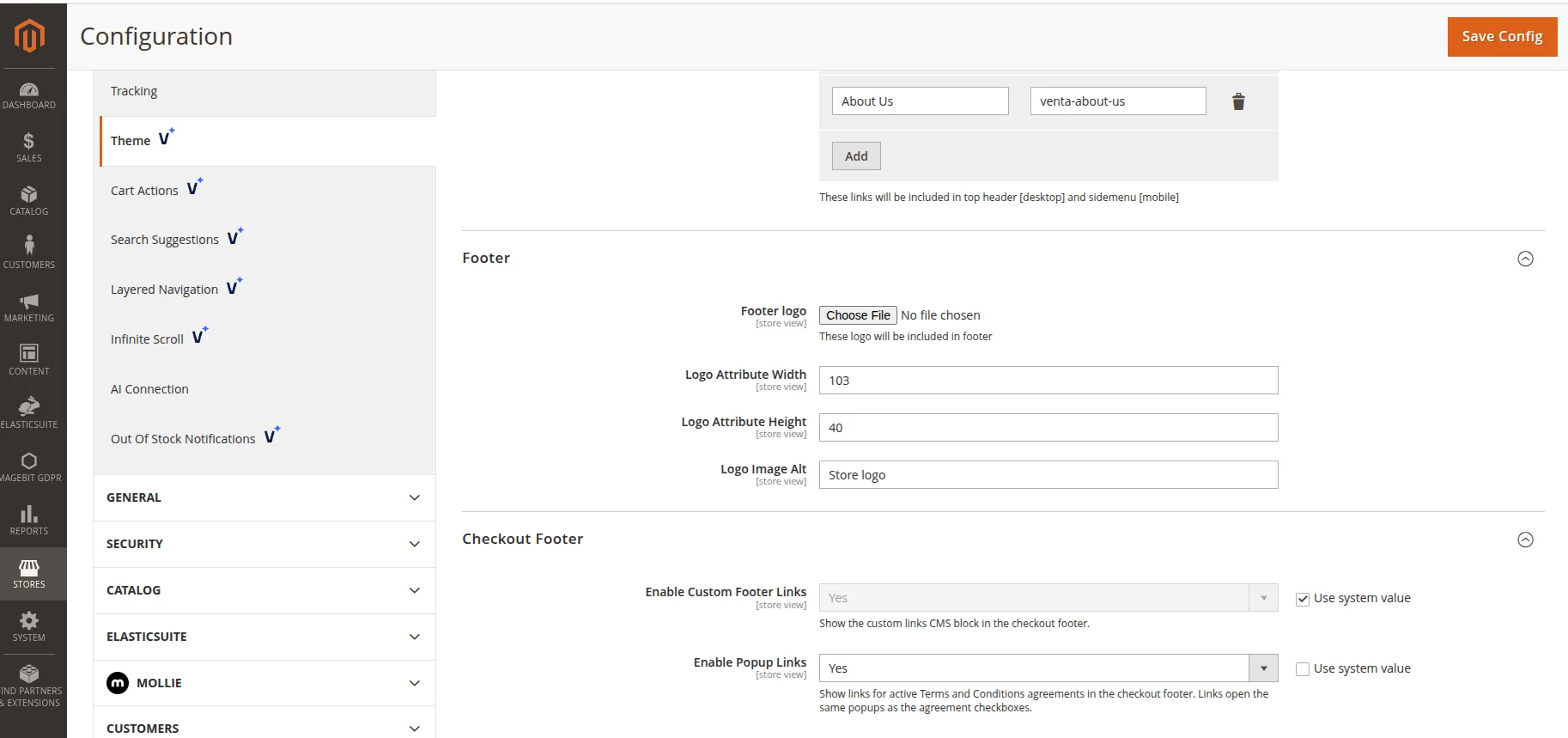
- Go to Stores > Configuration > Magebit > Theme and open the Checkout Footer group.
- Set the toggles:
- Enable Custom Footer Links —
Yesshows the custom links CMS block (default),Nohides it. - Enable Popup Links —
Yesshows a link for each active agreement,Nohides them (default).
- Enable Custom Footer Links —
- Click Save Config and flush the cache.
Step 2 — Edit the custom footer links
The custom links come from the CMS block with identifier venta-checkout-sidebar-footer — not from this configuration screen.
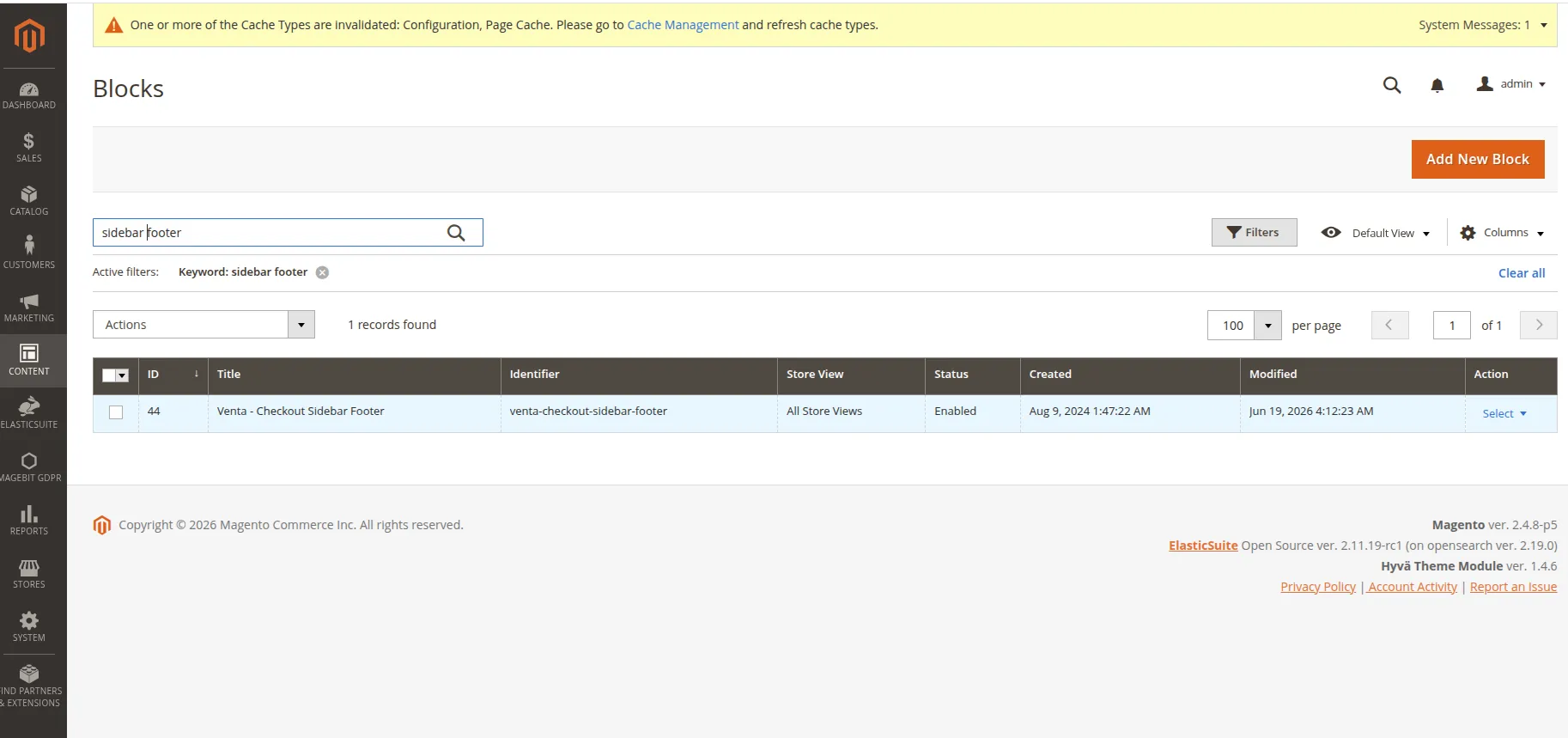
- Go to Content > Elements > Blocks.
- Search for and open the block
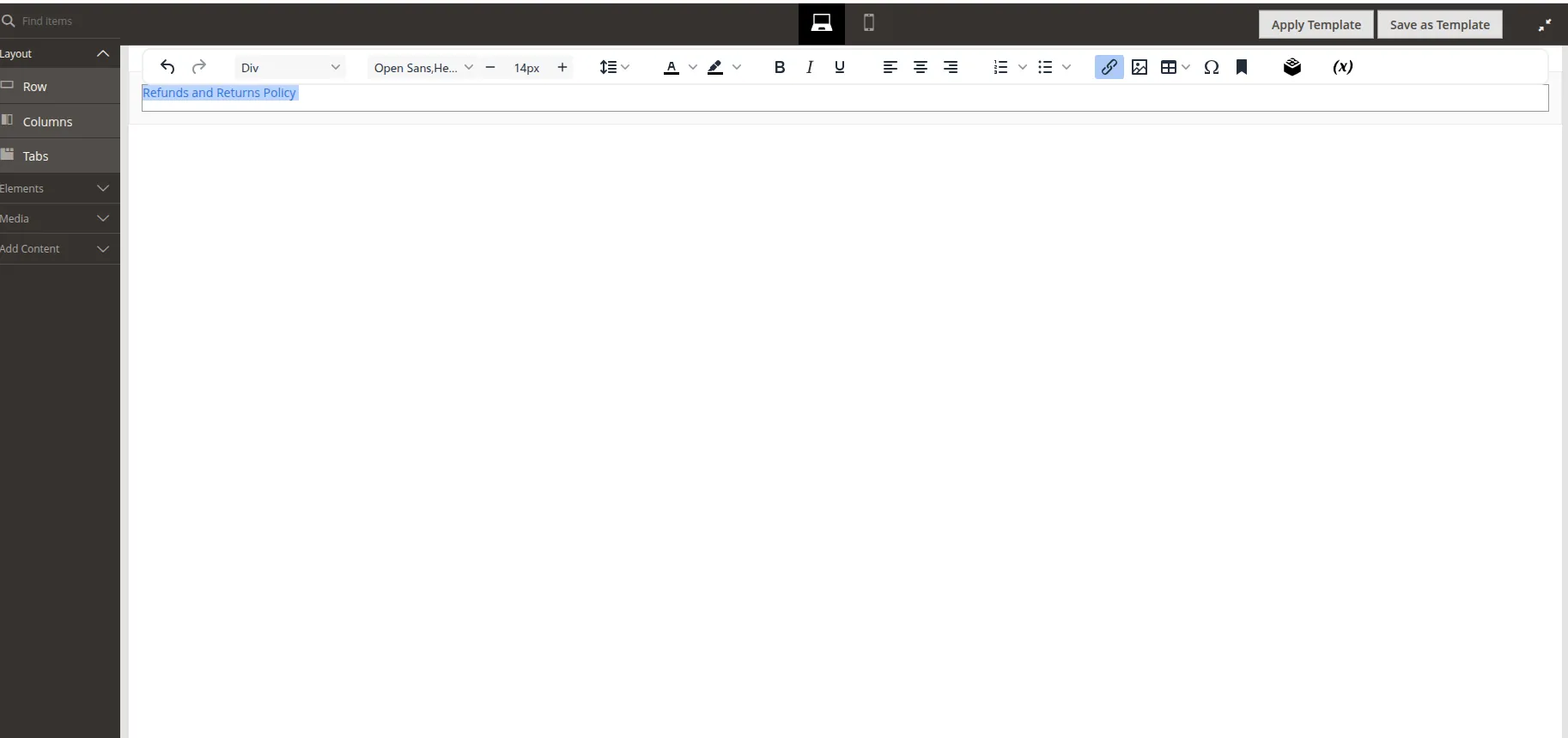
venta-checkout-sidebar-footer. - Edit the links in the block content. Each is a plain anchor — change the label text and the
href:htmlAdd or remove<a href="/privacy-policy-cookie-restriction-mode" class="hover:text-primary active:text-primary-900 text-secondary clear">Privacy Policy</a><a>tags to change how many links appear. - Save the block and flush the cache.
WARNING
The seed block ships with placeholder links (Refund Policy, Returns, Privacy Policy, Terms Of Service) that point to href="#". Update these to real page URLs before going live.
Step 3 — Edit the popup links
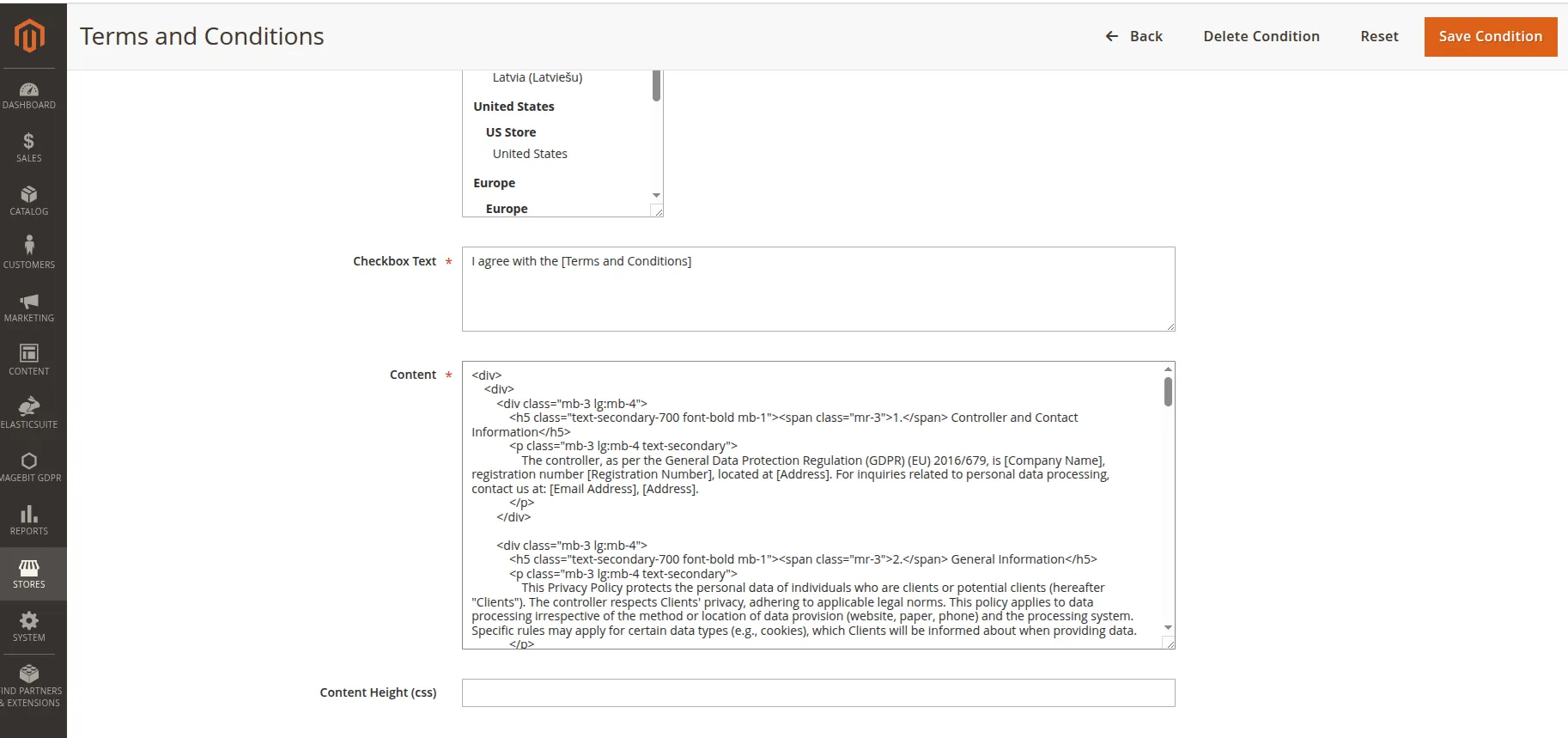
Popup links are generated from your checkout agreements — the same ones shown beside the agreement checkboxes. They are managed under Stores > Settings > Terms and Conditions, not on this configuration screen.
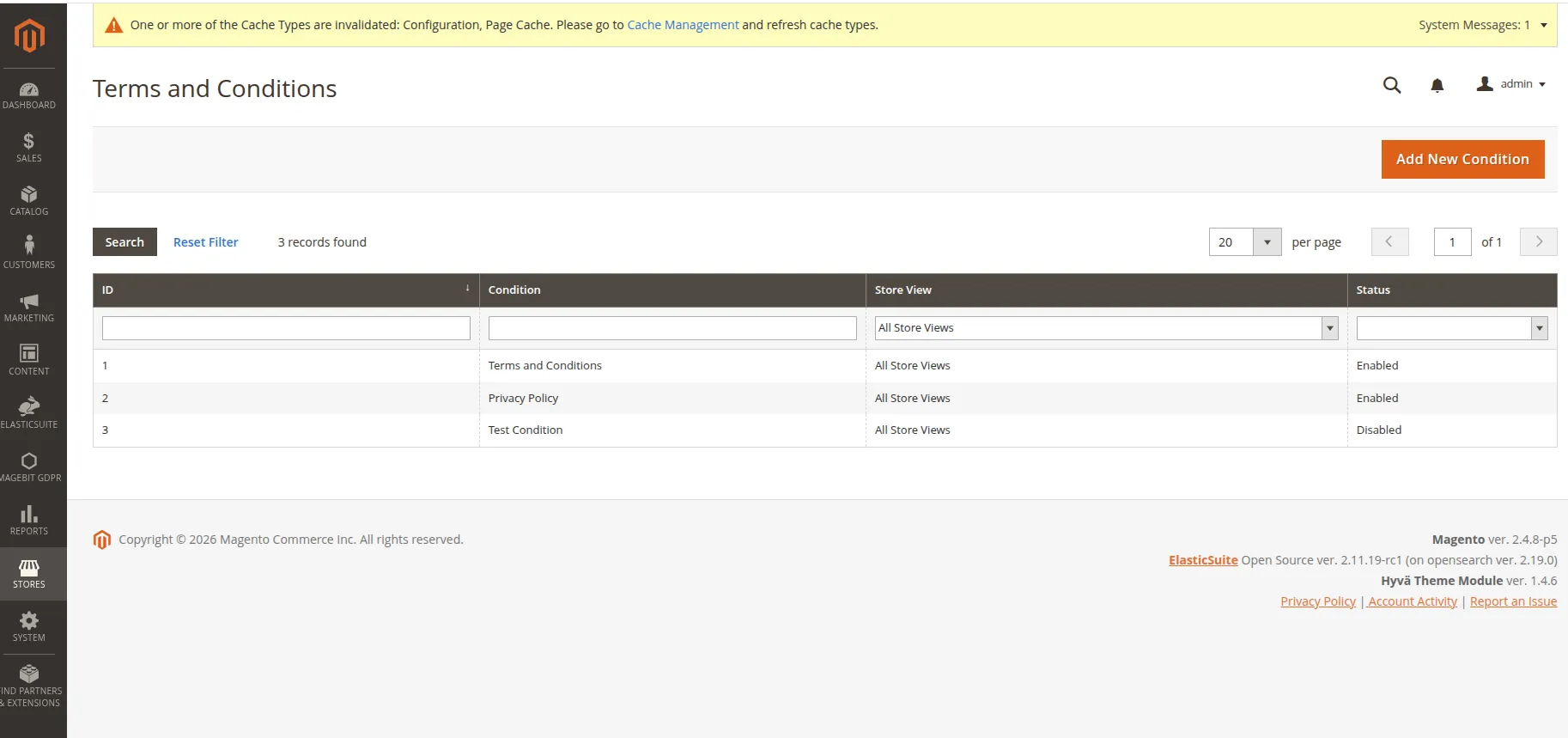
- Go to Stores > Settings > Terms and Conditions.
- Open an existing agreement or click Add New Condition.
- The fields that drive the footer popup:
- Condition Name — becomes the link label in the footer.
- Enabled — must be set so the agreement is Active; only active agreements appear as footer links.
- Store View — the agreement only appears on its assigned store view(s).
- Content — the text shown inside the popup when the link is clicked.
- Show Content as — set to Text or HTML depending on how the content should render.
- Save and flush the cache.
TIP
Footer popup links are pulled automatically from active agreements and sorted by name — there is nothing to wire up per link. If no agreement is active for the current store view, no popup links are shown. See also Agreement Checkbox Settings.
Storefront result — clicking a footer popup link opens the agreement content in a modal without leaving checkout:
Catalog Configuration
Out-of-Stock Product Management
Configure how out-of-stock products are handled in catalog listings and product recommendations.
Configuration Options:
- Move Out-of-Stock Products to End of Listings - Control product positioning
- Yes - Moves unavailable products to bottom of listings regardless of sort order
- No - Maintains normal sort order (default)
- Hide Out-of-Stock Products in Cross-Sells, Upsells, and Related - Control recommendation visibility
- Yes - Completely removes out-of-stock products from recommendation sections
- No - Shows all products regardless of stock status (default)

Enabled Configuration: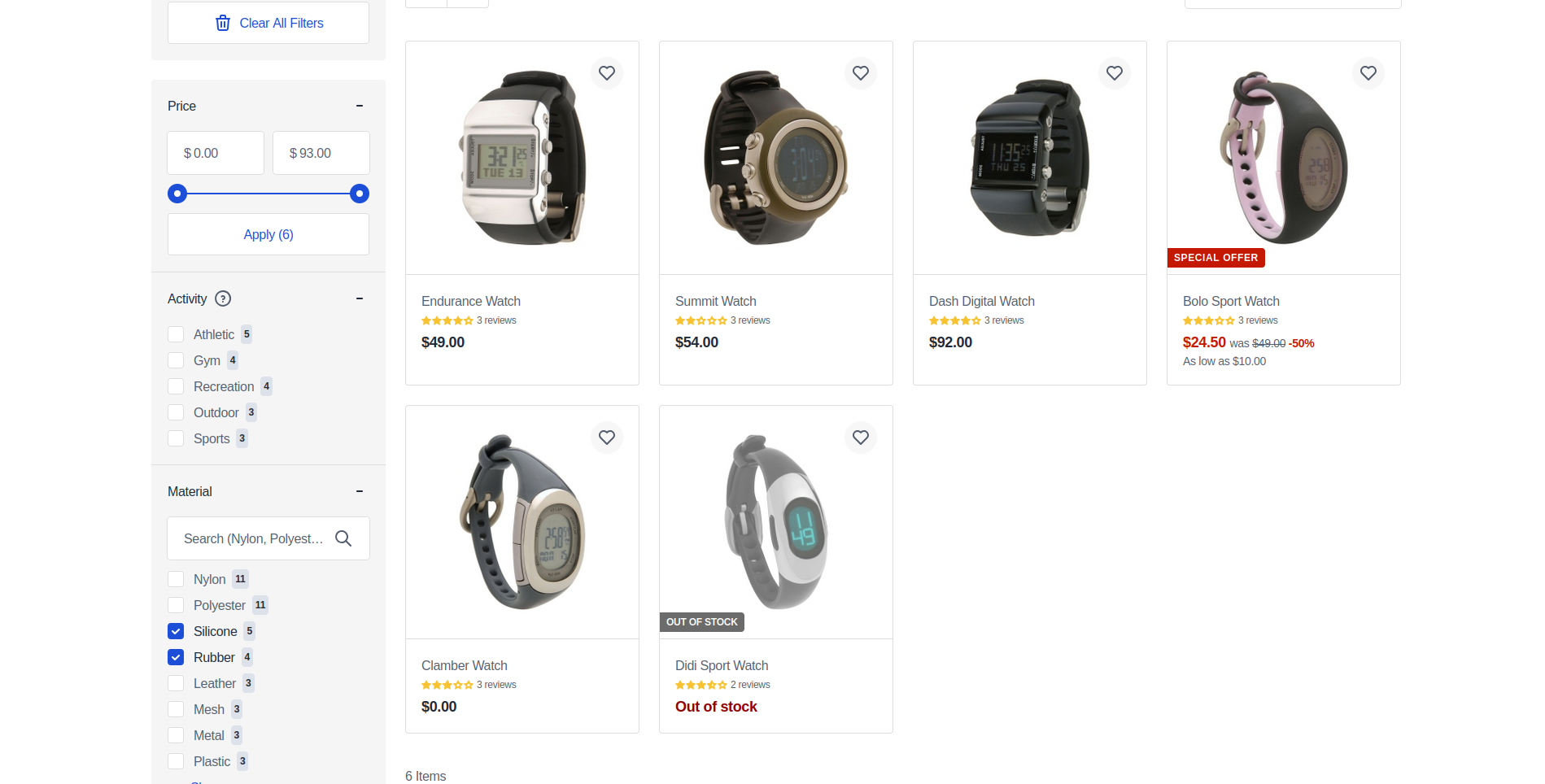
Disabled Configuration: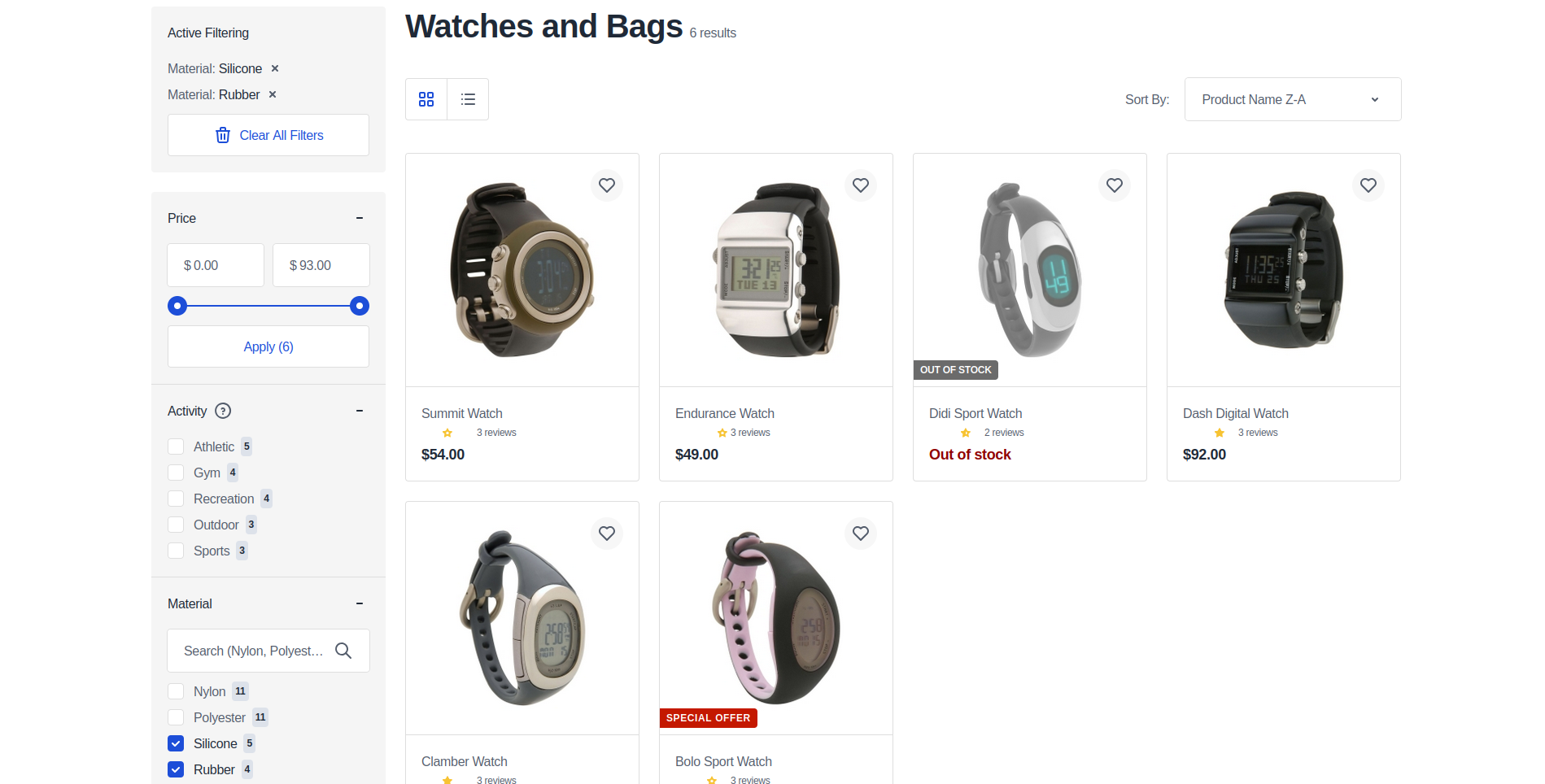
Image Zoom Configuration
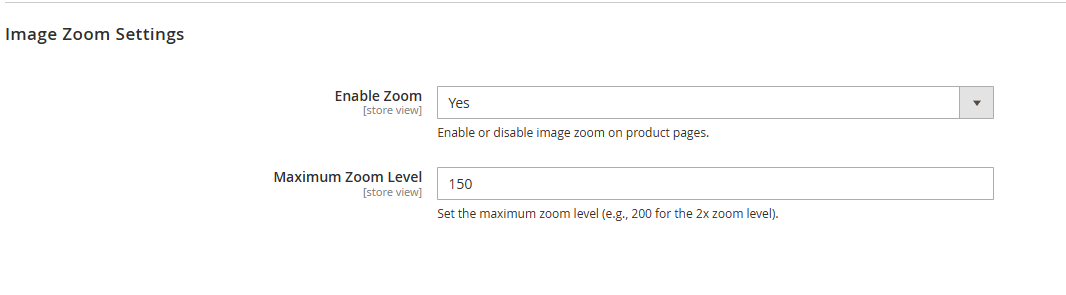
Configure product image zoom functionality on product detail pages.
Configuration Options:
- Enable Zoom - Control zoom feature availability
- Yes - Enables image zoom functionality
- No - Disables zoom feature
- Maximum Zoom Level - Set magnification limit
- 100 - No zoom (1x)
- 150 - 1.5x zoom
- 200 - 2x zoom
- Higher values provide greater magnification (requires high-resolution images)
Desktop Implementation: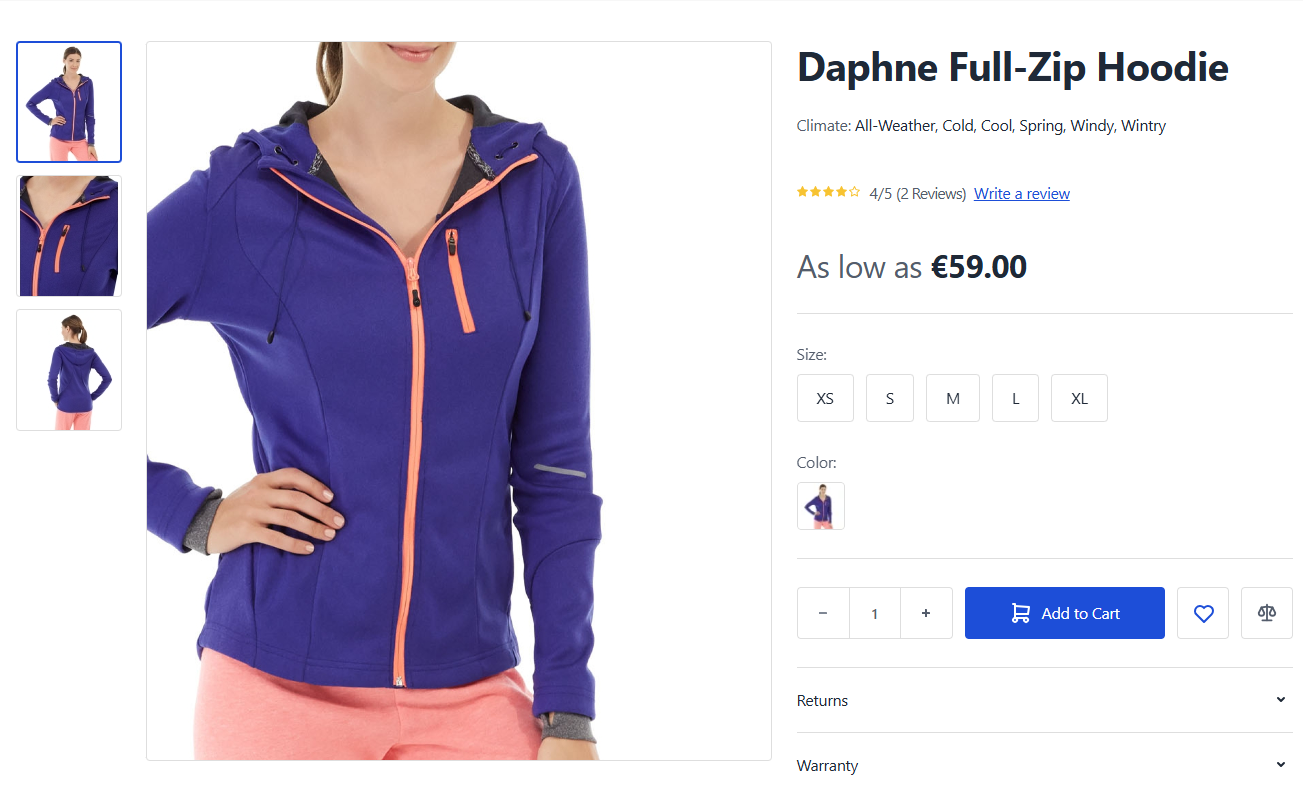
Message Display Configuration
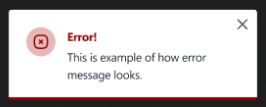
Configure notification timeout behavior for different message types.
INFO
Version Requirement: Available starting from Venta Theme 1.5.0
Configuration Options:
- General Message Default Timeout - Control timeout for Success, Info, Notice, and Warning messages
- Default: 5000ms (5 seconds)
- Empty field: Messages persist until manually dismissed
- Error Message Default Timeout - Control timeout for Error messages
- Default: 10000ms (10 seconds)
- Empty field: Messages persist until manually dismissed



Product Reviews Configuration
Configure review summary display behavior on product detail pages.
Configuration Options:
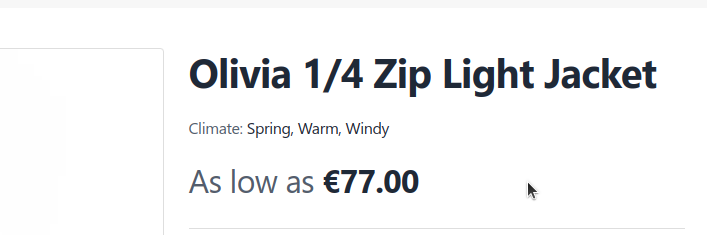
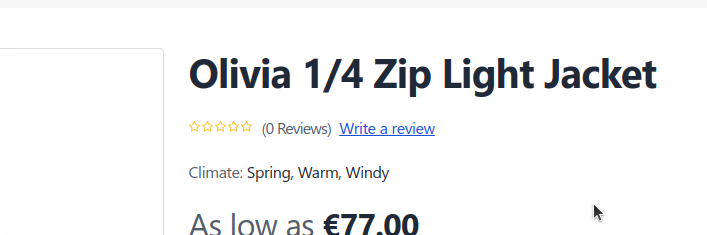
- Show Zero Reviews Below Product Title - Control review summary visibility
- Yes - Displays review summary and "add review" button even with zero reviews
- No - Hides review summary when no reviews exist (default)
Setting Disabled (No):
Setting Enabled (Yes):
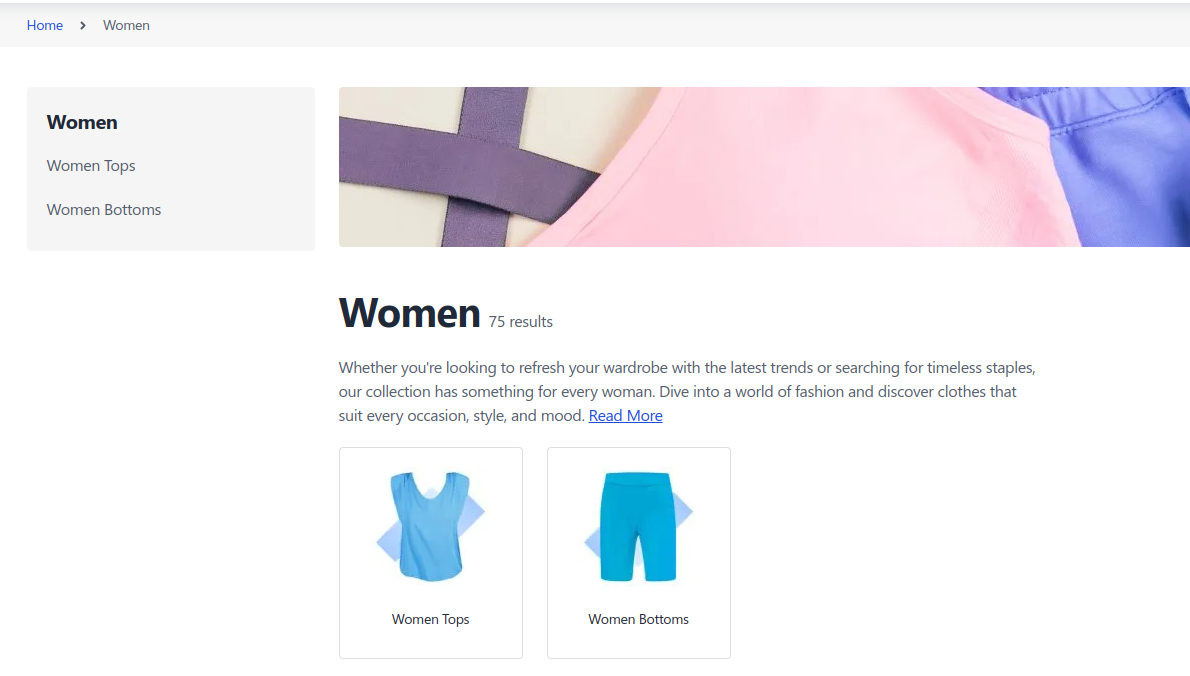
Category Product Count Configuration
Configure product count display in category navigation elements.
INFO
Version Requirement: Available starting from Venta Theme 1.5.2
Configuration Options:
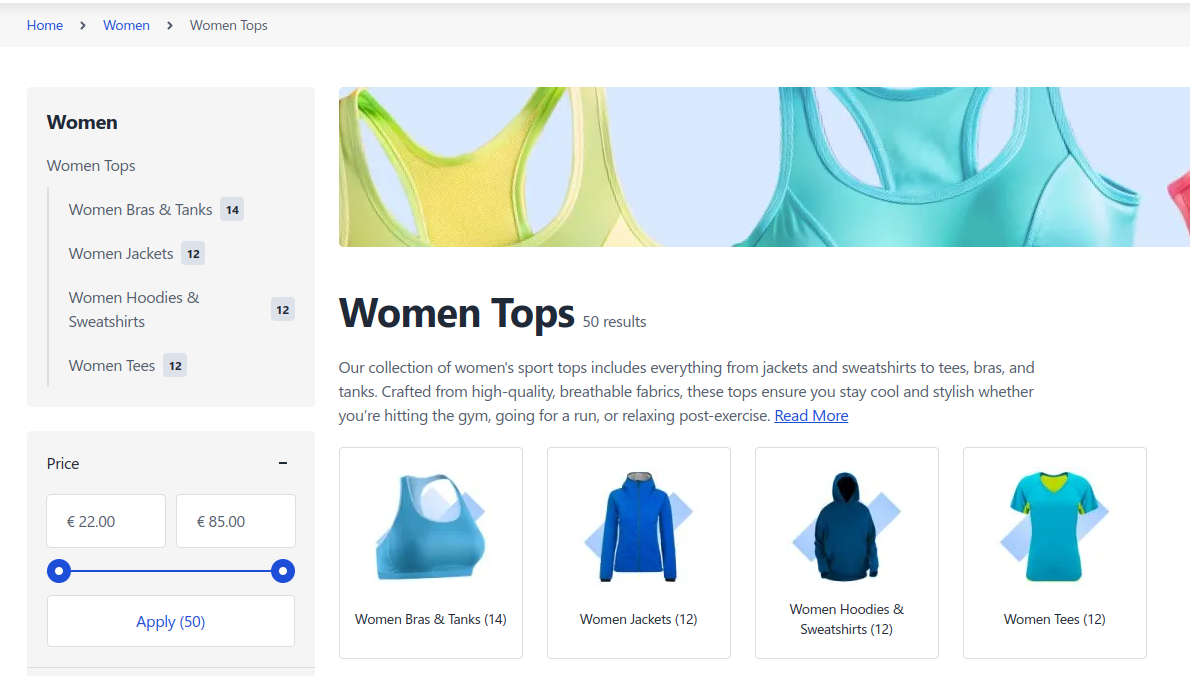
- Show Product Count for Categories - Control product count visibility
- Yes - Displays product count in category tiles and sidebar tree (default)
- No - Hides product count from category navigation elements

Enabled Configuration: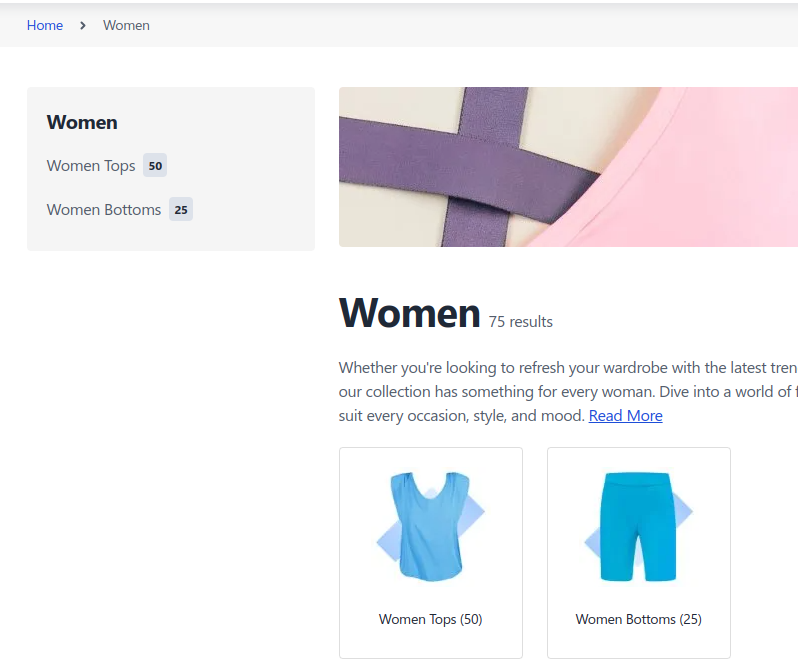
Disabled Configuration: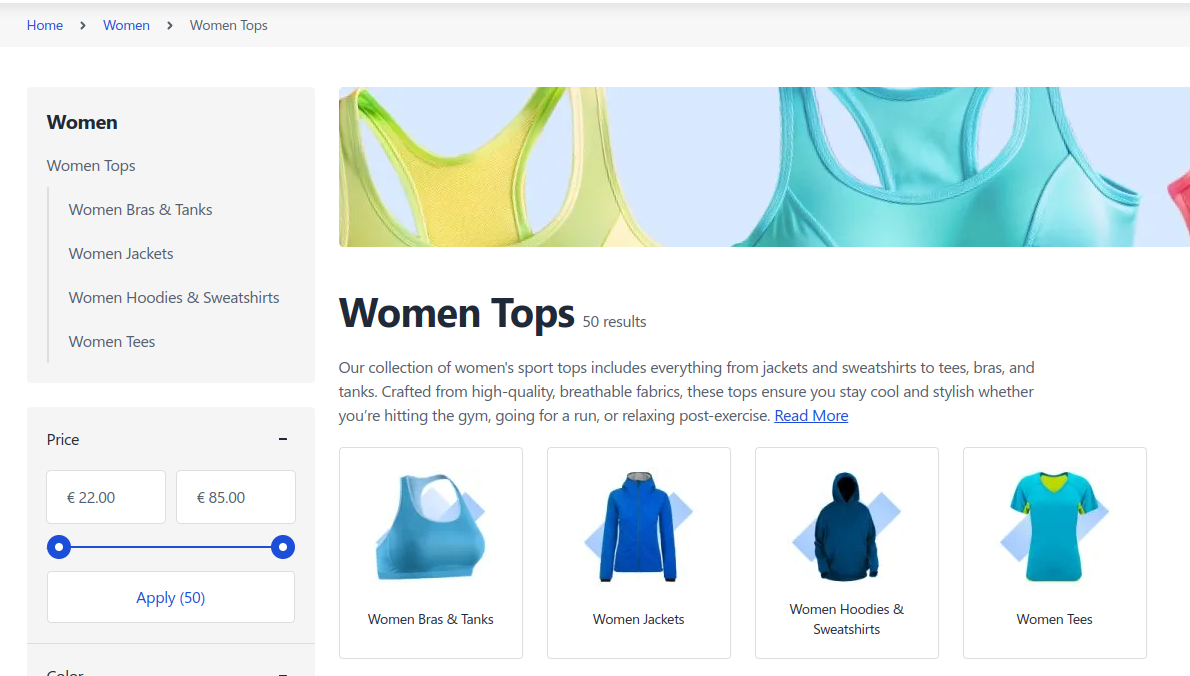
Sticky Bar Configuration
Configure the sticky add-to-cart bar functionality for product detail pages.
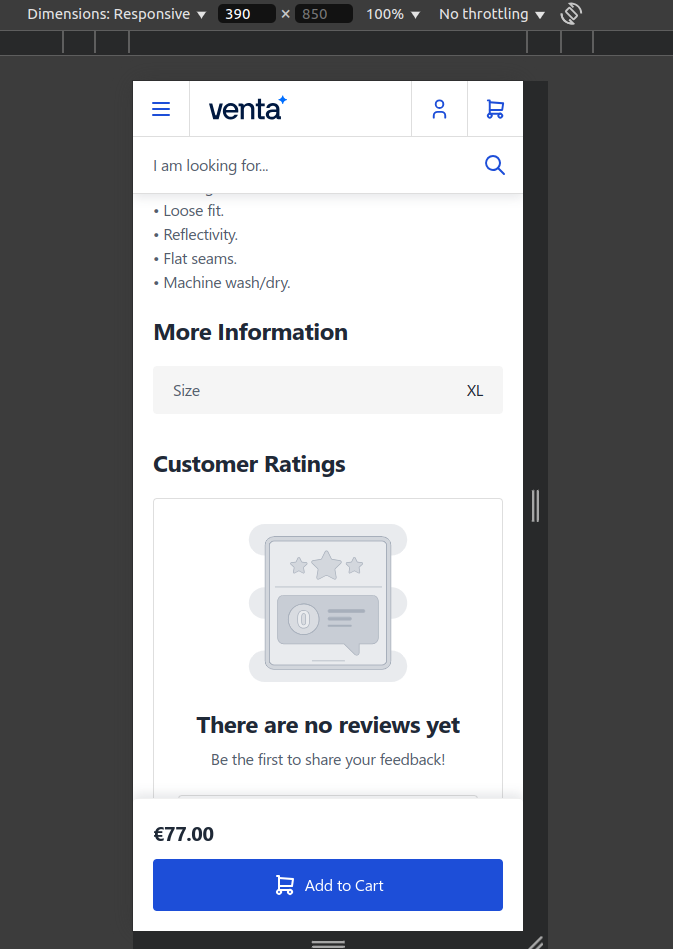
The Sticky Bar enhances user experience on Product Detail Pages (PDPs) by providing persistent add-to-cart functionality when users scroll away from the main product form. This feature is available for Simple and Configurable product types only.
Configuration Options:
- Enable Sticky Bottom Bar - Control sticky bar functionality
- Yes - Activates sticky bar feature
- No - Disables sticky bar (default)
Behavior:
- Appears when user scrolls past the main Add to Cart button
- Disappears when Add to Cart button returns to view
- Includes product name, selected options, price, and Add to Cart button
- Syncs with main product form for configurable products
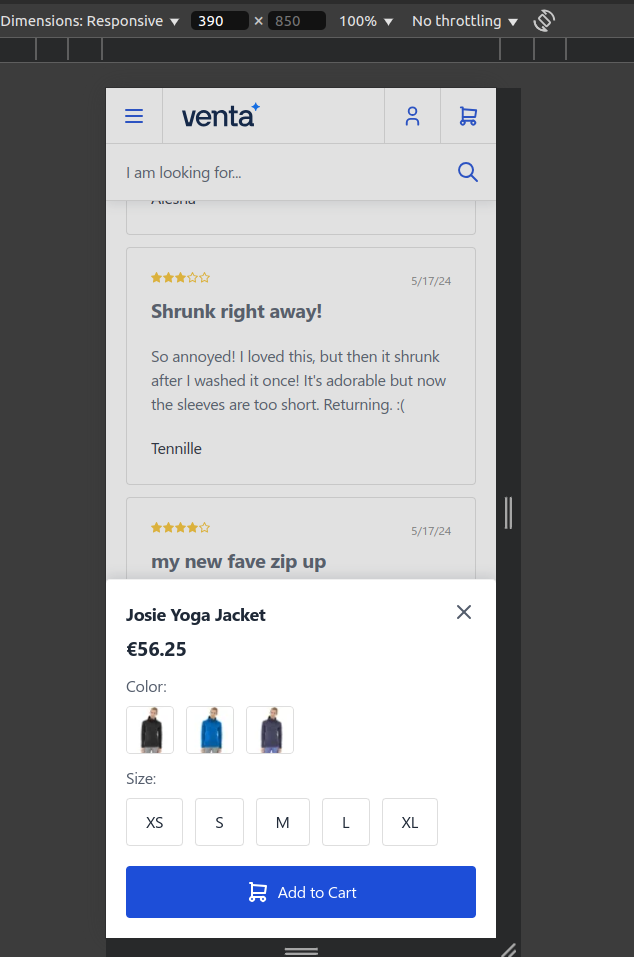
- On mobile: Shows "Select Options" button for configurable products to prevent viewport clutter
Configurable Products Implementation: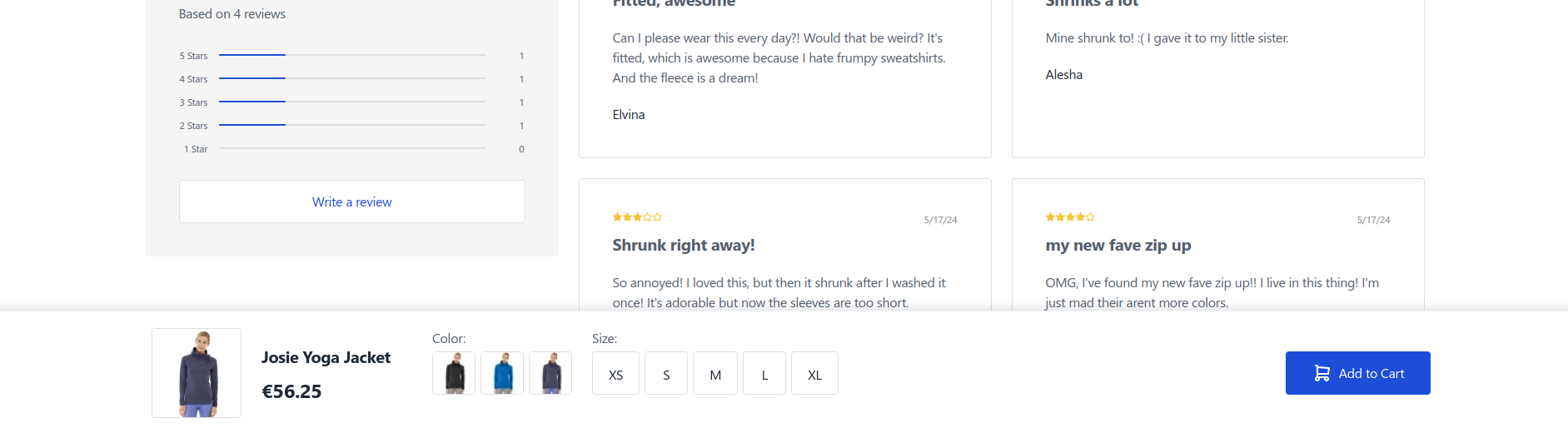
Mobile Implementation: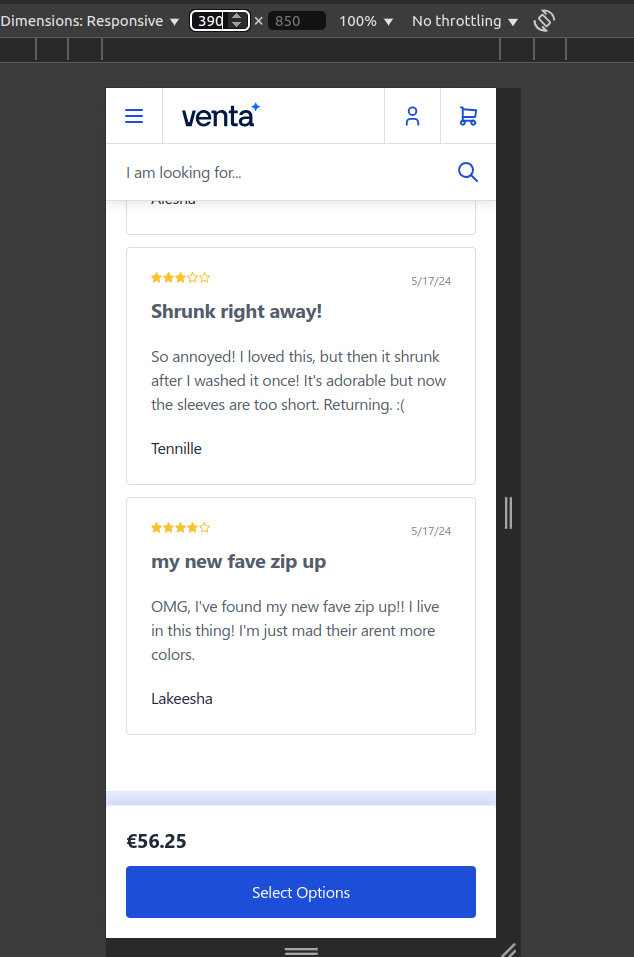
Simple Products Implementation: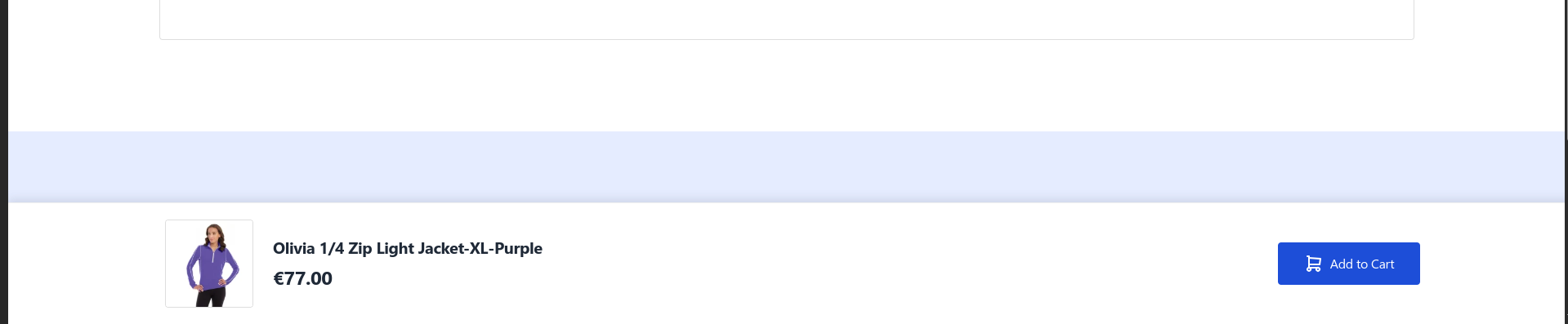
Configurable Product Pricing Configuration
Configure "As Low As" pricing display behavior for configurable products.
This feature overrides the default Hyva implementation to show "As Low As" pricing only when price variations exist among configurable product options.
Configuration Options:
- Disable default Hyva "As low as" pricing behaviour - Control pricing display logic
- Yes - Enables Venta's custom pricing implementation
- No - Uses default Hyva behavior (default)

Behavior:
- Default Hyva: Shows "As Low As" for all configurable products
- Venta Implementation: Shows "As Low As" only when price variations exist among options
- Displays the lowest available price for the configurable product
- Applies to both Product Listing Pages (PLP) and Product Detail Pages (PDP)