

Out Of Stock Notifications
The Out Of Stock Notifications extension helps Magento stores capture demand for temporarily unavailable products by letting guest visitors and logged-in customers subscribe to back-in-stock alerts from PDP and PLP, with subscriptions managed in My Account and delivered via email.
Overview
Out Of Stock Notifications is a Venta Theme add-on module that allows customers to subscribe to back-in-stock alerts when products are temporarily unavailable.
It builds on Magento's native Product Alerts to provide a Venta/Hyva-optimised UX with Tailwind CSS and AlpineJS and requires Venta Theme on top of Hyva.
Documentation
Key Features
Product Detail Page (PDP)
- Guest email subscription form for out-of-stock products
- One-click subscribe/unsubscribe for logged-in customers
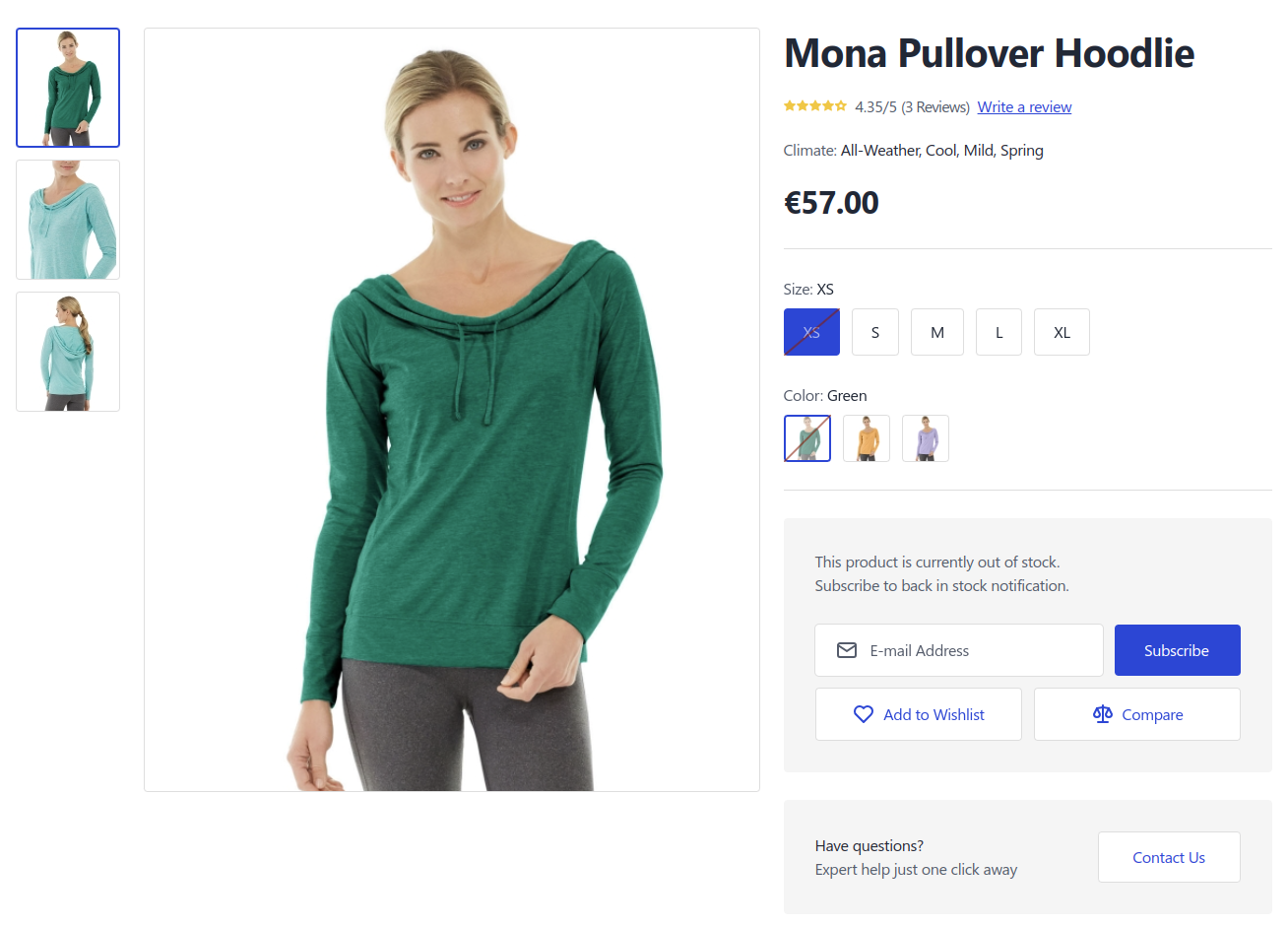
- Support for simple and configurable products
- Variant-level subscription when specific configurable options are selected
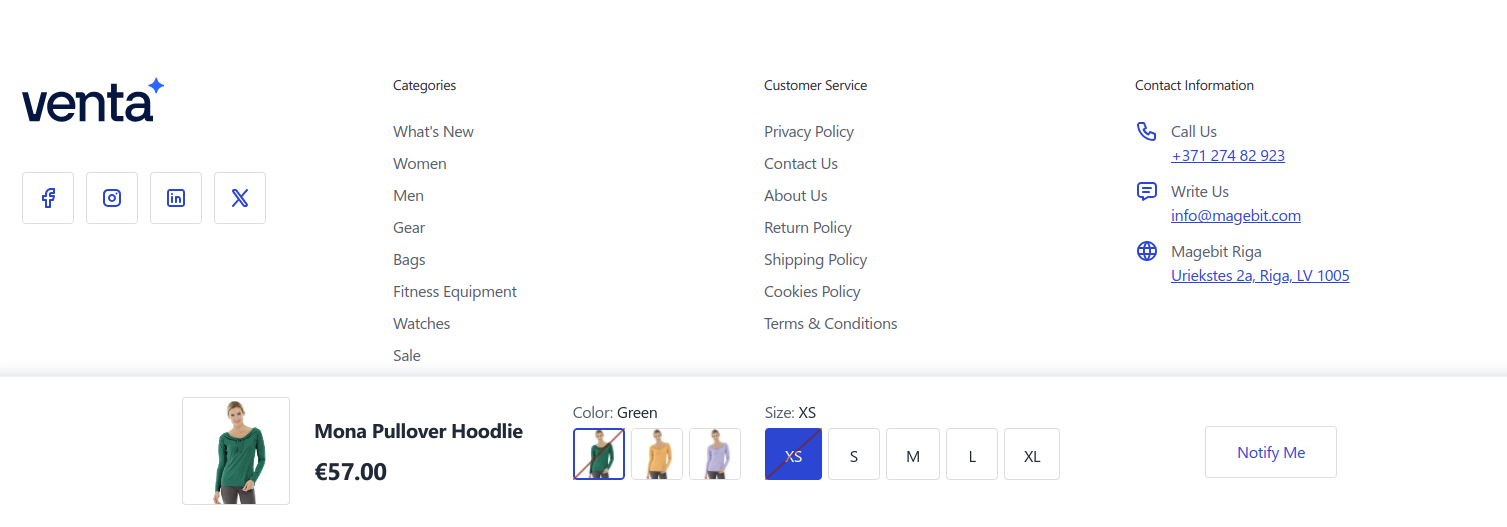
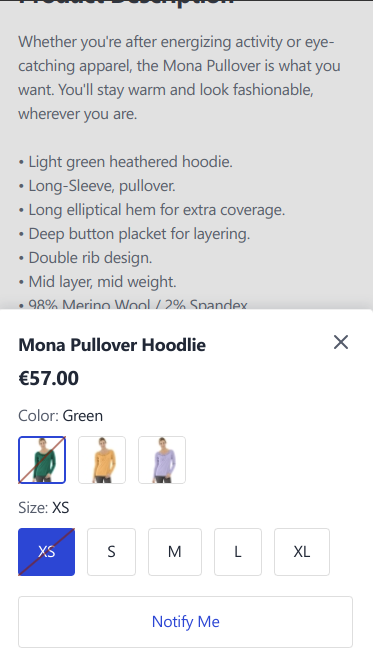
- Integration with Venta sticky bar for a mobile-friendly Notify Me button
Product Listing Page (PLP)
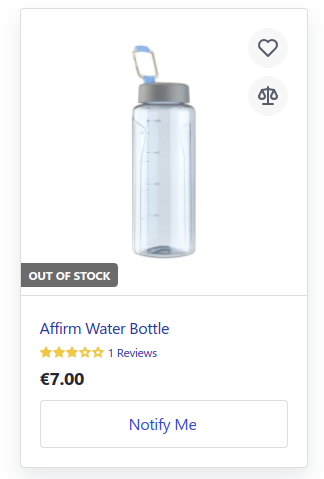
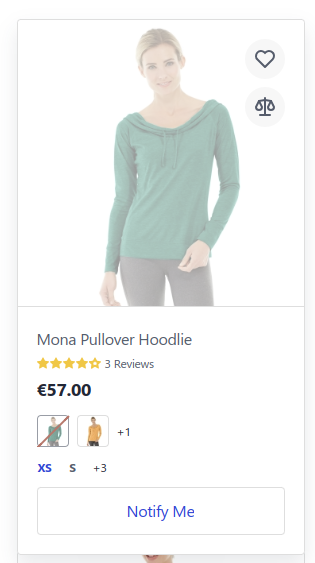
- Out-of-stock overlay on product image with a Notify Me button
- Logged-in users can subscribe/unsubscribe without page refresh (AJAX)
- Works for both simple and configurable products
Customer Account
- New My Stock Alerts section under My Account
- List of all active back-in-stock subscriptions
- Ability to unsubscribe from individual products
Email Notifications
- Automatic emails when products are restocked
- Multiple products can be grouped into a single email
- Product information with images
- Unsubscribe links for both guest and logged-in customers
- Optional reminder frequency configuration
Admin Tools
- Two grids under Marketing → Venta Stock Alerts
- Overview of products with active subscriptions
- Detailed list of individual subscriptions with mass actions
Configuration (Admin Guide)
1. Enable Magento Product Alerts (Required)
Out Of Stock Notifications extends Magento's built-in Product Alerts.
Make sure stock alerts are enabled under Stores → Configuration → Catalog → Catalog → Product Alerts before relying on this module. See the Setup guide for a full, step-by-step walkthrough of the required settings and screenshots.
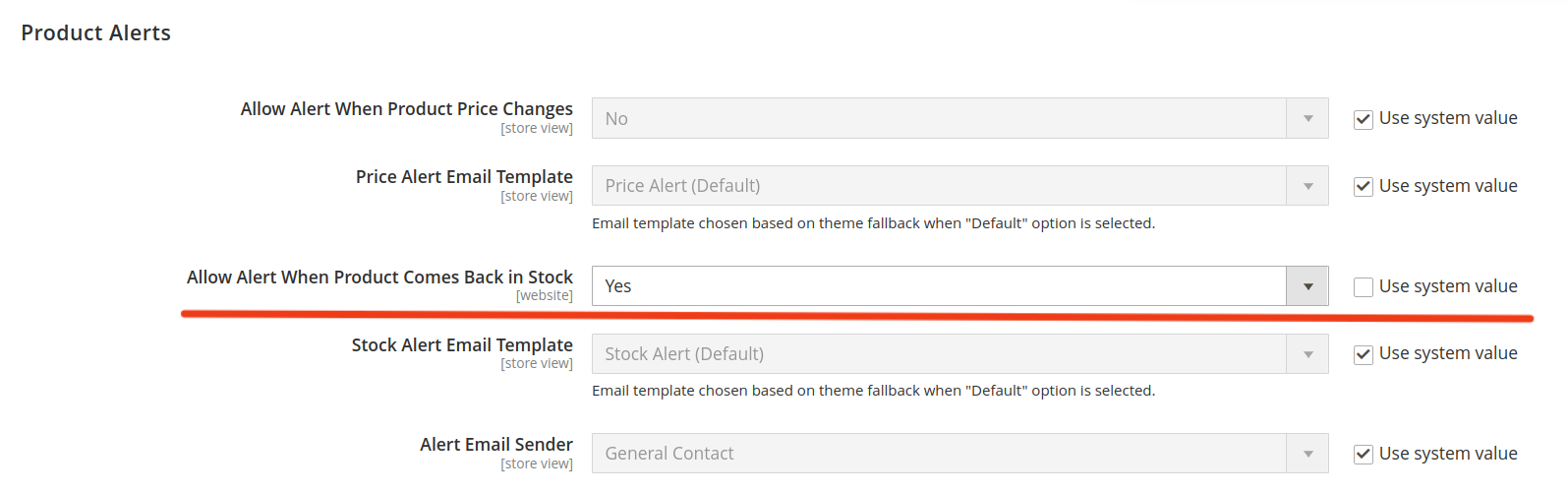
2. Configure Venta Out Of Stock Notifications
The module exposes its own configuration section underStores → Configuration → Magebit → Out Of Stock Notifications.
General Settings
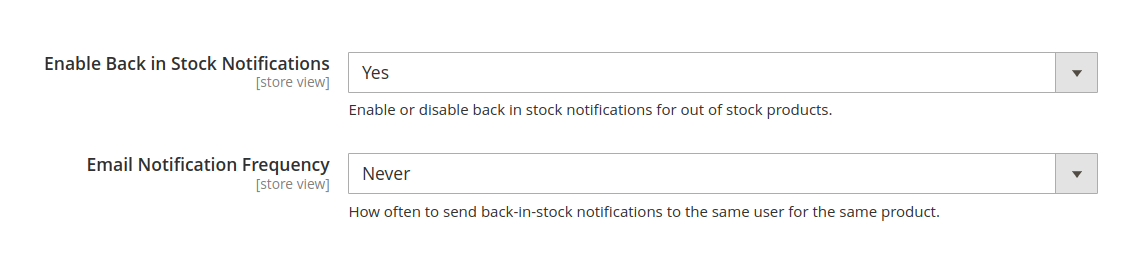
- Enable Back in Stock Notifications
- Toggles the overall module functionality.
- Email Notification Frequency
- Controls how often reminder notifications are sent for the same customer or guest email for the same product while it remains in stock.
- Backed by an internal time interval, exposed as:
- Never (send only once)
- Daily
- Weekly
- Biweekly
- Monthly
Depending on your project and infrastructure, you may also want to review:
- Cron configuration for background processing
- Mail sending configuration under
Stores → Configuration → Advanced → System → Mail Sending Settings
For detailed setup commands, configuration steps, and validation checklists, refer to the dedicated Setup page for this extension.
Frontend Behaviour
This module is designed for Venta Theme and uses Tailwind CSS and AlpineJS to provide a fast, minimal-JS implementation that works well with Core Web Vitals.
Product Detail Page (PDP)
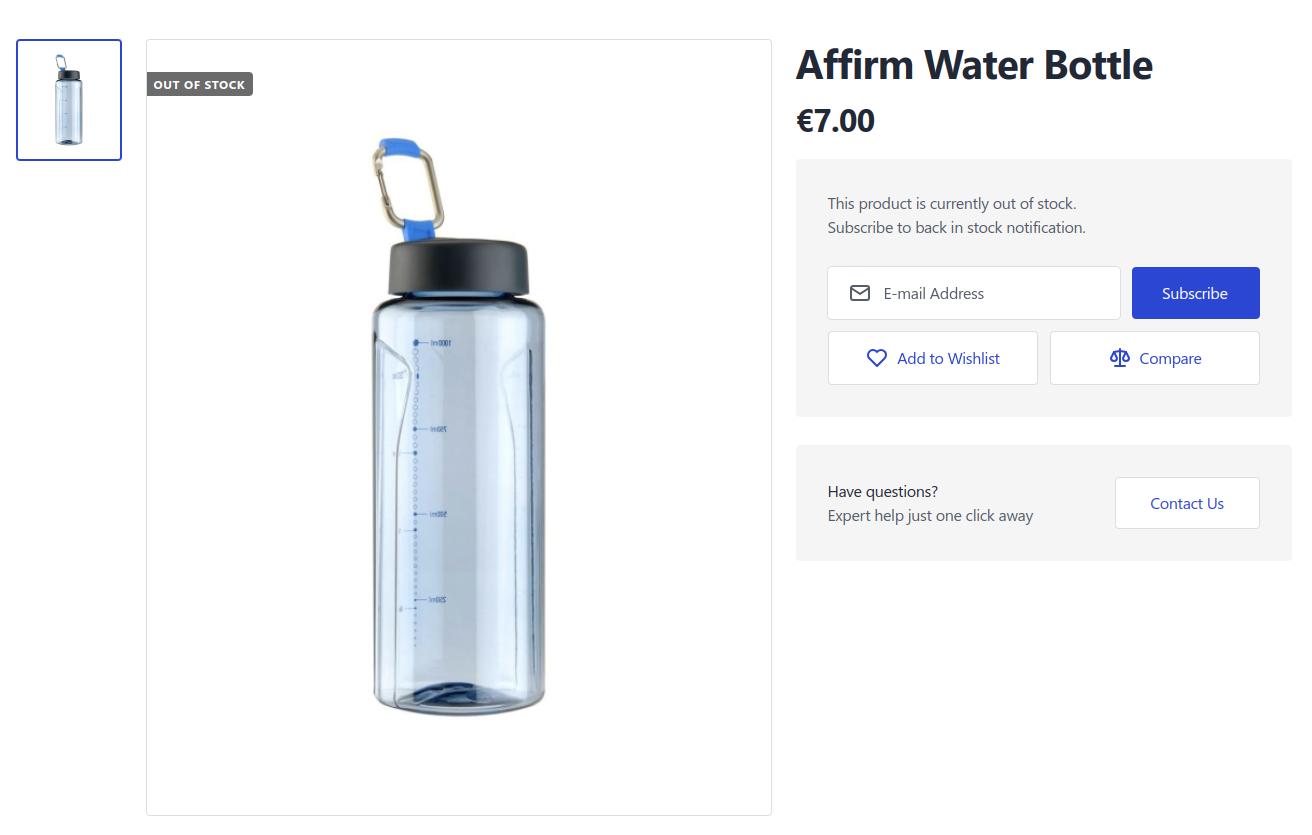
When a product is out of stock, the PDP displays a subscription interface.
Guest users
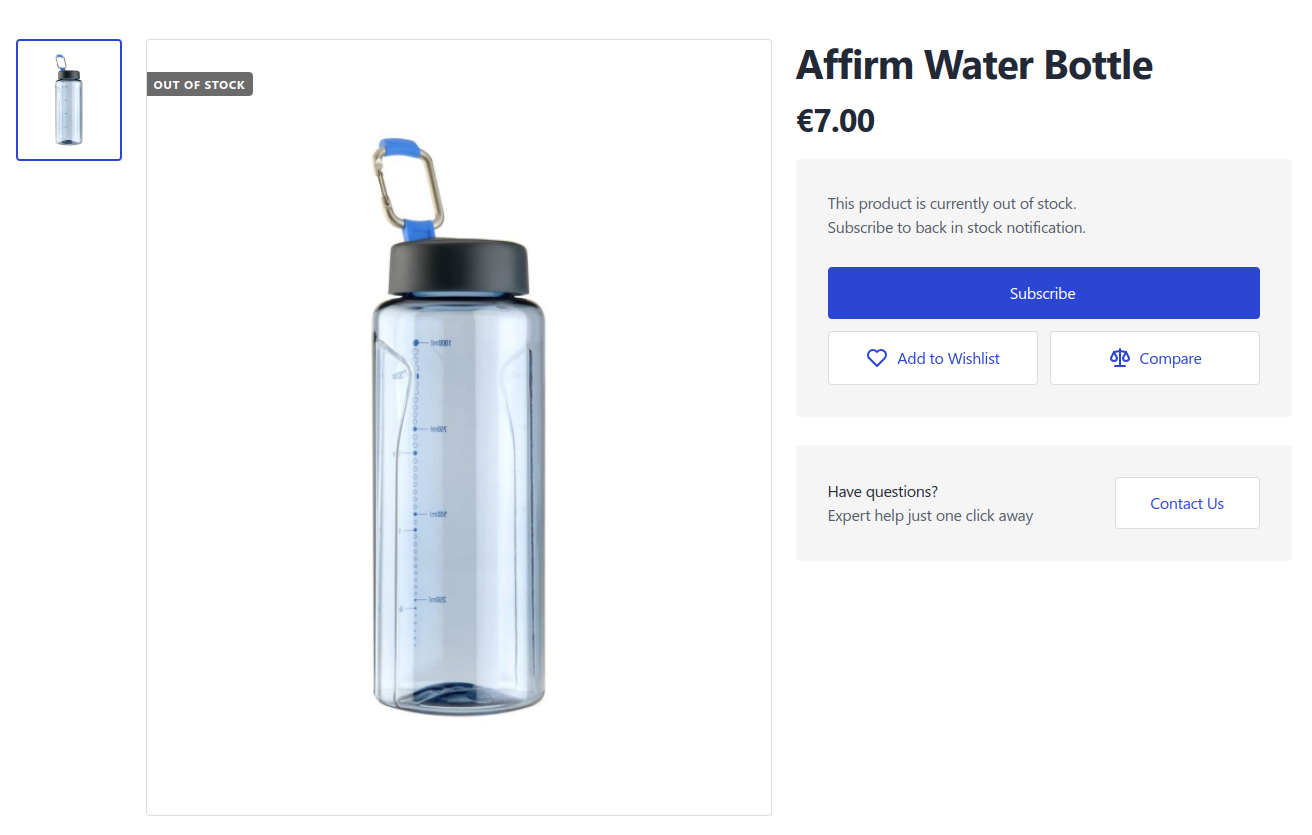
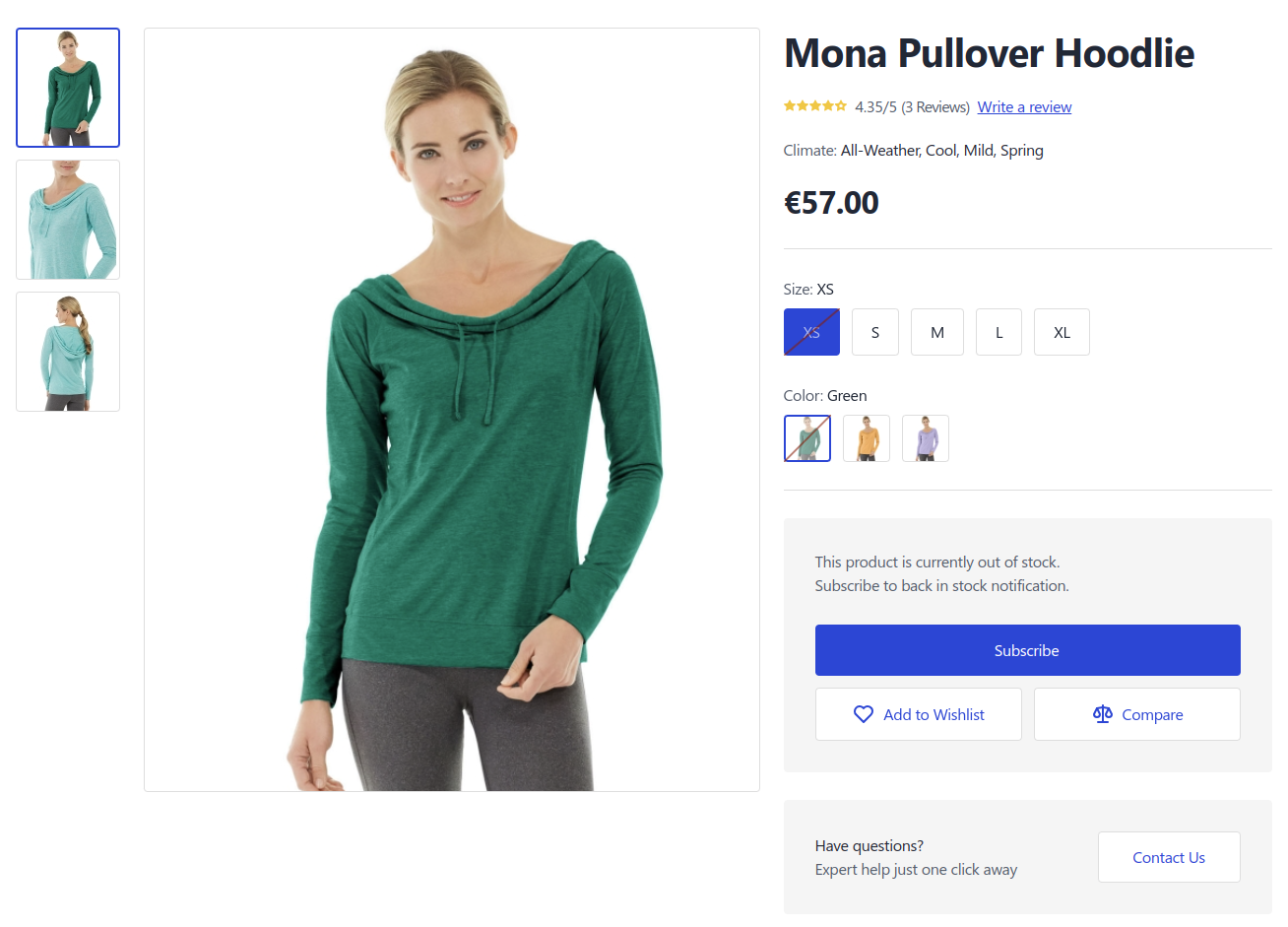
- See an email input field and a Subscribe button.
- Simple client-side validation is applied to the email address.
- The backend checks if the email is already subscribed and prevents duplicate subscriptions.
Logged-in customers
- See a one-click Subscribe button if not subscribed yet.
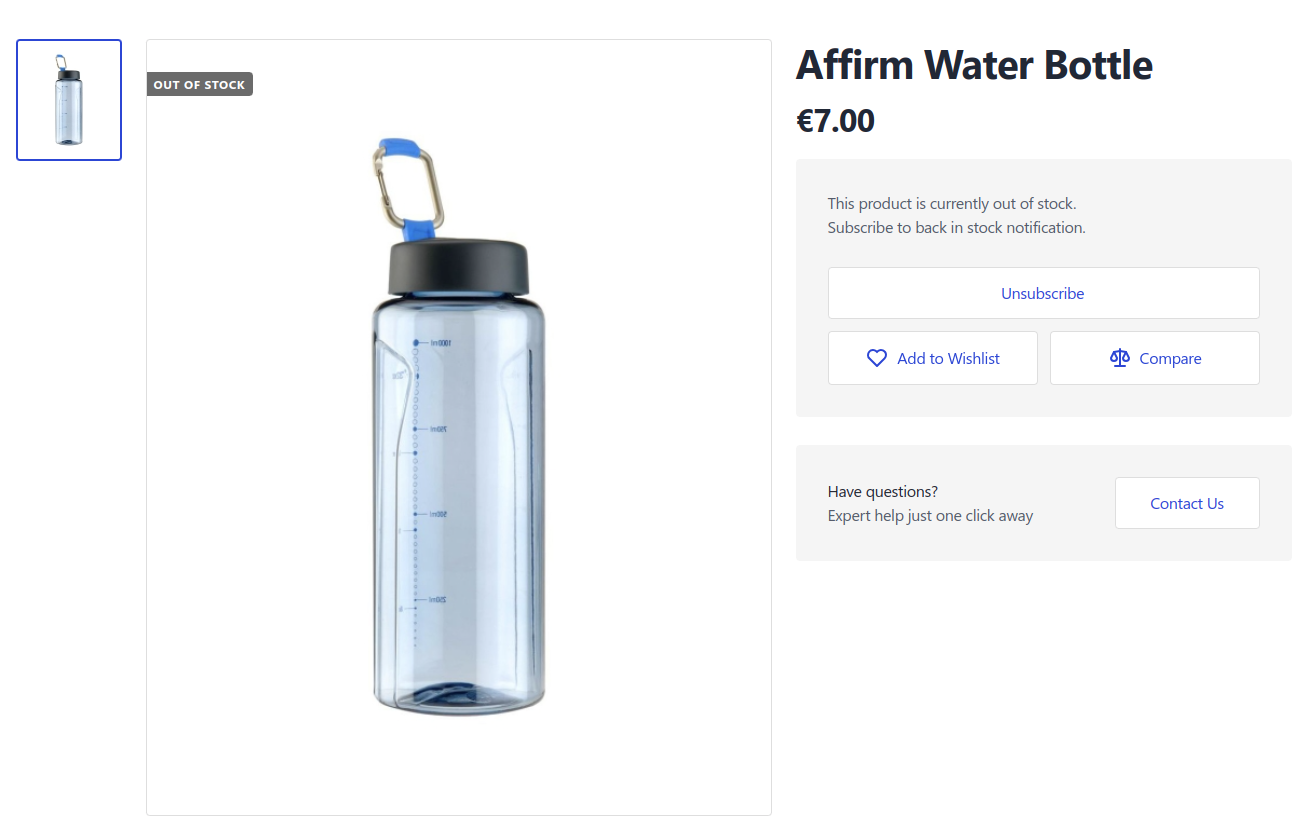
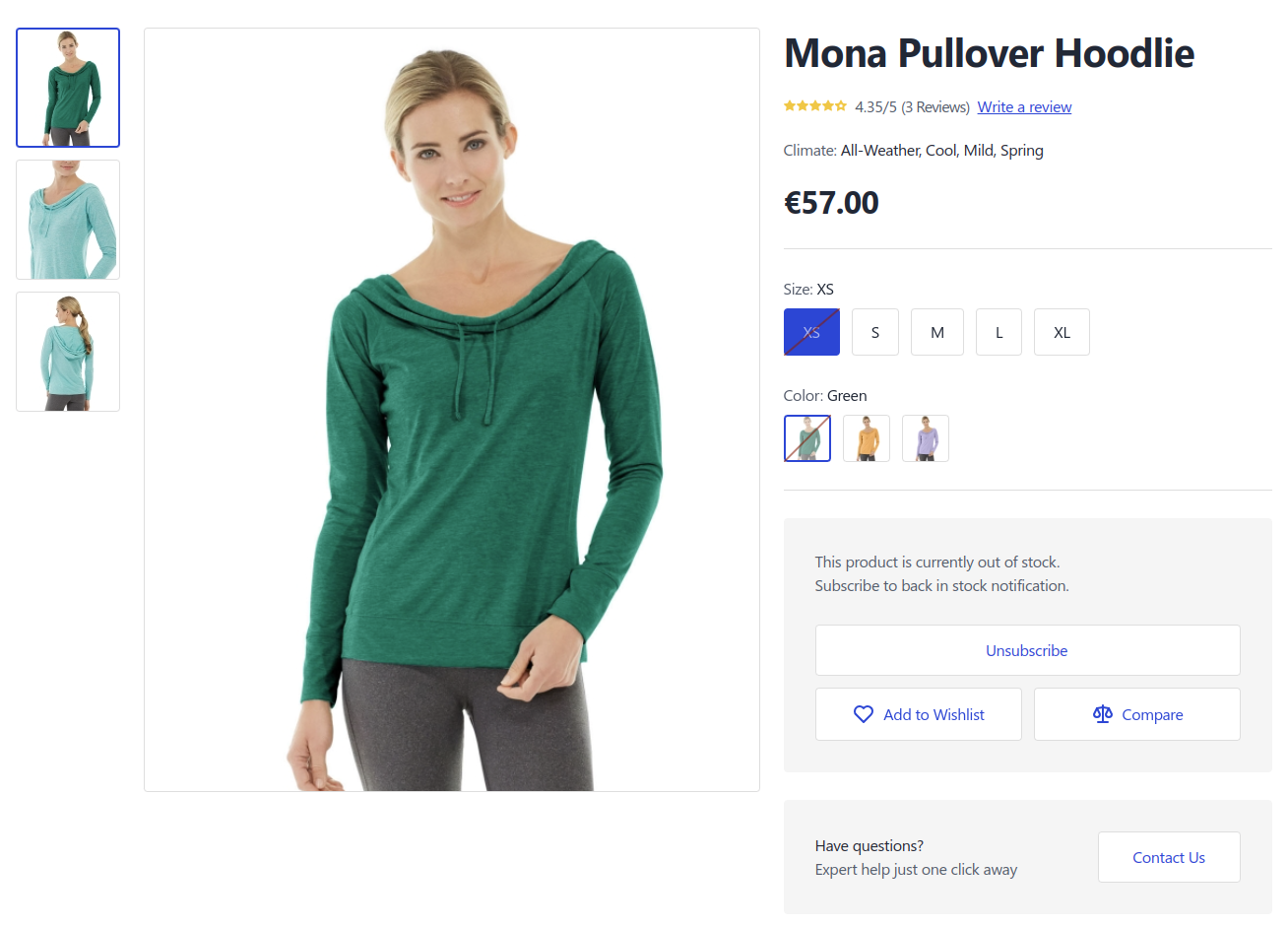
- See an Unsubscribe button if they already have an active subscription.
Sticky Bar Integration
- A sticky bar can expose the subscribe action when the main form is not visible in the viewport and by clicking the Notify Me button, scrolls the user back to the subscription form.
Related products
- When a related product is out of stock, the Notify Me button is displayed on the related product card.
Product Listing Page (PLP)
On category pages and product listings, out-of-stock products are visually marked and offer a quick subscription flow.
- Out-of-stock overlay
- A grayed-out overlay appears over the product image when the item is unavailable.
- A Notify Me button is displayed on top of the overlay instead of a static "Out of stock" label.
- Guest behaviour
- Guests are taken to the PDP to subscribe, where they provide their email address to subscribe to the product.
- Logged-in behaviour
- Logged-in customers can subscribe/unsubscribe directly on the PLP via AJAX, without page refresh.
- Product types
- Works for simple and configurable products where stock status is known at the listing level.
Customer Dashboard (My Stock Alerts)
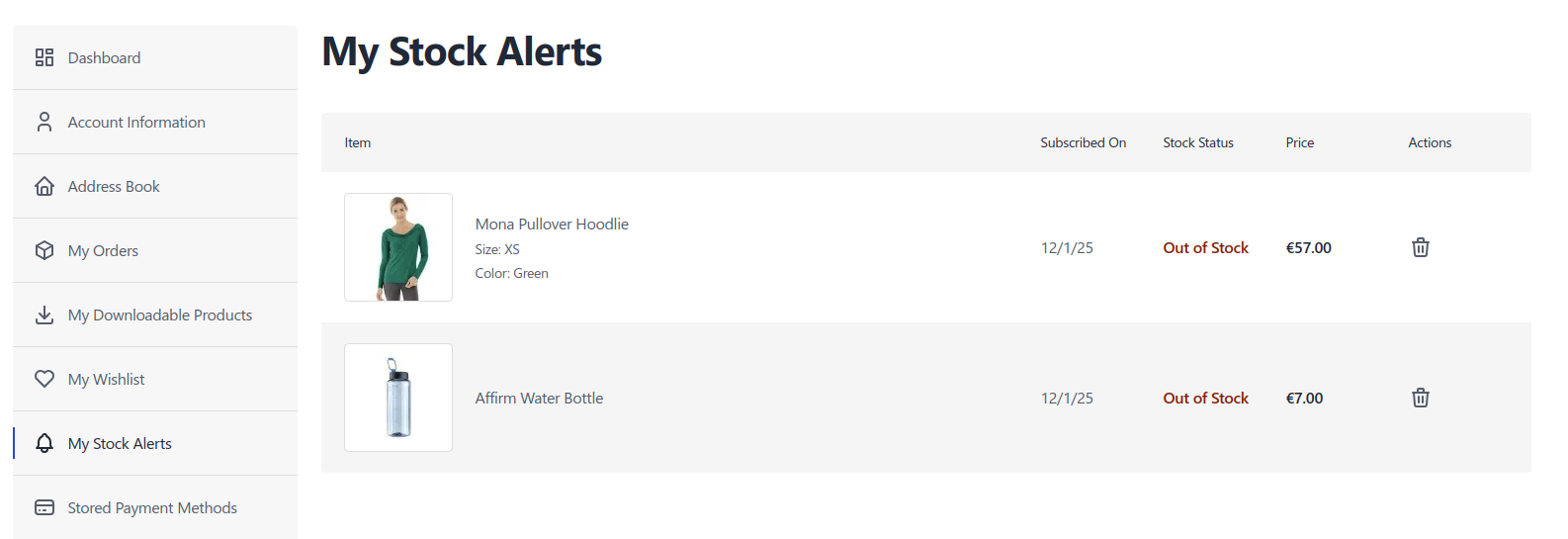
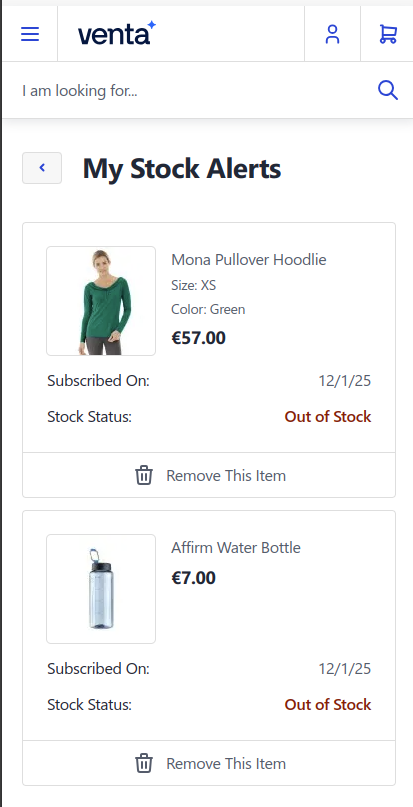
Customers can manage their subscriptions under a dedicated My Stock Alerts area in My Account.
- Displays a table of all active back-in-stock subscriptions:
- Product image
- Product name / variant information
- Subscription date
- Unsubscribe action
- Logged-in customers can remove individual subscriptions as needed.
Email Notifications
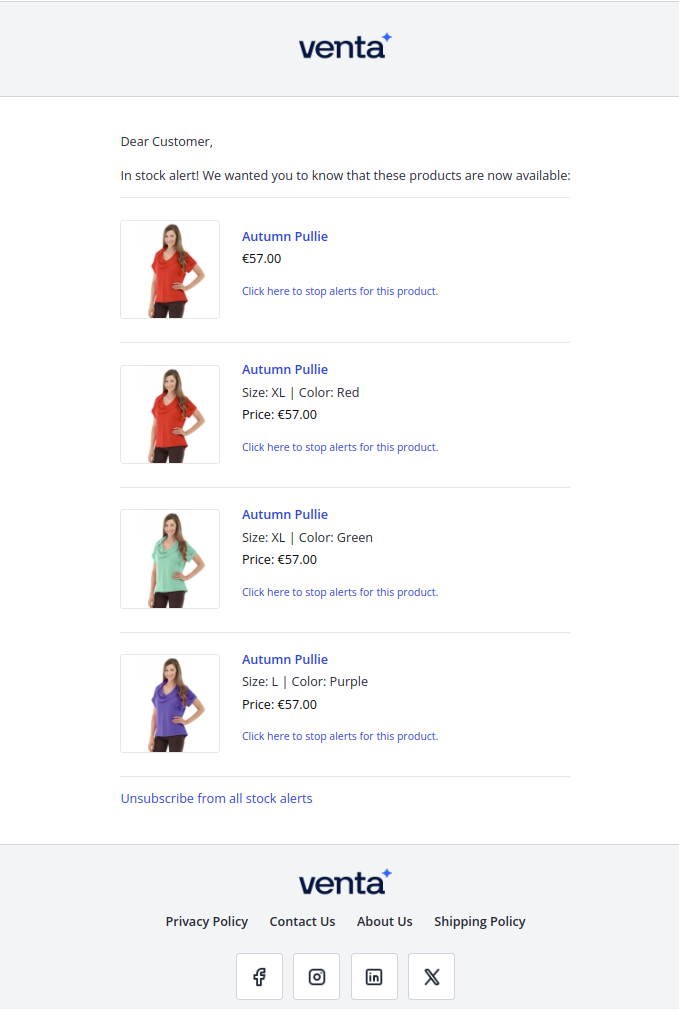
When one or more subscribed products come back in stock, the module sends transactional emails to the respective subscribers.
- Content
- Product names, images, and links back to the PDP.
- Unsubscribe link for both guest and logged-in users.
- Grouping
- Multiple products may be combined into a single email, reducing email noise.
- Unsubscribe controls
- Each product row includes a “stop alerts for this product” link.
- The footer includes “Unsubscribe from all stock alerts”, backed by secure subscription hashes for both guests and logged-in customers.
- Reminder frequency
- If configured, reminder emails can be sent periodically while products remain in stock.
Admin Grids
The module provides two grids under Marketing → Venta Stock Alerts to help manage and monitor subscriptions.
Products Stock Alerts
Menu path: Marketing → Venta Stock Alerts → Products Stock Alerts
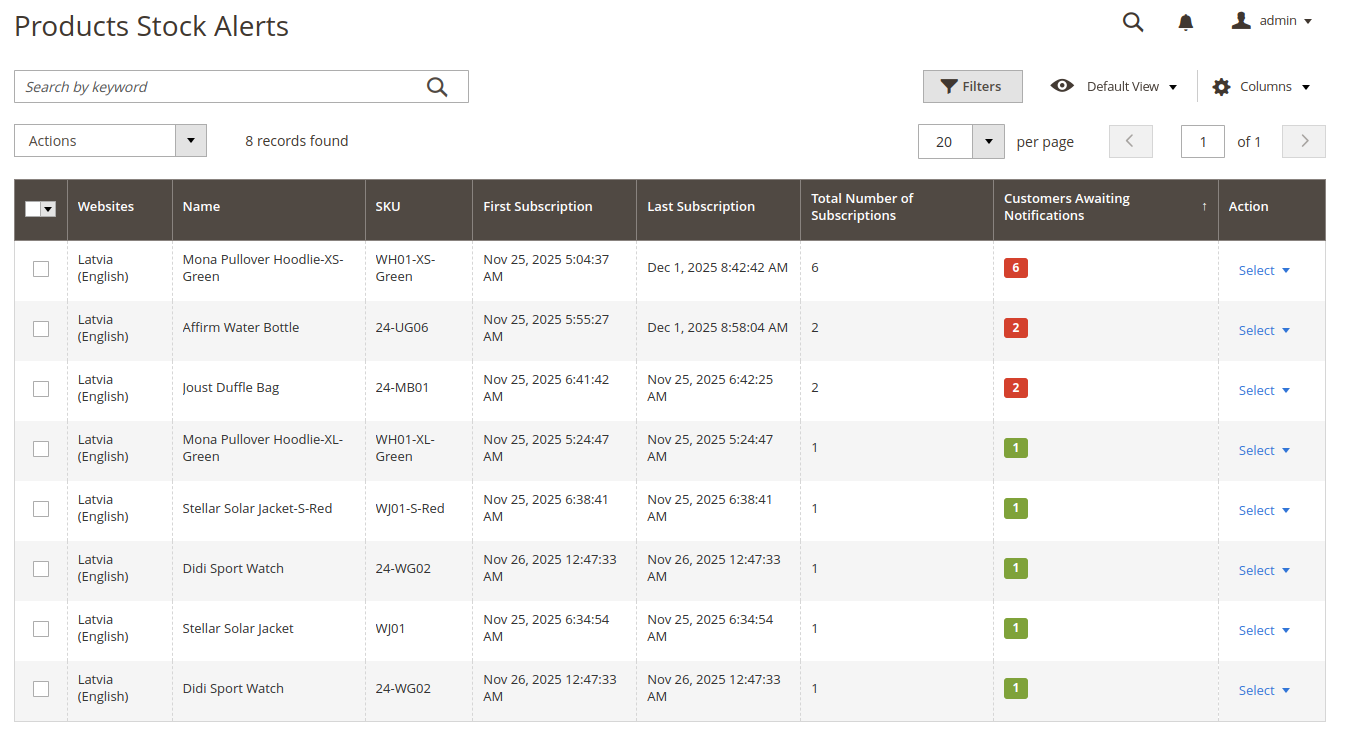
This grid shows products that have one or more active back-in-stock subscriptions.
- Columns typically include:
- Website
- Product name
- Product ID / SKU
- First subscription date
- Last subscription date
- Number of active subscriptions
- Customers awaiting when product comes back in stock
- Useful actions:
- Edit Product to open product configuration page.
- Send Notifications manually for a single product, using the same queue-based mechanism as the cron job.
- Delete Subscriptions for the selected product via the row action or mass actions.
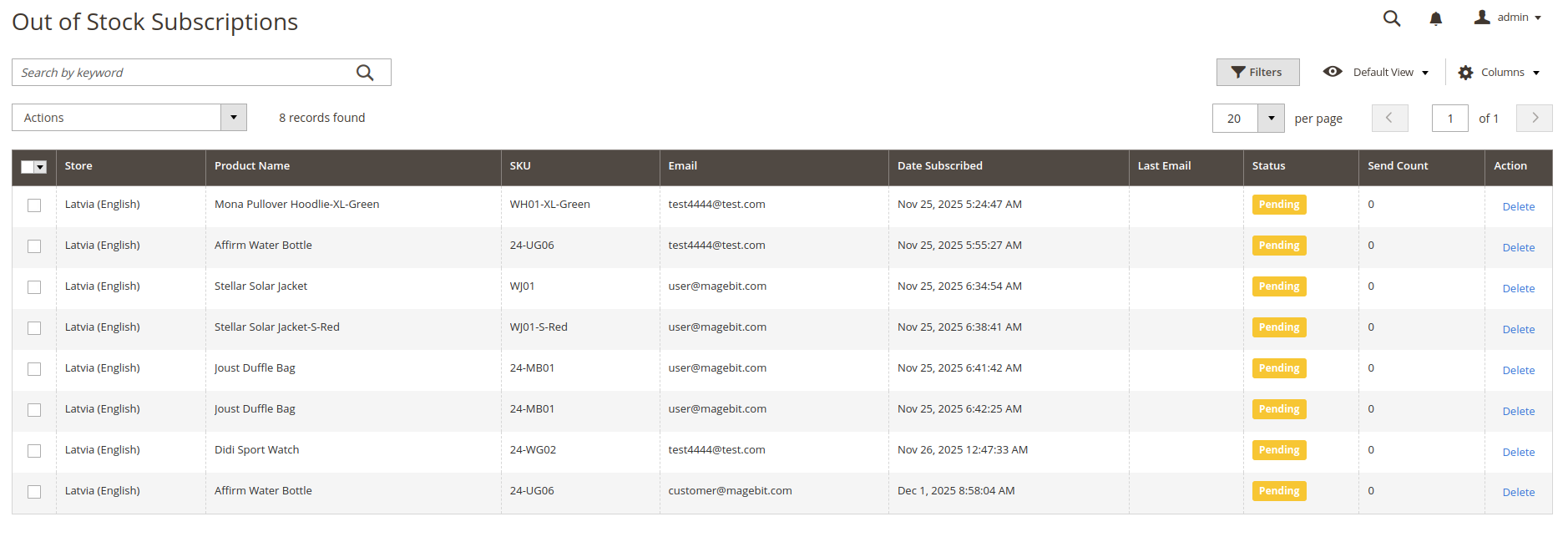
Out of Stock Subscriptions
Menu path: Marketing → Venta Stock Alerts → Out of Stock Subscriptions
This grid lists individual subscription records.
- Columns typically include:
- Website
- Product name
- Product name / SKU
- Customer / Guest email
- Subscription date
- Last notification sent
- Notifications status
- Total emails sent to the customer
- Useful actions:
- Delete individual subscriptions
- Mass delete selected subscriptions
Developer Notes
This section is intended for Magento developers integrating or customising the module.
Database Extensions
The module extends Magento's native product_alert_stock table with additional columns to support Venta-specific use cases:
customer_id- link to the customer entity (nullable for guest users)email- email address for guest subscriptionssubscription_hash- unique hash used for unauthenticated unsubscribe links
These additions allow both guest and registered customers to manage subscriptions securely.
Frontend Templates
The module provides a set of templates for the core touch points:
- PDP subscription form
- Template:
product/subscribe.phtml
- Template:
- PLP buttons
- Simple product button:
product/list/stock-alert-button-simple.phtml - Configurable product button:
product/list/stock-alert-button-configurable.phtml
- Simple product button:
- Out-of-stock overlay
- Template:
product/list/image-overlay.phtml
- Template:
- Customer account
- Template:
customer/stock/alerts.phtml
- Template:
- Sticky bar
- Template:
sticky-bar/subscribe-button.phtml
- Template:
- Email
- Template:
email/stock.phtml
- Template:
Module Dependencies and Architecture
- Leverages Magento's Product Alert infrastructure and cron-based processing for sending emails.
- Uses Magento's standard email transport and transactional email templates.
- Designed to integrate cleanly into Venta Theme's layout and component structure, reusing existing blocks where possible to keep the DOM light and performance-friendly.
Troubleshooting
Notifications Are Not Being Sent
- Confirm that Allow Alert When Product Comes Back in Stock is enabled under
Stores → Configuration → Catalog → Catalog → Product Alerts. - Check that the Magento cron is running and healthy.
- Verify that
product_alertand related cron jobs are executed on schedule.
- Verify that
- Review email configuration under
Stores → Configuration → Advanced → System → Mail Sending Settings. - Make sure your environment mail transport (SMTP, transactional email provider, etc.) is correctly configured.
Customers Do Not See the Subscribe UI
- Ensure the Venta Out Of Stock Notifications module is enabled:
d/magento module:status Magebit_VentaBackInStock
- Confirm the product is actually out of stock and visible on the storefront.
- Verify that the theme in use is Venta Theme (or a child) with the appropriate templates/layout enabled.
- Clear caches and re-deploy static content if templates have been recently updated.
Subscriptions Exist, But No Emails Are Triggered on Restock
- Confirm that the relevant product stock changes actually switch status from out of stock to in stock.
- Check for any custom inventory or MSI integrations that might bypass standard product alert triggers.
- Review logs for errors related to product alerts or email sending.