

Show in CMS Page Navigation Configuration
This configuration allows administrators to control whether specific CMS pages should be displayed in the side navigation menu on CMS pages that use the Venta navigation sidebar layout. It helps create an easy-to-manage navigation menu for related informational pages like About Us, Privacy Policy, Terms & Conditions, etc.
Overview
The Show in CMS Page Navigation configuration provides control over CMS page visibility in side navigation menus. This feature enables administrators to create structured navigation for informational pages and improve user experience on CMS pages with sidebar layouts.
Configuration
Configure CMS page navigation visibility through the Magento admin panel.
Configuration Path: Content > Pages > Select any page
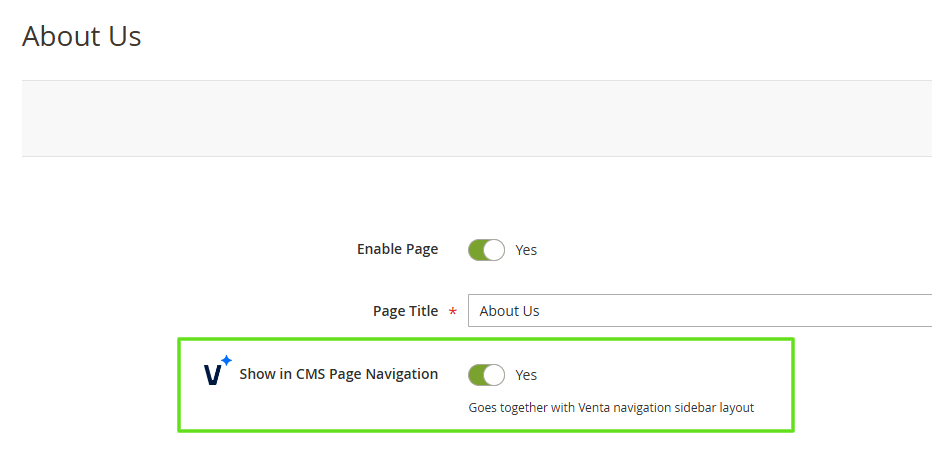
Configuration Options:
- Show in CMS Page Navigation - Control page visibility in side navigation
- Yes - The page will appear in the left-side navigation menu alongside other selected CMS pages
- No - The page will not appear in the side navigation (default)
Functionality
Layout Requirements
This configuration works only on CMS pages that are using the CMS Page with Side Navigation Layout (Venta-specific layout). The feature is designed specifically for pages with sidebar navigation components.
Navigation Behavior
Enabled Configuration:
- Pages appear in the left-side navigation menu
- Navigation includes all selected CMS pages
- Currently active page is highlighted automatically
- Responsive design works on both desktop and mobile views
Disabled Configuration:
- Pages are excluded from side navigation
- Pages remain accessible through direct URLs
- No impact on page content or functionality
Responsive Design
The navigation menu is responsive and available on both desktop and mobile views, ensuring consistent user experience across all devices.
Visual Implementation
Desktop View
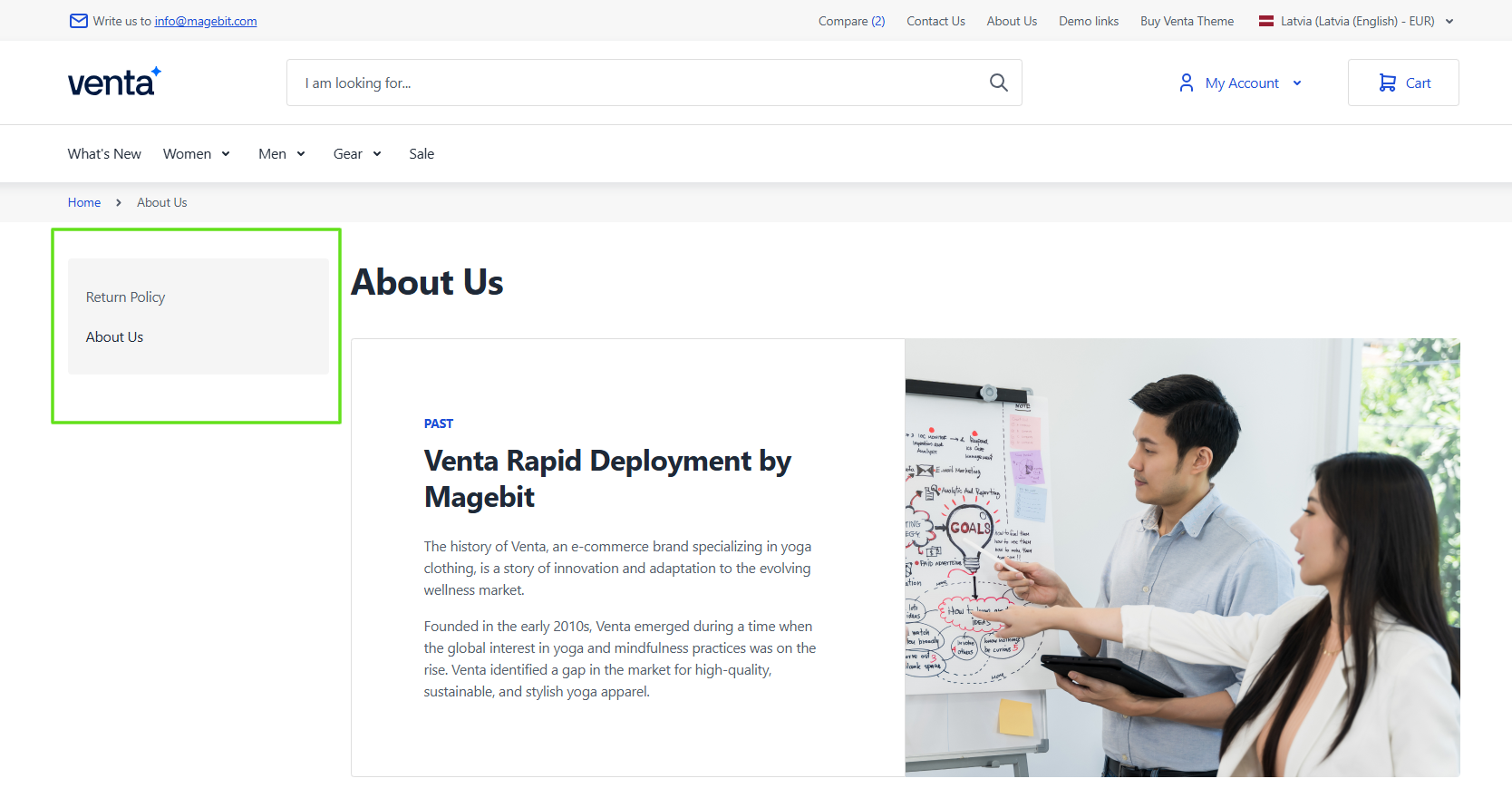
Mobile View

Use Cases
Informational Pages
This configuration is particularly useful for managing navigation of informational pages such as:
- About Us pages
- Privacy Policy pages
- Terms & Conditions pages
- Contact pages
- FAQ sections
Navigation Management
Administrators can easily control which pages appear in the side navigation, allowing for:
- Structured information architecture
- Improved user navigation
- Easy management of related content
- Consistent navigation experience across CMS pages