

Venta Email Templates
Venta email templates provide a branded, consistent look-and-feel for all transactional emails. They override the default Magento email header and footer and include a unified content wrapper to keep spacing, typography, and link styles consistent across messages.
Key components
- Header template: Venta-branded header with store logo and balanced spacing.
- Footer template: Venta-styled footer that supports menu links and social icons.
- Content wrapper: Consistent paddings, fonts, and colors around the main email body.

Edit email templates
Customization is done in the Admin—no code changes required for typical edits.
Open Email Templates
Navigate to: Marketing > Communications > Email Templates.

New template
Click "Add New Template". In the Template dropdown, select from Magento_Email:
header (magebit/venta)footer (magebit/venta)

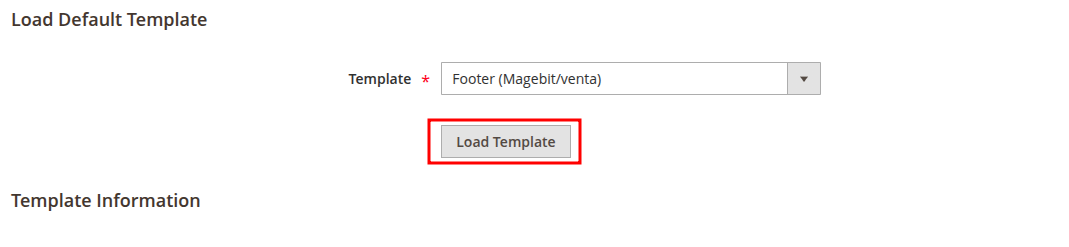
Load template
Click "Load Template" to populate the form with the selected template’s content.
Edit content
To edit any template content or adjust it to specific needs, use the Template Content area below. Update copy, links, or minor layout within the Venta wrapper as required.

Save the template when finished and assign it where needed for your transactional emails.
Global variables (LESS)
For broader color and typography changes, use the email variables file:
app/design/frontend/Magebit/venta/web/css/source/_email-variables.less
Common variables you can adjust:
@venta-email-bg:            #f3f4f6;
@venta-email-content-link-color: #1D4ED8;
@venta-email-font-size:     14px;
After updating variables, deploy static content or clear caches as required by your environment to see the changes in email previews.
Change colors
You can adjust brand colors directly in the Template Content of the header and footer. Email clients rely on inline styles and bgcolor attributes.
- Header or footer background:
<td bgcolor="#F5F5F7" style="background-color:#F5F5F7;">
  ...
</td>
Replace #F5F5F7 with your brand background color.
- Link color:
<a href="{{store url=''}}" style="color:#5E3EDA; text-decoration:underline;">View order</a>Change #5E3EDA to your brand link color. Keep sufficient contrast for accessibility.
- Button color (when a CTA is present in a specific template):
<a href="{{var action_url}}" style="background:#5E3EDA; border:1px solid #5E3EDA; color:#FFFFFF; padding:12px 20px; display:inline-block;">Confirm</a>Update both the background and border to the same brand color; keep text color readable (usually white or near-black).
Notes:
- Make the same color changes in both the header and footer templates to keep emails consistent.
- Preview the template and send a test email to verify colors across clients (Gmail, Outlook, Apple Mail).