

Blog Compatibility
This compatibility module restyles the Mageplaza Blog extension for Venta. It replaces Mageplaza's templates with Tailwind ones, strips the CSS and JavaScript libraries Mageplaza ships for its own theme, and rebuilds the blog layouts to match the rest of a Venta storefront. It adds no features to the blog itself.
Installation
Installation Command:
composer require magebitcom/magento2-venta-theme-mageplaza-blog-modulePost-Installation Steps:
bin/magento module:enable Magebit_VentaMageplazaBlog
bin/magento setup:upgrade
bin/magento cache:flush
Tailwind recompile is required
This module removes the stylesheets Mageplaza uses to style the blog and replaces them with Tailwind classes. Until your theme's Tailwind build runs again, blog pages render unstyled. See Tailwind build.
Requirements
Composer pulls these, so a normal install needs no extra steps.
| Package | Purpose |
|---|---|
mageplaza/magento-2-blog-extension | The blog itself: posts, categories, tags, authors, admin |
magebitcom/magento2-module-mageplaza-blog-seo | SEO handling for blog URLs and meta data |
magebitcom/magento2-venta-theme | Venta theme, which supplies the Tailwind utilities used here |
The module is sequenced after Mageplaza_Blog and Magebit_VentaTheme, so both load first.
What the module changes
Templates
Blog output is moved onto Venta templates, through a mix of layout setTemplate calls and block preferences.
| Blog area | Venta template |
|---|---|
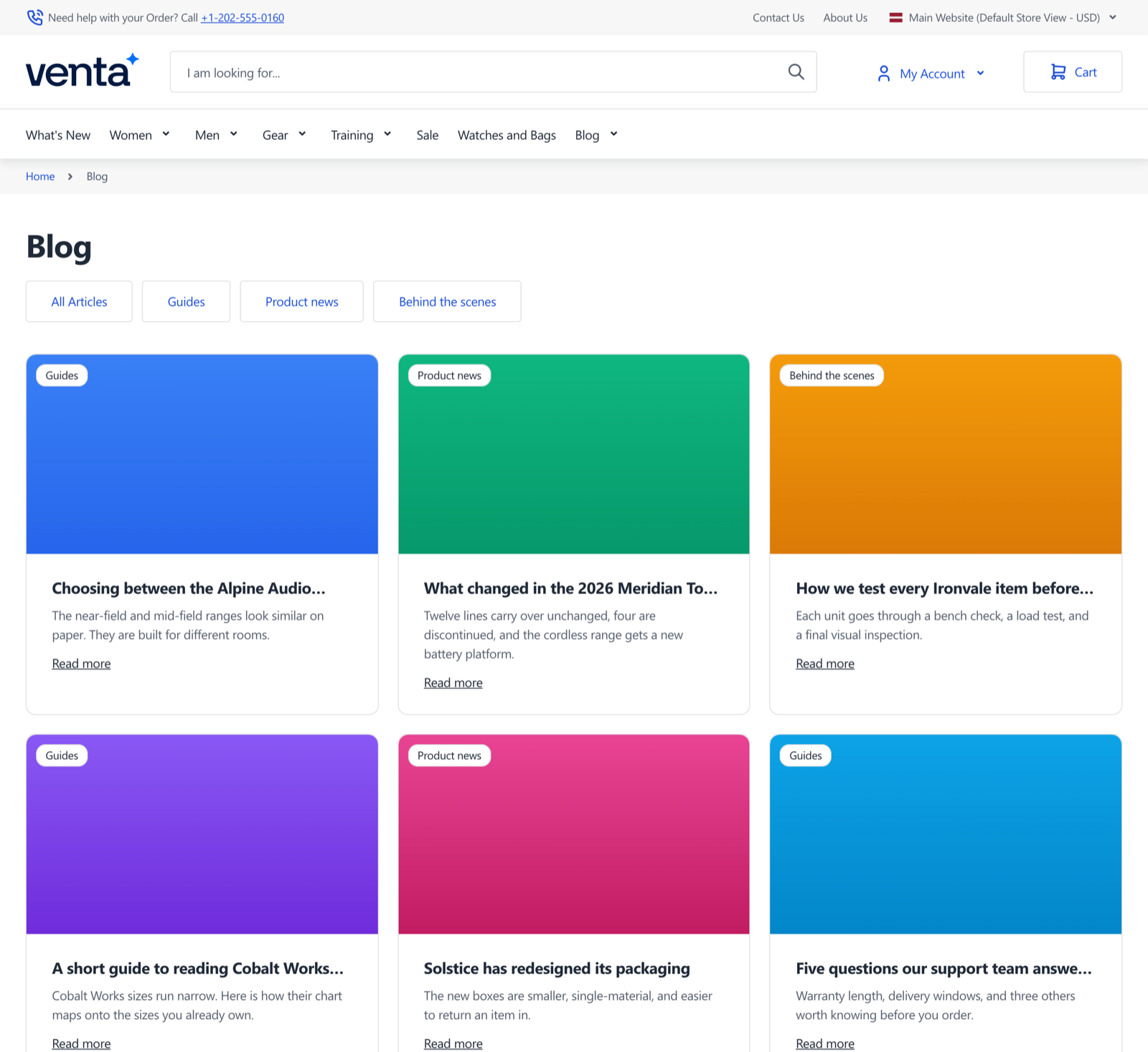
| Post list, on the blog index and category pages | post/list.phtml |
| Individual card in any post list | post/list/item.phtml |
| Post page body | post/view.phtml |
| Post meta header | post/head.phtml |
| Blog category navigation | category/nav.phtml |
| Category label on cards and posts | post/category/label.phtml |
| Related posts sidebar on a post page | post/view/sidebar/related.phtml |
| Mageplaza posts widget | widget/posts.phtml |
Five Mageplaza blocks are also replaced through DI preferences, covering the post view, the posts widget, and the three list-post blocks, so the Venta templates receive the data they need.
Removed Mageplaza assets
Mageplaza ships its own front-end libraries for a Luma-style blog. This module removes them from the blog pages, the blog design handles, and product pages: Font Awesome, Owl Carousel, Splide, CKEditor, Treeselect, mpBlogIcon.css, grid-mageplaza.css, and hyvaBlog.css.
Removing these is why the Tailwind recompile is mandatory rather than optional. Once they are gone, nothing else styles the blog.
Layouts
- The blog index and blog category pages are forced to a single column, both in layout XML and through a plugin on the two Mageplaza controllers, so the setting holds regardless of the layout Mageplaza requests.
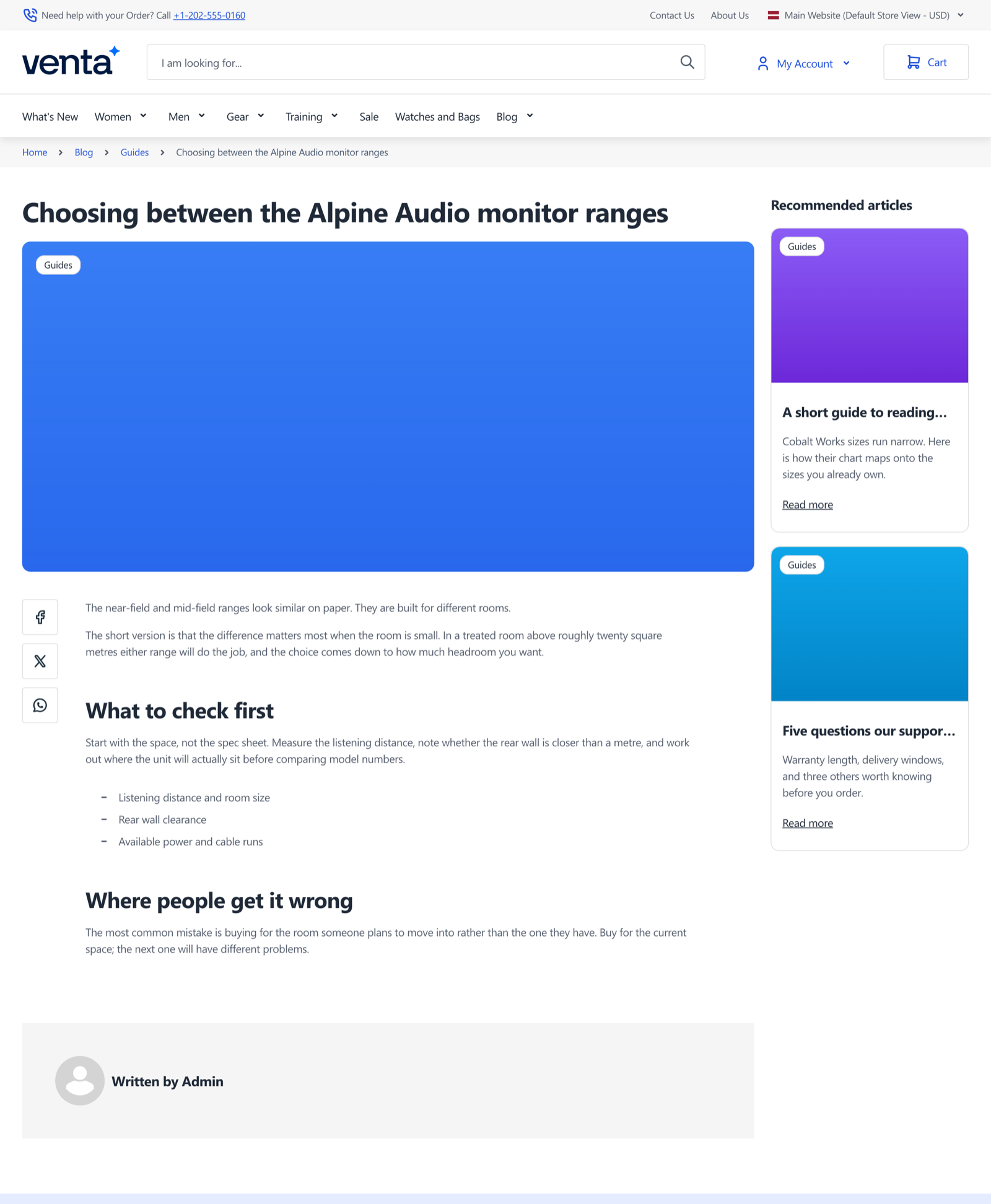
- Post pages use a two-column layout with the related posts sidebar beside the content.
- Mageplaza's own sidebar containers, post info block, blog search, copyright line, and post slider are removed.
- The page title moves into the content container so it sits inside the Venta grid.
Share buttons
Post pages get share actions for Facebook, X, and WhatsApp, plus a native share button that appears only in browsers supporting the Web Share API.
Configuration
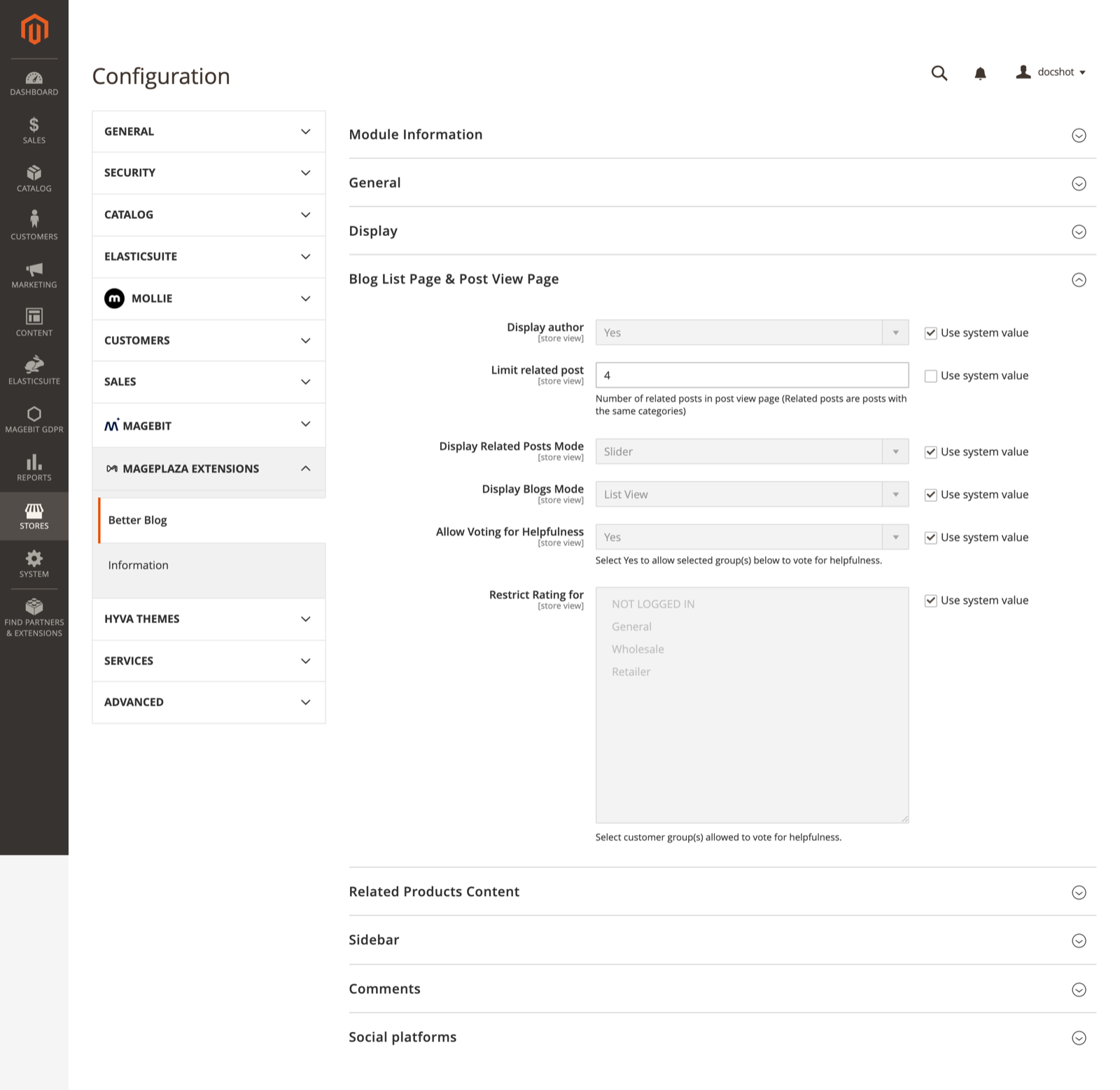
The blog's own settings stay where Mageplaza puts them, under Stores > Configuration > Blog. This module changes one field description there.
Under Stores > Configuration > Blog > Blog List Page & Post View Page, the Limit related post field gains the description "Number of related posts in post view page (Related posts are posts with the same categories)", which documents how the related posts sidebar picks its entries. Related posts are matched by shared category, and this field caps how many are shown.
Beyond that field, this module has no configuration of its own. It is styling.
Tailwind build
Your child theme's Tailwind build has to scan this module so its classes reach the compiled CSS. Registering the module in app/etc/hyva-themes.json is what puts it in the @source list the build scans, and setup:upgrade handles that registration. Then rebuild and flush:
cd app/design/frontend/<Vendor>/<ProjectTheme>/web/tailwind
npm run build-prodbin/magento cache:flushThe module supplies the post page's centred reading column as a theme extension, grid-cols-blog-template-columns at 1fr 880px 1fr. Tailwind 4 picks it up from view/frontend/tailwind/tailwind-source.css, which Hyvä imports into the theme build. The file needs no editing.
Troubleshooting
Blog pages render without styling
The Tailwind build has not run since the module was installed, so the Venta classes used by the blog templates are missing from the compiled CSS while Mageplaza's own stylesheets have already been removed. Rebuild Tailwind and flush the cache.
The post page still shows Mageplaza's sidebar
Flush the cache and confirm Magebit_VentaMageplazaBlog is enabled with bin/magento module:status. A child theme that overrides the blog layout handles can also reintroduce the containers this module removes.
Related posts sidebar is empty
Related posts are matched by shared category, so a post that is the only one in its category has none to show. Check the post has categories assigned, and that Limit related post under Stores > Configuration > Blog > Blog List Page & Post View Page is above zero.
Blog styling is correct but product pages break
This module removes Mageplaza's carousel assets from product pages too, since Mageplaza loads them there for its related-posts slider. A theme relying on those files for something else needs to load them itself.